Resume Examples 2026: Free Samples for Every Job | Careerkit
Home/Blog/Guide/Resume Examples 2026: Free Samples for Every Job
Guide
Resume Examples 2026: Free Samples for Every Job
Browse free resume examples for 2026 across every job and experience level. Each shows the exact skills, wording, and certifications recruiters look for.
According to a Ladders eye-tracking study, recruiters spend an average of just 7.4 seconds scanning your resume before deciding to move on or dig deeper. In that window, formatting, structure, and the right keywords matter more than years of experience.
This guide breaks down real resume examples that are getting people hired in 2026 and shows you exactly how to build yours.
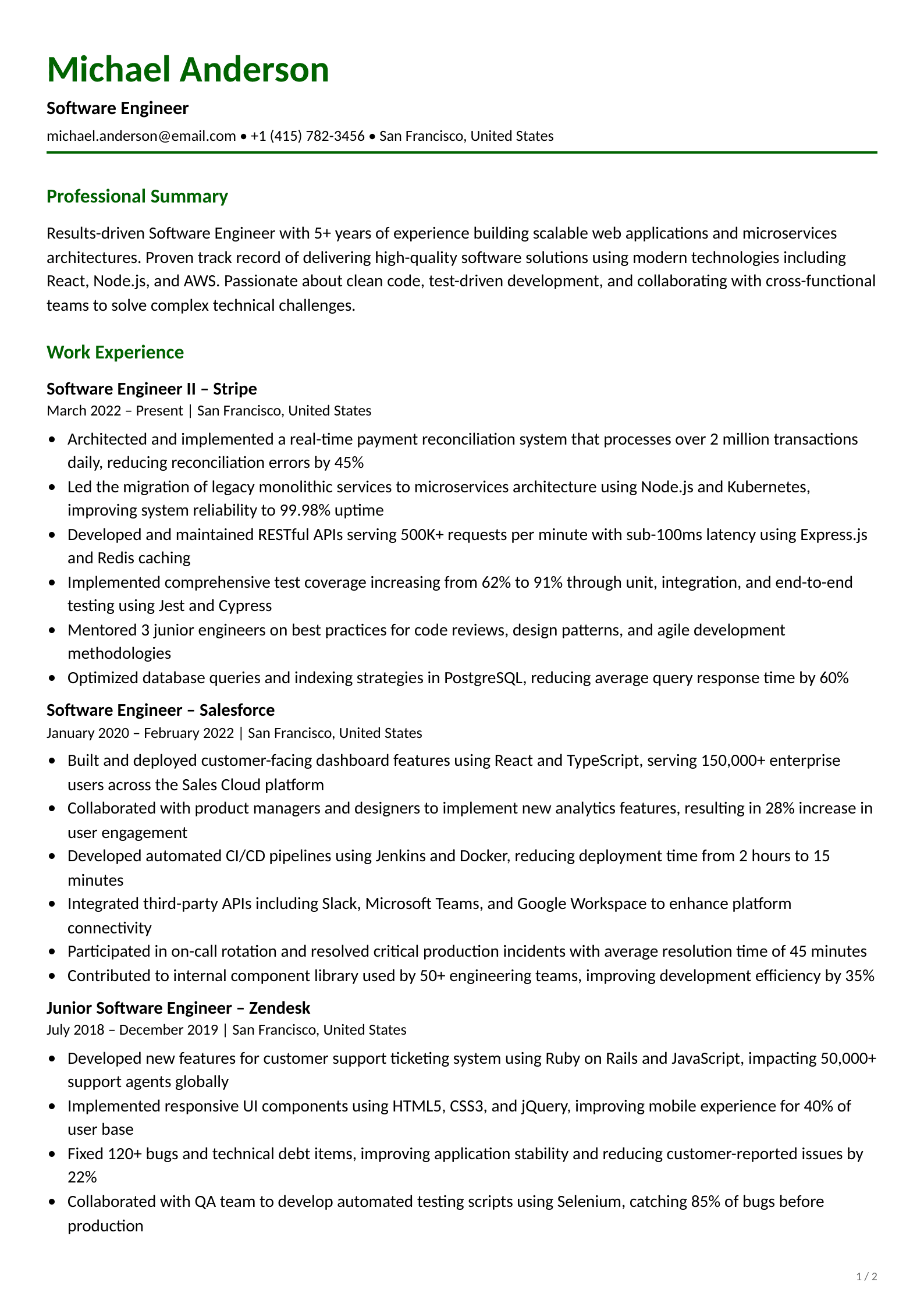
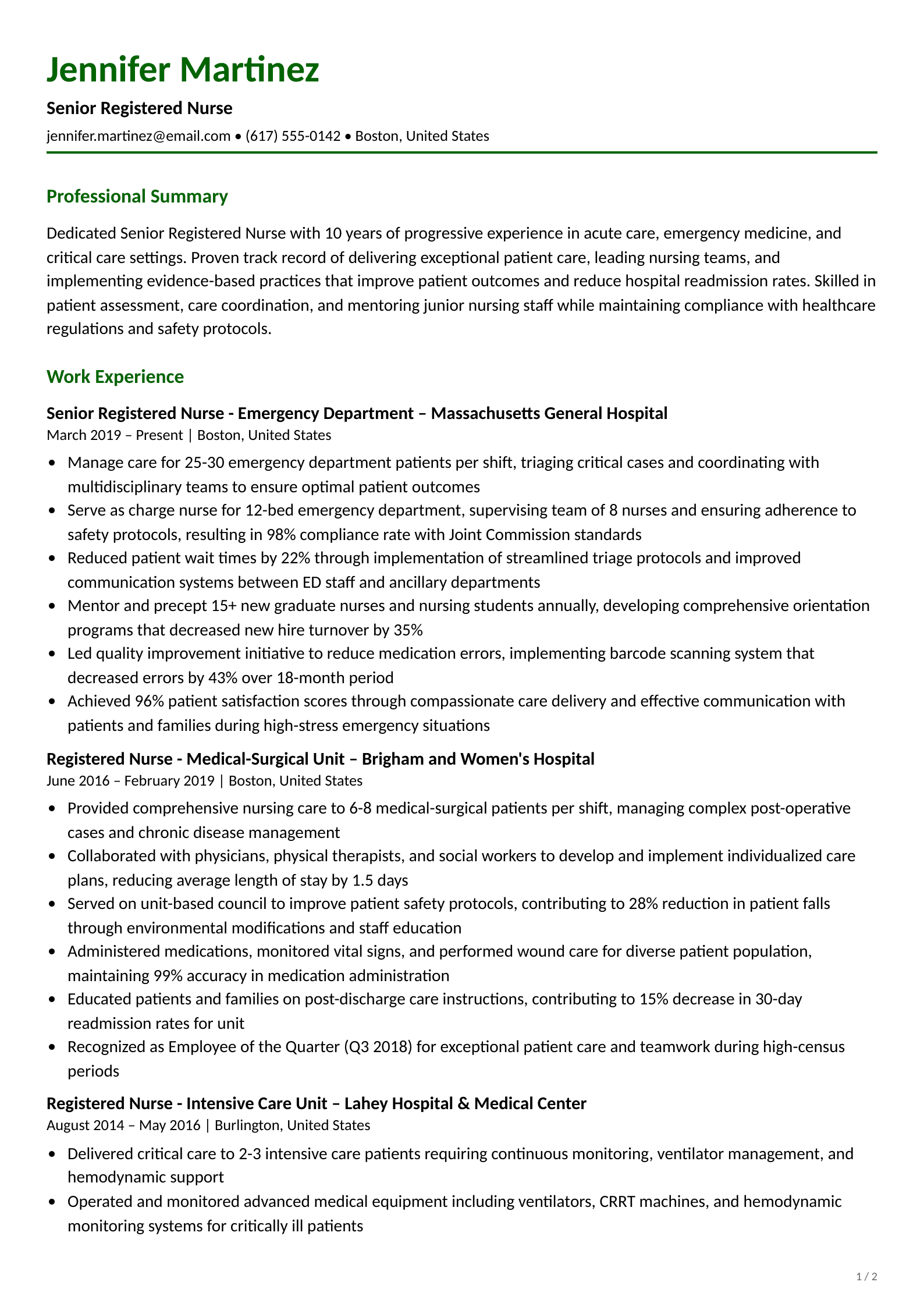
These resume examples are modeled after real resumes that have landed interviews across different industries, built using the same principles recruiters look for. But copying a template won't be enough - your resume needs to showcase relevant skills and experience that match each company's needs. You can also browse our resume examples library for full samples by profession, including our Software Engineer resume examples and Registered Nurse resume examples.
This piece shows you how to pick the right resume format and build key sections. You'll learn proper formatting practices and avoid mistakes that could cost you an interview. We'll help you become skilled at personal branding and self-promotion through your resume.
Want to create a resume that lands you interviews? Let's get started!
Resume That Actually Get You Hired in 2026
Choose the Right Resume Format
Your resume format determines how your information is organized and what gets emphasized first. The right choice depends on your career stage, work history, and target role. Here are the four main formats and when to use each one.
Our recommendationDefault choice for most job seekers
Functional
Best forCareer changers, first-time job seekers
StructureSkills grouped by category
ATS compatibility❌ Poor, often can't be parsed
Recruiter preferenceViewed with skepticism
Shows career growthNo
Hides employment gapsYes, but recruiters notice
Our recommendationAvoid unless no other option
Combination (Hybrid)
Best forMid-career pros with transferable skills
StructureSkills section + work history
ATS compatibility✅ Good
Recruiter preferenceIncreasingly popular
Shows career growthPartially
Hides employment gapsSomewhat
Our recommendationGreat alternative if chronological doesn't fit
Want to get the best format for your resume? Try our free resume builder, it picks the best format based on your experience.
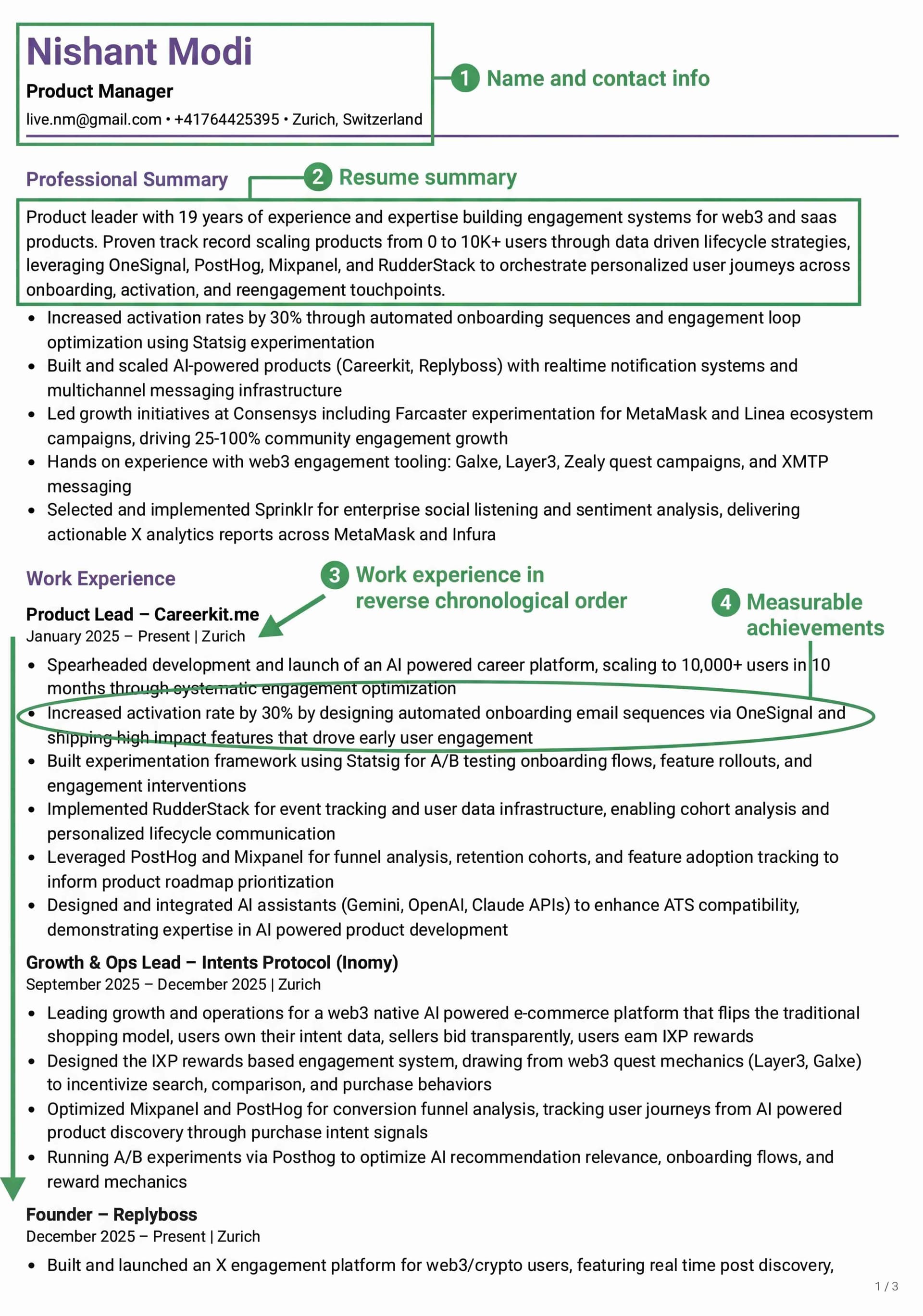
Chronological: Best for experience-focused roles
The chronological resume format stands as the most traditional option employers accept in 2026. You list your work history in reverse order, starting with your current position.
This format works best if you have:
A steady career path in one industry
No major gaps in your work history
Clear career growth over time
Hiring managers can quickly scan your professional experience with this layout. In 2026, the best chronological resumes go beyond listing duties, they feature achievement-focused bullet points with measurable results and keywords matched to the job description.
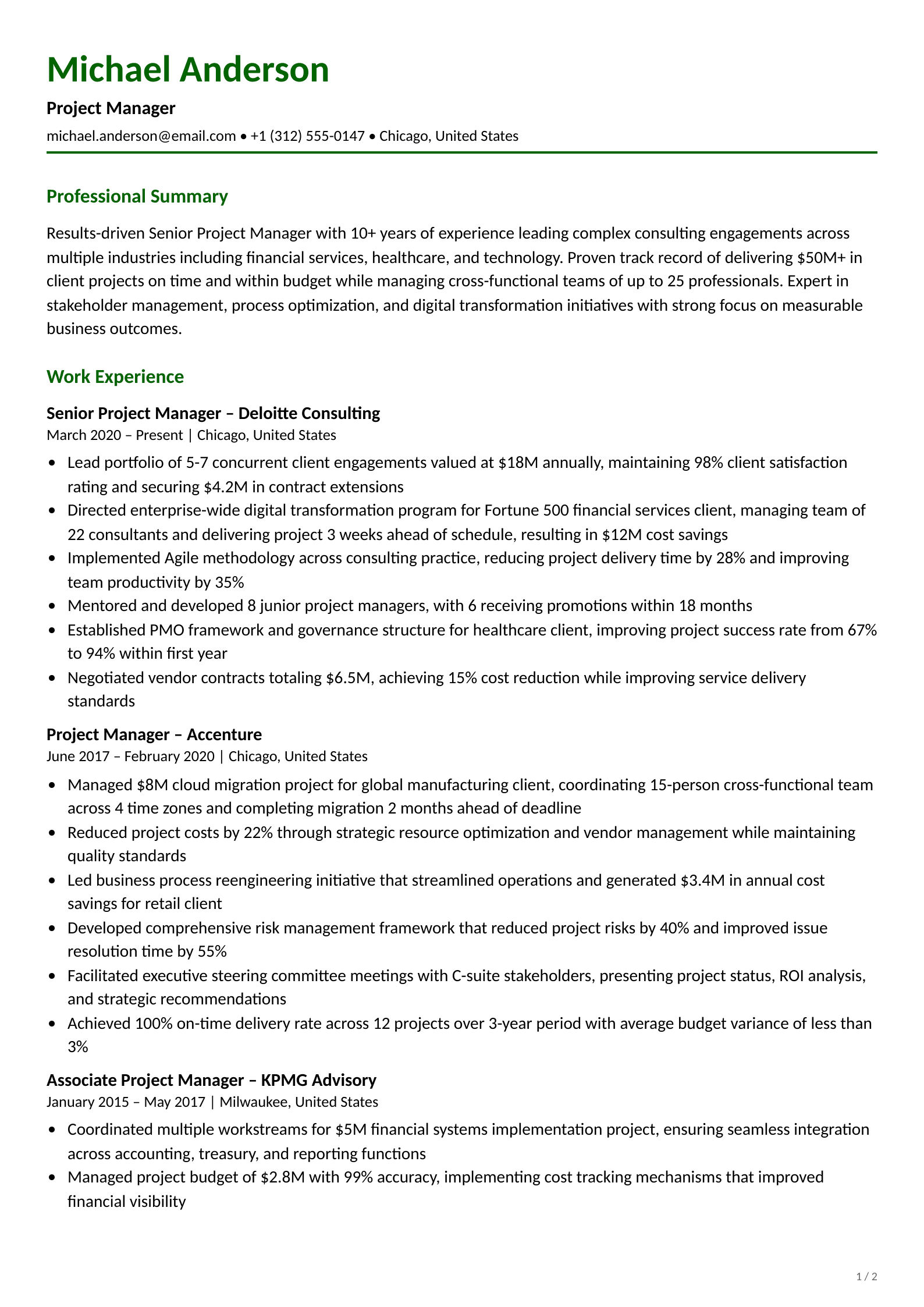
This chronological resume follows the reverse-chronological structure that recruiters prefer. Notice how each role leads with measurable achievements, not job duties. Create yours free →
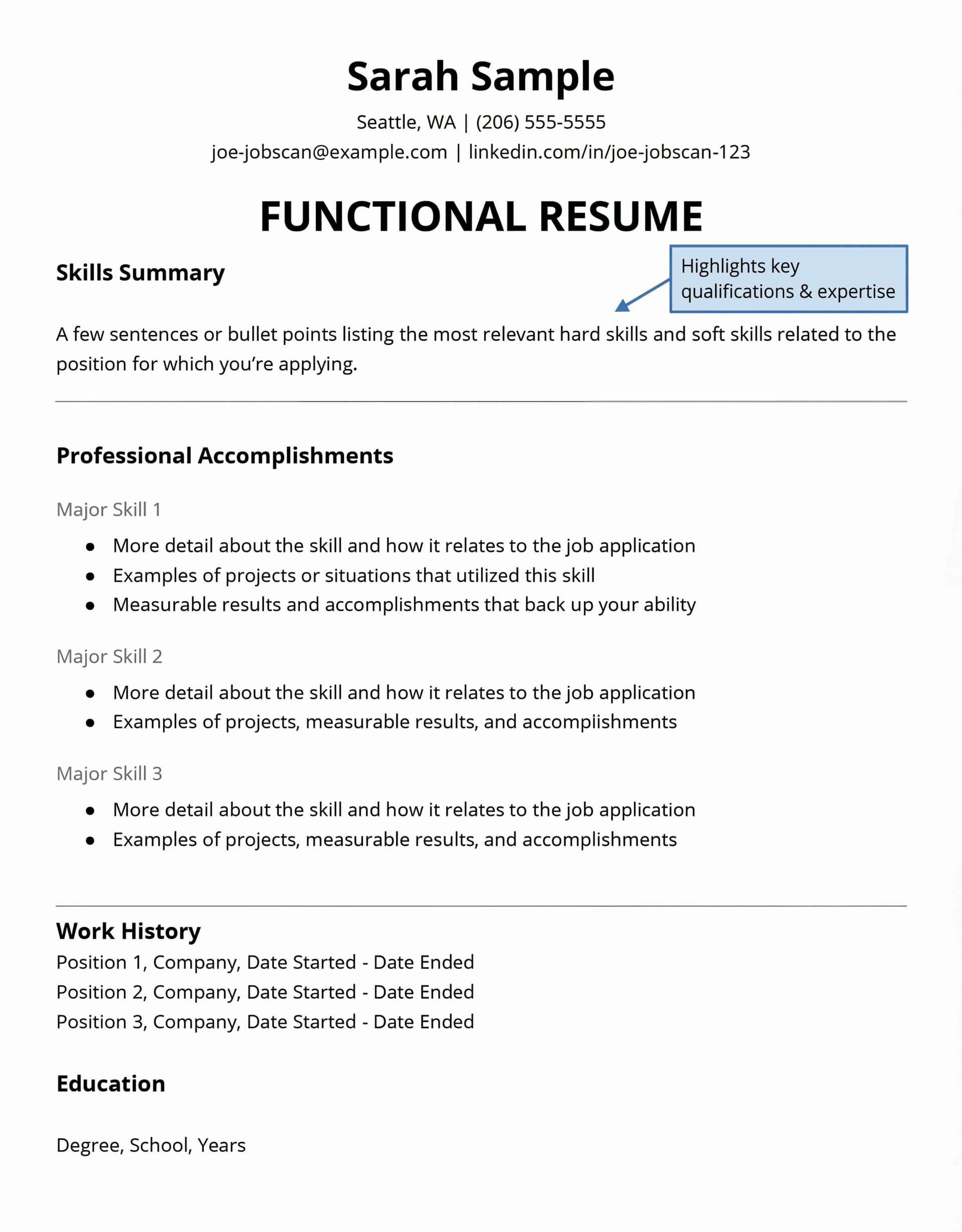
Functional: Ideal for career changers or gaps
The functional (or skills-based) resume format puts your skills and qualifications first. Rather than listing jobs by date, you group information by skill categories and achievements.
You should think carefully before picking this format. According to Indeed, most recruiters view functional resumes with skepticism. They often think you're trying to hide job gaps, frequent job changes, or limited experience. The format also creates problems with Applicant Tracking Systems (ATS). These systems can't read it well, which might eliminate you before a real person sees your application.
The functional format makes sense only when you can't showcase your skills through a standard chronological format. This applies to first-time job seekers or people making major career changes.
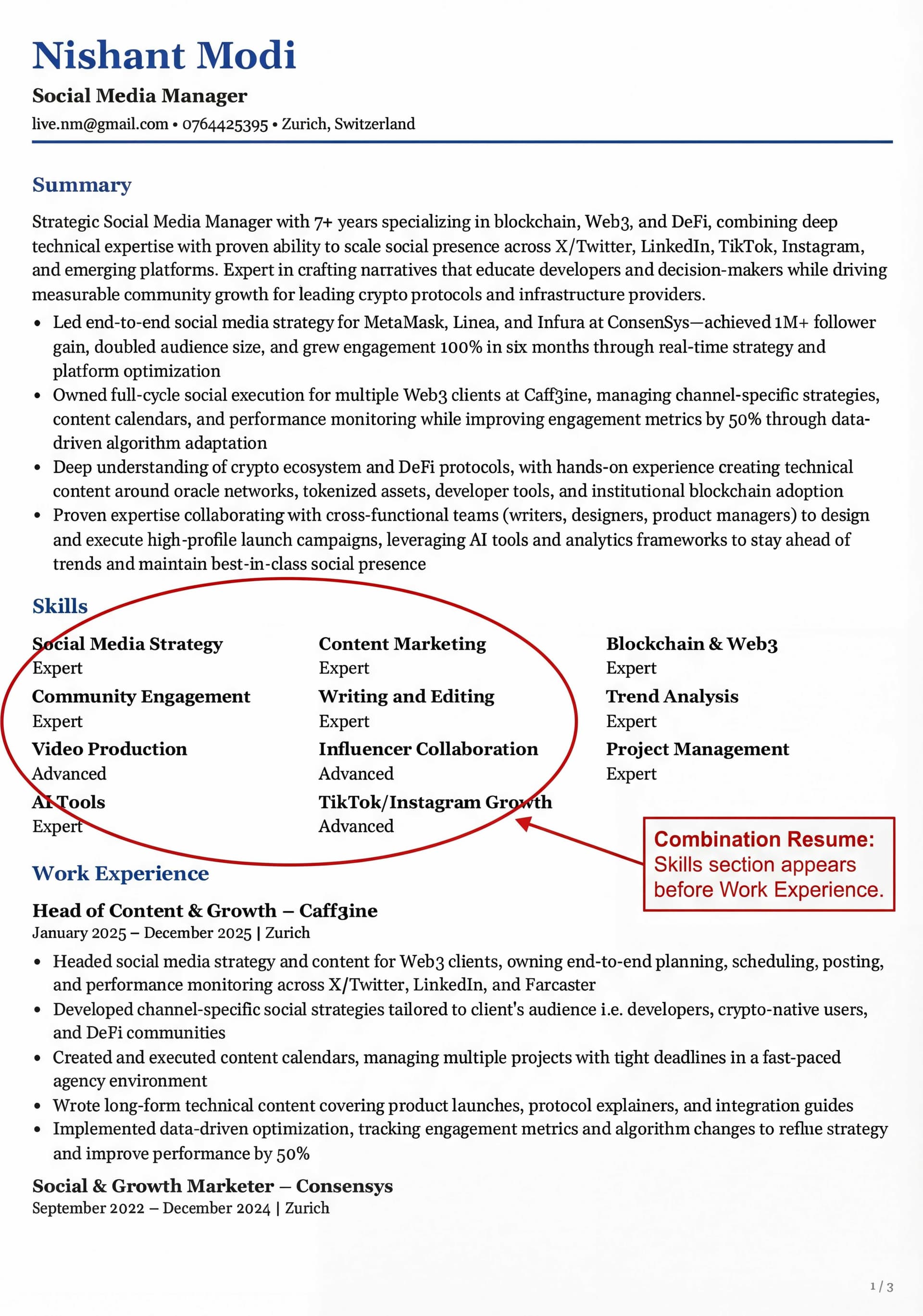
Combination: When you need to show both skills and experience
The combination (or hybrid) format has become popular in 2026. Mid-career professionals and career changers with transferable skills use it most often. It combines the best parts of chronological and functional resumes by:
Starting with a strong skills section at the top
Adding a traditional work history next
Showcasing transferable skills and flexibility
Creating balance between abilities and proven experience
People changing careers find this format helpful. It puts relevant skills first while keeping the work history that employers want. The format works well for both AI systems scanning specific skills and humans looking at career growth.
ATS Compatibility: How to Make Sure Your Resume Gets Read
Over 98% of Fortune 500 companies use applicant tracking systems to screen resumes. Even among smaller companies, ATS adoption is growing fast. Your resume needs to pass this automated screening before a human ever reads it. Your resume must work with ATS systems. Many qualified candidates get rejected because they use formats these systems can't process.
ATS compatibility requires you to:
Pick chronological or combination formats (both work well)
Stay away from functional formats (ATS systems can't read them well)
Keep formatting simple without tables or graphics
Use standard section headings
Save files as .docx or text-based PDFs
Your resume needs to pass automated screening and impress human recruiters. The right format helps you create a resume that gets you interviews.
Build the Core Resume Sections
A strong resume needs well-laid-out core sections that showcase your qualifications. Each part plays a specific role in telling your professional story to potential employers.
Contact information: What to include and what to skip
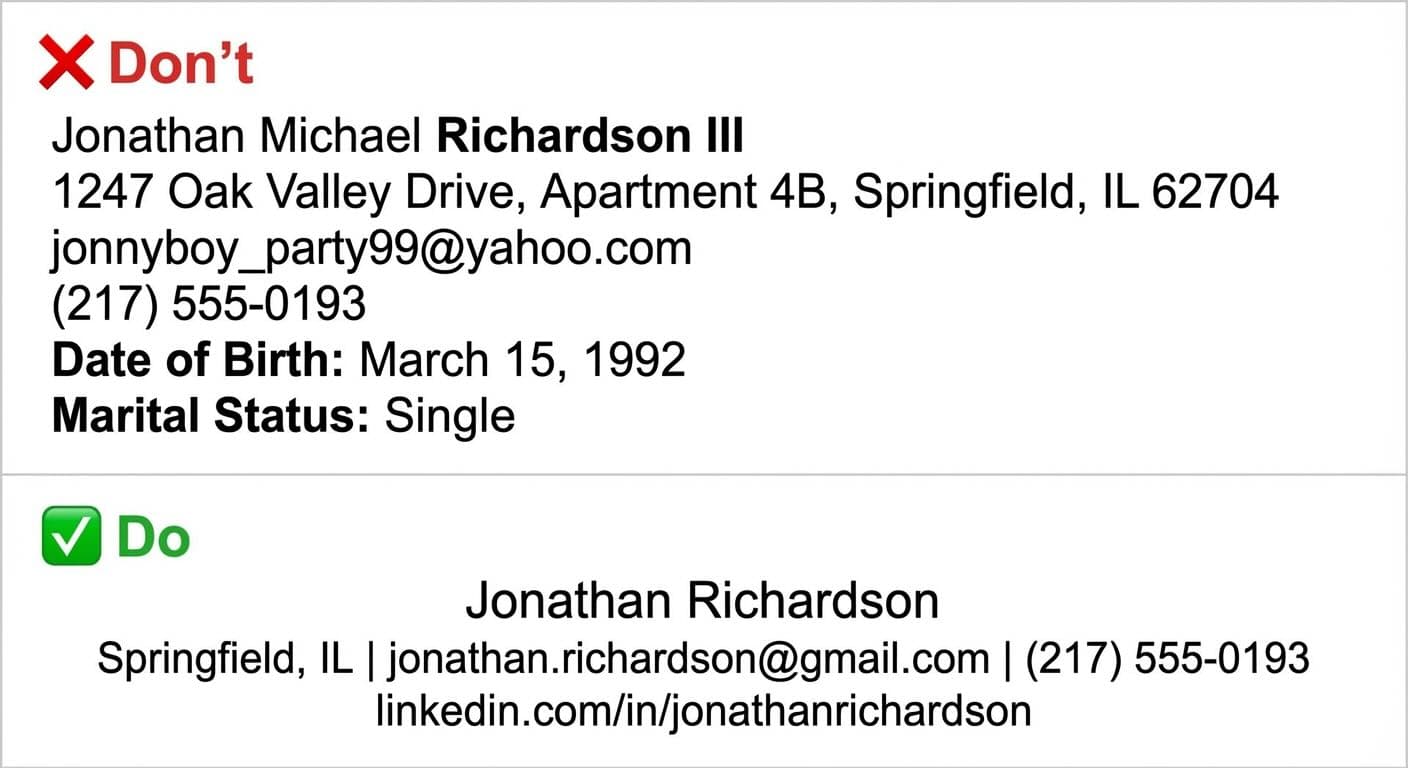
Start your contact section with your full name, phone number and professional email address.
Your city and state help employers decide if you're a good fit based on tax laws and licensing requirements. Leave out your full address to stay safe. You can add your LinkedIn profile or professional website if they matter in your field. This information helps employers screen you properly.
Resume summary: How to write a strong opening
Your resume summary works like a mini elevator pitch, a two to three-sentence professional introduction highlighting your best qualifications. A good summary makes a strong opening statement that emphasizes top skills and accomplishments while matching keywords from job postings. Write your summary last to reflect your relevant skills and accomplishments better. Skip first-person references and filler words. Focus on ideas that help recruiters most. Your summary should answer: "How would you describe your professional qualifications in a few sentences?"
Here are three resume summary examples for different career stages:
Example 1 — Experienced Professional:
Results-driven marketing manager with 7+ years of experience leading cross-channel campaigns for SaaS companies. Increased qualified leads by 45% year-over-year while reducing cost per acquisition by 30%. Skilled in SEO, paid media, and marketing automation tools including HubSpot and Google Analytics.
Example 2 — Career Changer:
Former high school teacher transitioning into corporate training and instructional design. 5 years of experience creating curriculum for 200+ students, managing classroom operations, and delivering measurable academic improvements. Certified in Articulate 360 and adult learning methodologies.
Example 3 — Entry-Level / Recent Graduate:
Recent computer science graduate from UC Davis with hands-on experience building full-stack web applications during two internships. Proficient in React, Node.js, and PostgreSQL. Led a 4-person capstone team that developed an accessibility tool adopted by the university's disability resource center.
Notice how each summary leads with the strongest qualifier, includes at least one measurable result, and ends with relevant skills. Avoid generic phrases like "hard-working team player", be specific about what you bring. Build your summary with our AI writer →
Work experience: Using bullet points and metrics
Put your experience in reverse chronological order, starting with your current position. Each role needs your title, employer name, dates, and key responsibilities. Don't just list duties, focus on unique achievements you can measure. According to an analysis of 125,000+ resumes, only 26% included five or more measurable results and 36% had zero metrics whatsoever. This is your biggest opportunity to stand out. Look at time-based metrics (improved efficiency by 25%), scope contributions (managed 20+ staff), productivity improvements (reduced costs by 20%), comparative growth (increased accuracy by 35%), or stakeholder feedback (redesigned materials generating 30% increase).
❌ Weak bullet (duty-focused):
Responsible for managing the social media accounts and creating content for the marketing team.
✅ Strong bullet (achievement-focused):
Managed social media strategy across 4 platforms, growing follower base by 45% and increasing engagement rate from 1.2% to 3.8% in 6 months.
Start each bullet with a strong action verb, include at least one number, and focus on what changed because you were there. Let our AI write your bullets →
Ready to land your dream job?
Join 50,000+ job seekers who have already transformed their careers with our AI-powered resume builder.
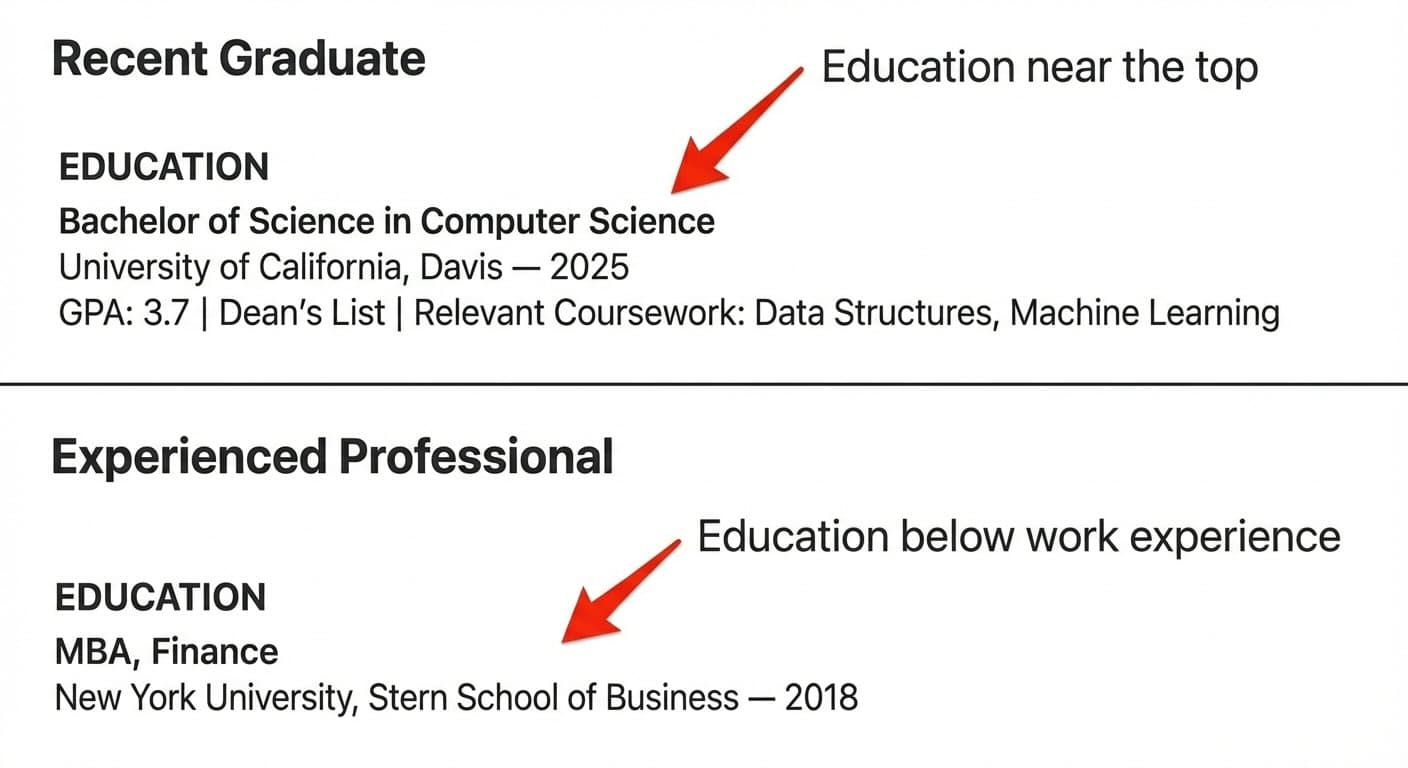
Your career stage determines where education goes. Recent graduates should put education near the top, while experienced professionals should place it below work experience. List your degree, institution name, and location at minimum. You can add graduation date (or expected date for ongoing degrees), GPA (if above 3.4), relevant coursework, honors, and achievements. Multiple degrees should appear in reverse chronological order, starting with the highest level.
As a general rule: if you graduated within the last 2–3 years, lead with education. Once you have solid work experience, move it below your experience section and keep it brief.
Skills section: Hard vs soft skills
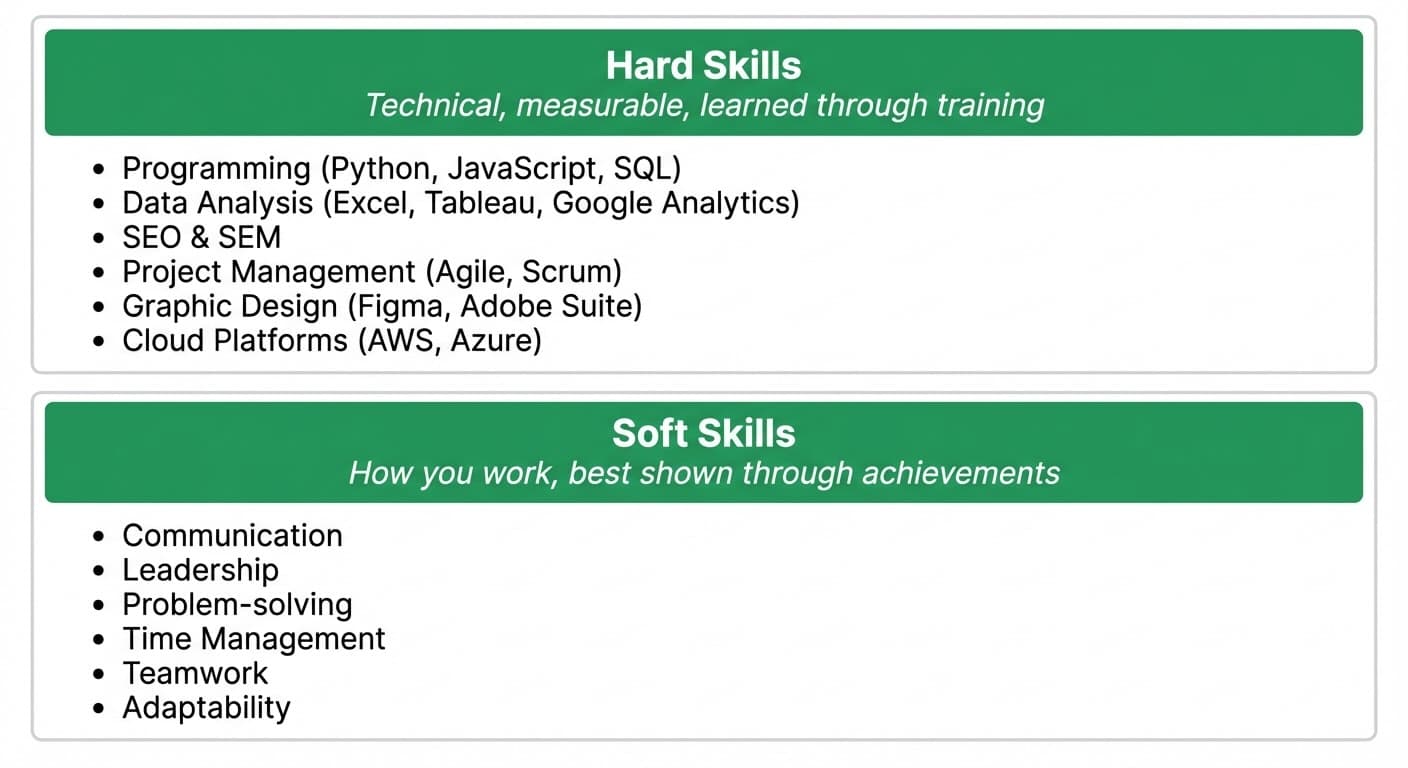
Add both hard and soft skills to your resume and know how they differ. Hard skills are measurable technical abilities you learn through training (programming languages, database management, SEO). Soft skills shape how you work (communication, teamwork, problem-solving). Experts say hard skills belong in your skills section, while soft skills work better as examples and achievements throughout your experience section.
List hard skills in your skills section. Demonstrate soft skills through your work experience bullets, don't just claim "great communicator," show it with a result like "presented quarterly reports to C-suite stakeholders across 3 departments."
Certifications: When and how to list them
Make a separate "Certifications" section when they matter for your target position. Each certification should show the full title, issuing organization, date earned, and expiration date if needed. Mark ongoing certifications as "In Progress" with expected completion dates. Certifications help when employers require them, when you need to show industry experience, highlight extra skills, or make up for limited practical experience. Job markets now focus more on skills-based hiring, so certifications help candidates stand out from similar competitors.
Here's how to format certifications correctly:
Example 1 — Active certification with expiry:
PMP — Project Management Professional Project Management Institute | Earned: June 2023 | Expires: June 2026
Example 2 — Certification with no expiry:
Google Analytics 4 Certification Google | Earned: March 2025
Example 3 — In progress:
AWS Solutions Architect Associate (In Progress) Amazon Web Services | Expected: August 2026
List your most relevant certifications first. If a job posting specifically mentions a certification, make sure it's visible near the top of this section.
Follow Resume Formatting Best Practices
Your resume's formatting matters just as much as what you put in it. Even the most qualified candidates might get passed over because their resume looks messy. Let's get into the formatting best practices that will help your resume shine in 2026.
Font size and style guidelines
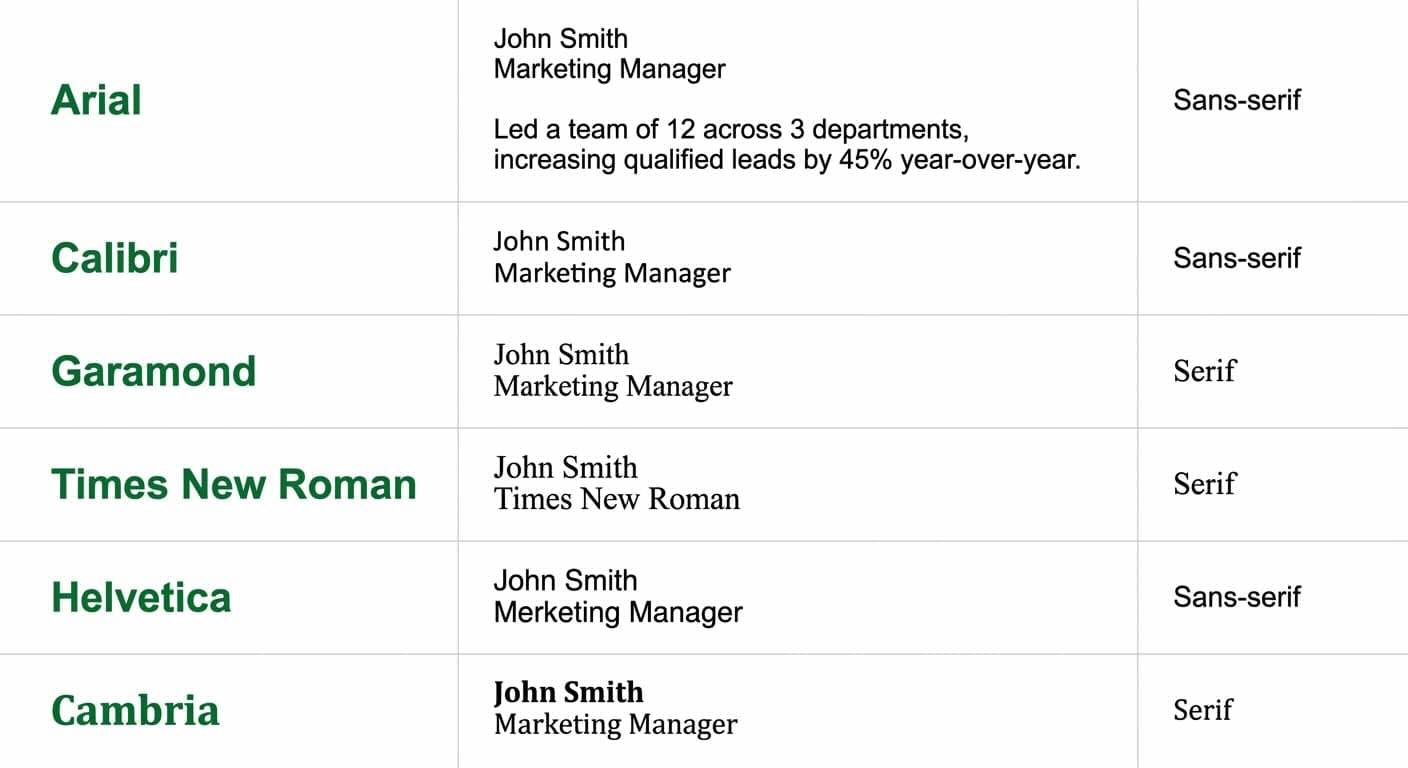
A professional, easy-to-read font should be your first choice. Use our free resume font preview tool to see how different fonts look on an actual resume before you decide. Most resumes work best with standard fonts like Arial, Calibri, Helvetica (sans-serif options) or Times New Roman, Garamond, and Cambria (serif options). Sans-serif fonts look better on screens, while serif fonts make print versions more readable.
Font sizes should follow these guidelines:
Your name: 18-22pt to make it stand out
Section headings: 14-16pt to create clear hierarchy
Body text: 10-12pt to ensure readability
Text smaller than 10pt becomes hard to read. You should stick to one or two fonts throughout your document to keep it looking professional.
Margins, spacing, and alignment rules
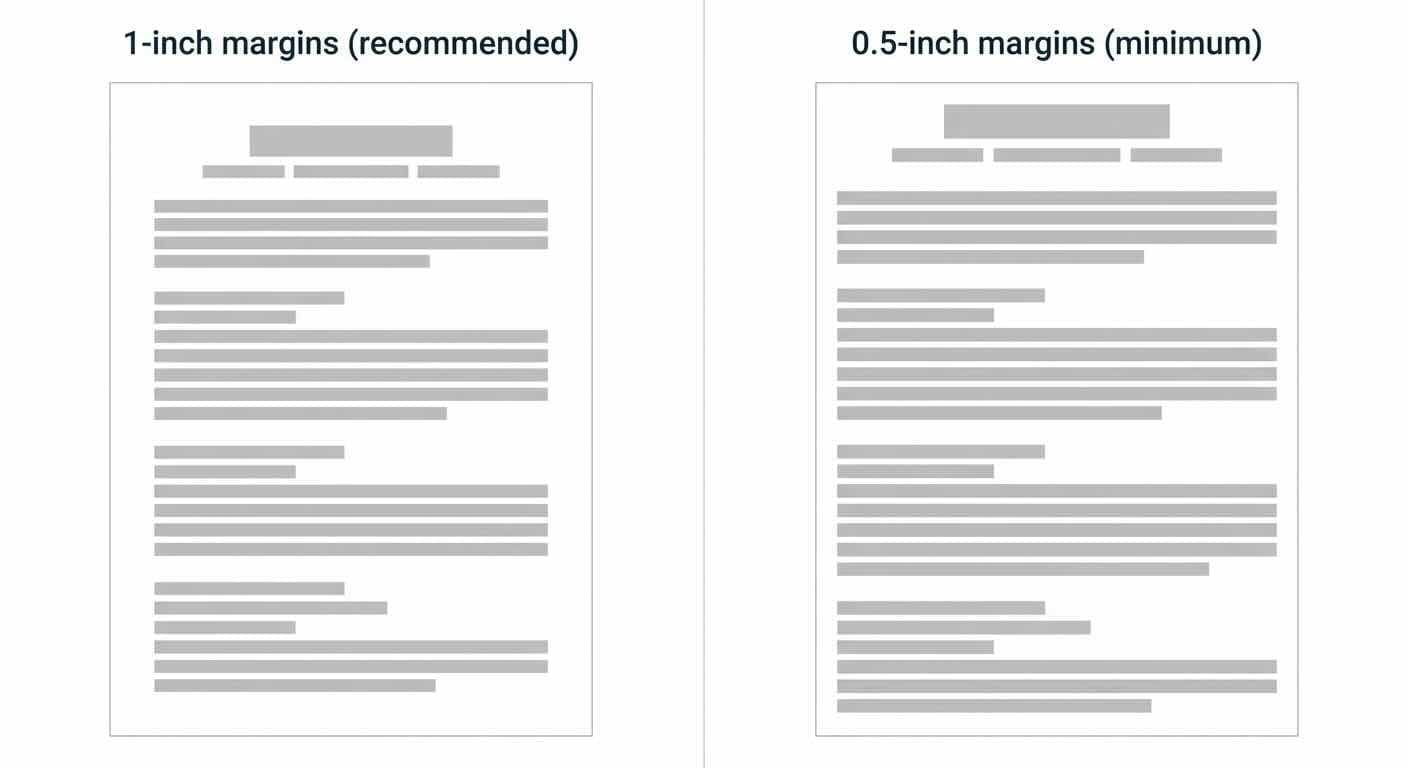
Most word processors default to 1-inch margins on all sides, this works best for ATS systems. You can reduce margins to 0.5 inch if needed, but going smaller risks cutting off content when printed.
Left alignment works best for main text, though you might center your name and contact details if you prefer. Your document needs consistent spacing with enough white space to look clean and professional.
Using bullet points effectively
Bullet points make your achievements easy to scan. Start each point with strong action verbs and be specific about your accomplishments. You should measure achievements where possible and show the scope of your work.
Keep your bullet points short by focusing on what matters. List your most impressive accomplishments first.
Avoiding first-person pronouns
Write your resume in first person but skip the "I". Rather than "I coordinated travel," write "Coordinated travel". This approach saves space, keeps readers focused on your achievements, and follows standard resume practices.
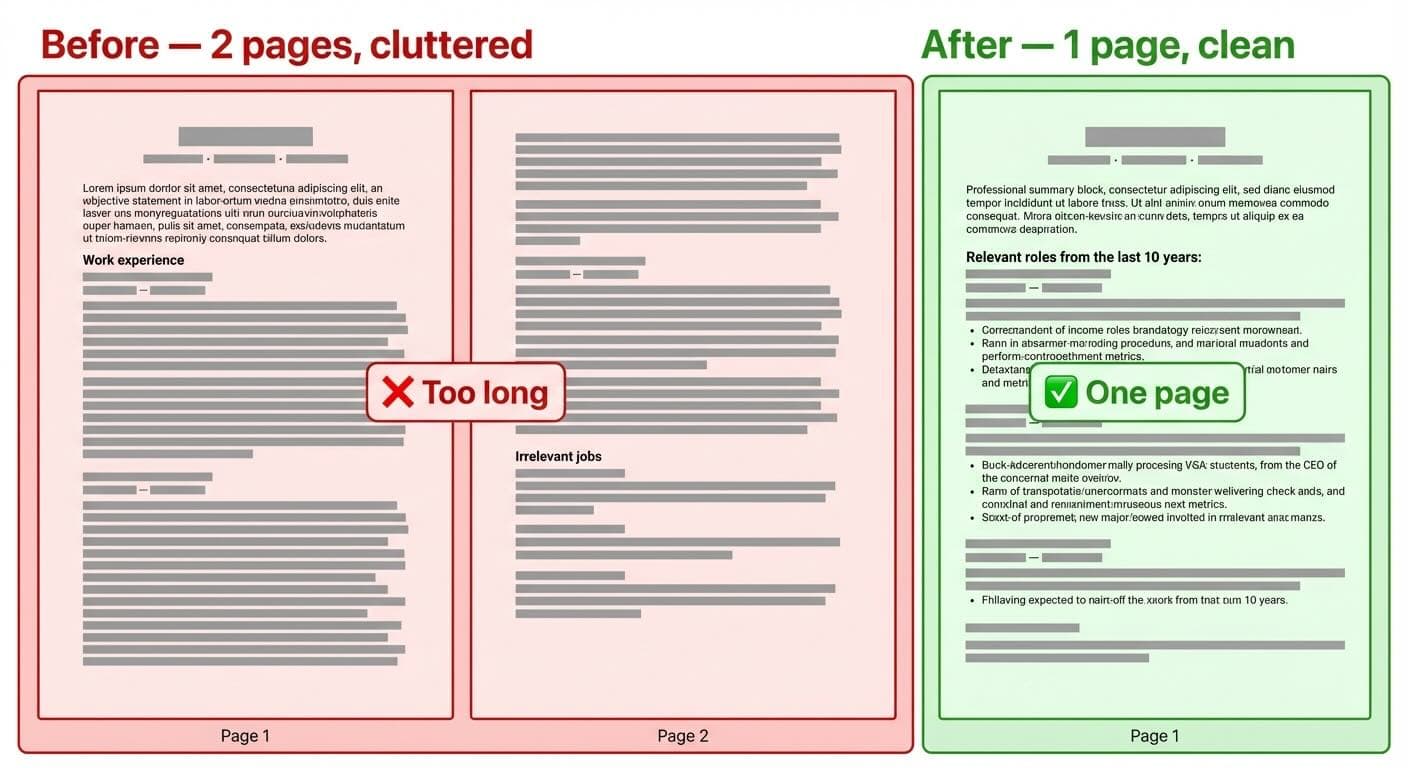
Keeping your resume to one page
Professionals with less than 10 years of experience should aim for a one-page resume.
You don't need to cram everything in — you need to cut what doesn't serve the role you're applying for. Remove outdated jobs, trim generic duties, and replace paragraphs with metric-driven bullets.
Here's how to do it:
Use bullet points instead of paragraphs
Reduce font size (while keeping it readable)
Adjust paragraph and bullet point indentation
Reduce spacing between sections (but keep it readable)
Write concisely rather than cramming content
Save your final resume as a PDF unless told otherwise. This ensures your formatting stays intact whatever device opens it.
Avoid Common Resume Mistakes
You can miss great job opportunities despite having excellent qualifications because of resume formatting errors. These small mistakes can affect your chances of getting an interview by a lot.
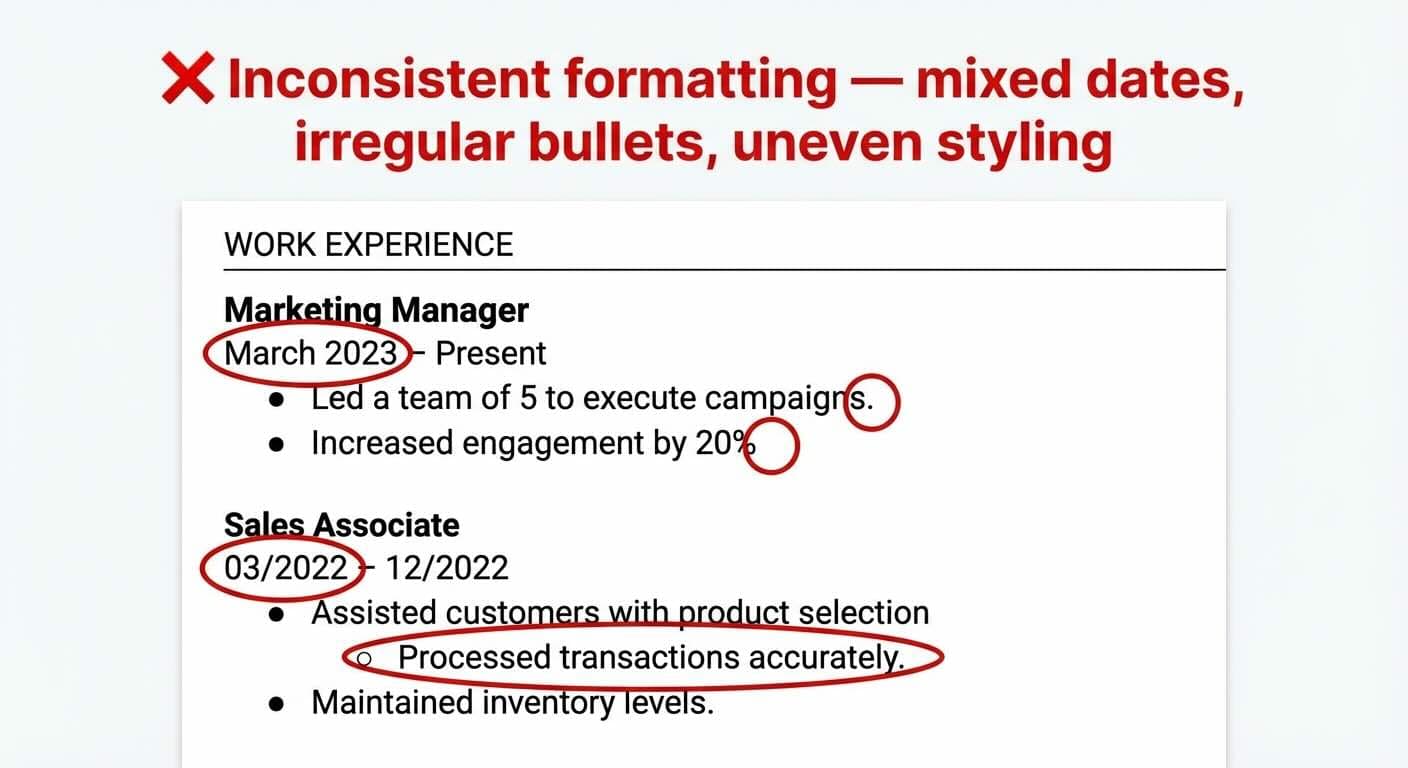
Inconsistent formatting
Your attention to detail comes under scrutiny when employers spot inconsistent formatting. Common mistakes include mixing date formats (March 2023, 03/2023), irregular bullet point usage, and inconsistent bolding or indentation patterns. Pick one formatting style for each element and use it throughout your document. When you use periods after bullet points in one section, use them in all sections. Your margins should be equal and text styling needs to stay uniform.
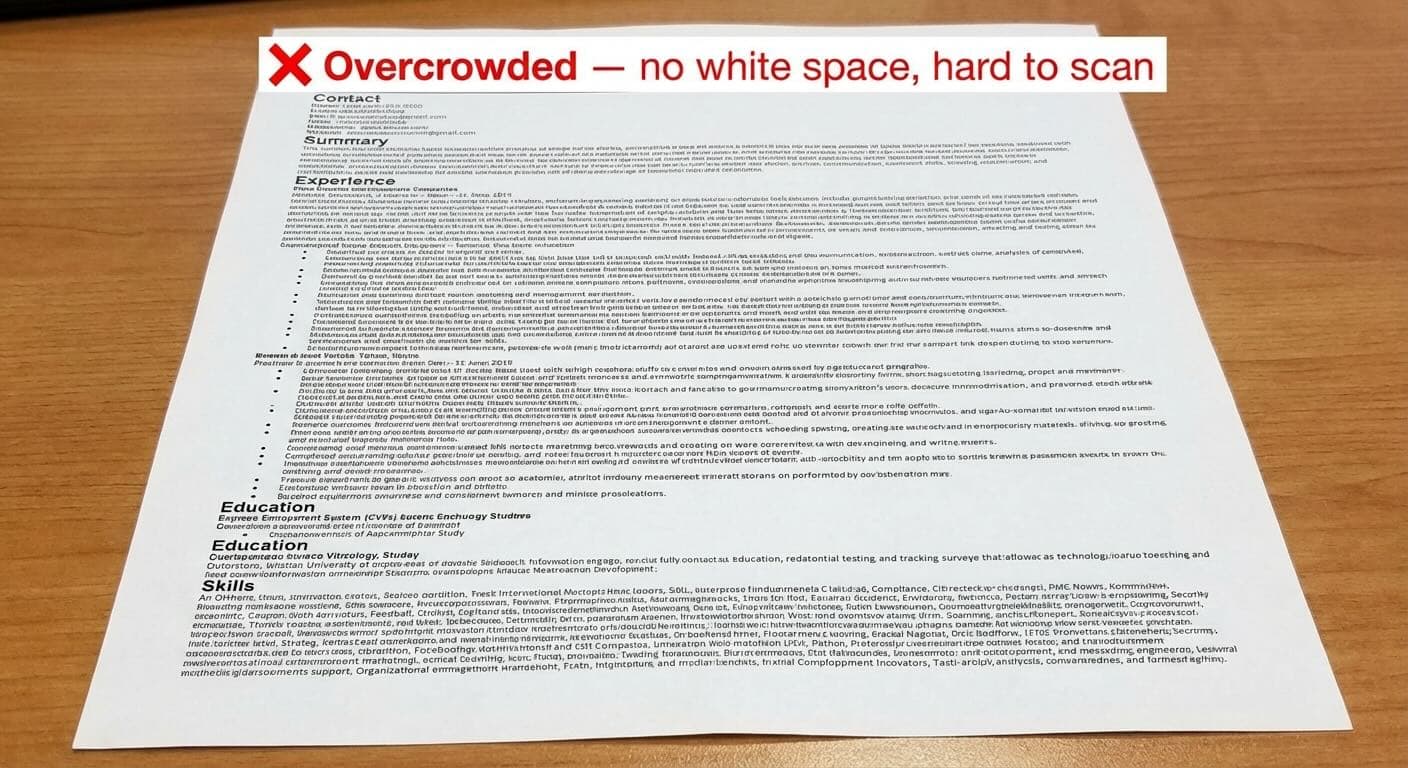
Overcrowded layout
Hiring managers get overwhelmed by cluttered resumes and find it hard to spot your key qualifications. Research from the Nielsen Norman Group shows that white space and clear visual hierarchy significantly improve reading comprehension and content retention. A crowded resume points to poor organization skills and leaves a bad visual impression. You need sufficient white space between sections and balanced distribution throughout your resume. Don't try to squeeze too much information onto one page. A clean, well-laid-out resume helps hiring managers quickly spot your key qualifications.
Unclear section hierarchy
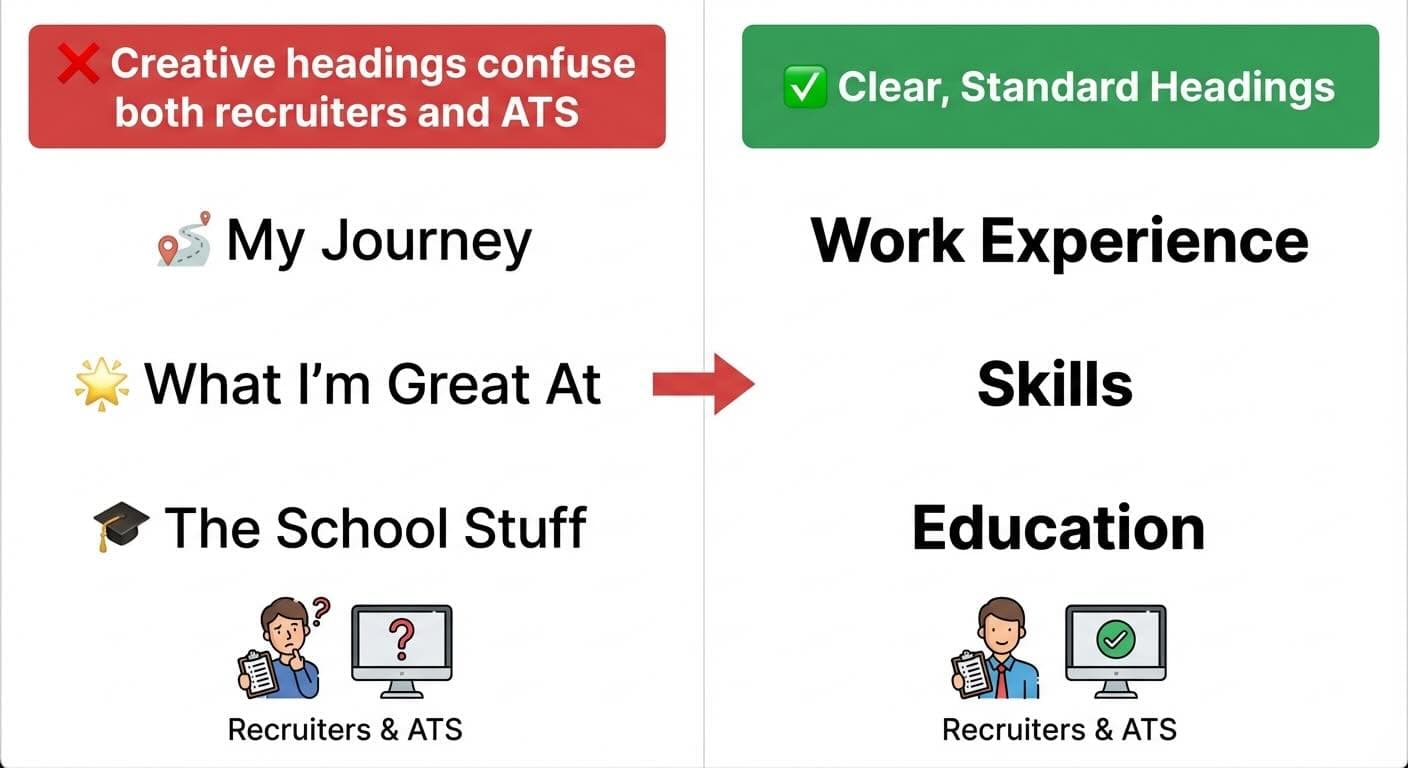
Your resume needs a clear visual hierarchy with distinct sections. Standard headings work better than creative but confusing titles like "My Journey" or "What I'm Good At". Use headings that both humans and ATS understand: "Work Experience," "Education," "Skills," and "Certifications." Section headers should have consistent formatting, with page-width underlines or other visual cues to separate resume sections clearly.
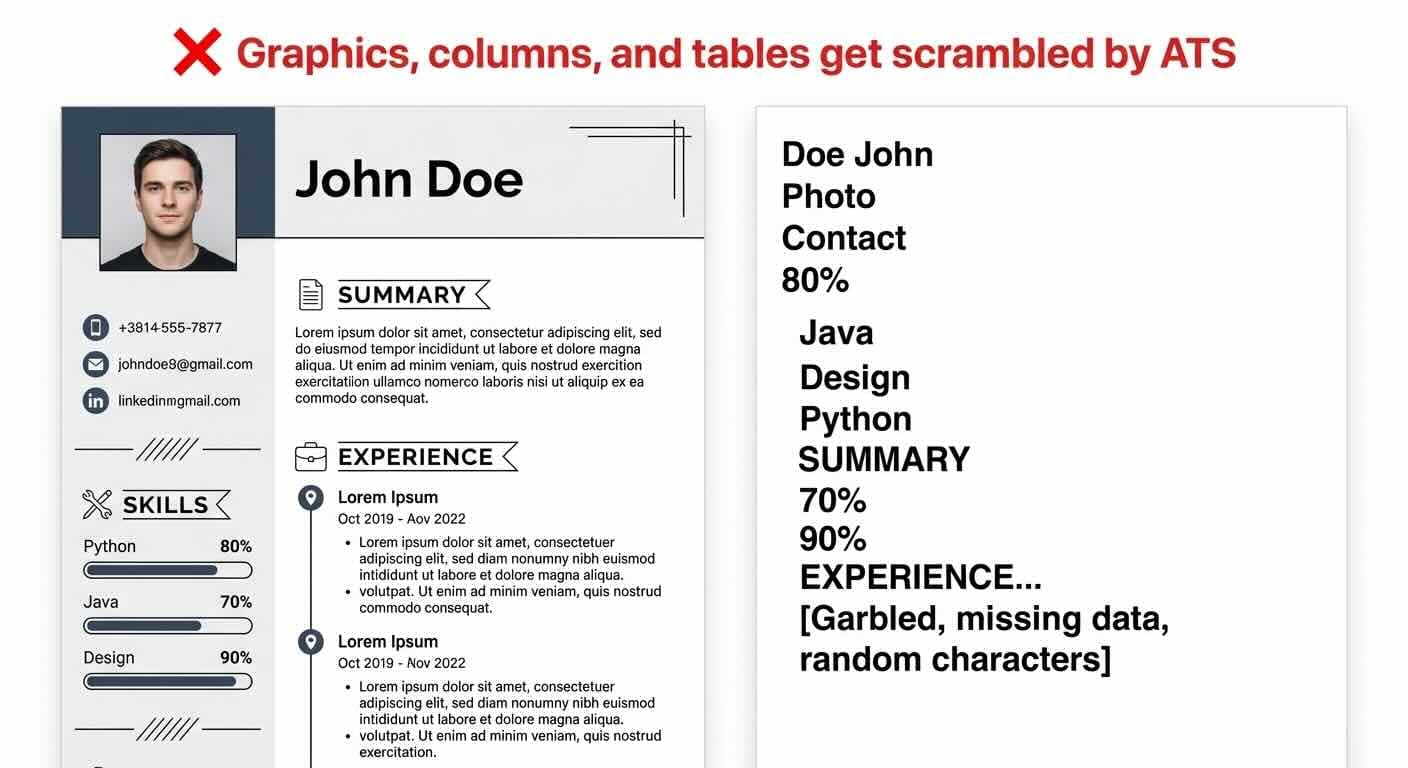
Using graphics or columns that confuse ATS
ATS rejects many applications simply because it can't read the resumes properly.
These elements confuse ATS systems:
Tables and text boxes (data gets scrambled)
Graphics and images (can't be parsed)
Multiple columns (disrupt reading order)
Headers and footers (often skipped entirely)
Non-standard fonts or bullet points
ATS systems look at the main body content and miss information placed in creative elements. A clean, single-column format with standard fonts and simple bullet points works best.
Use Good Resume Examples for Inspiration
Studying real-life resume examples can give you the clarity you need to build your own. My experience as a career advisor shows that good resume examples teach lessons that instructions alone can't match.
Administrative resume example
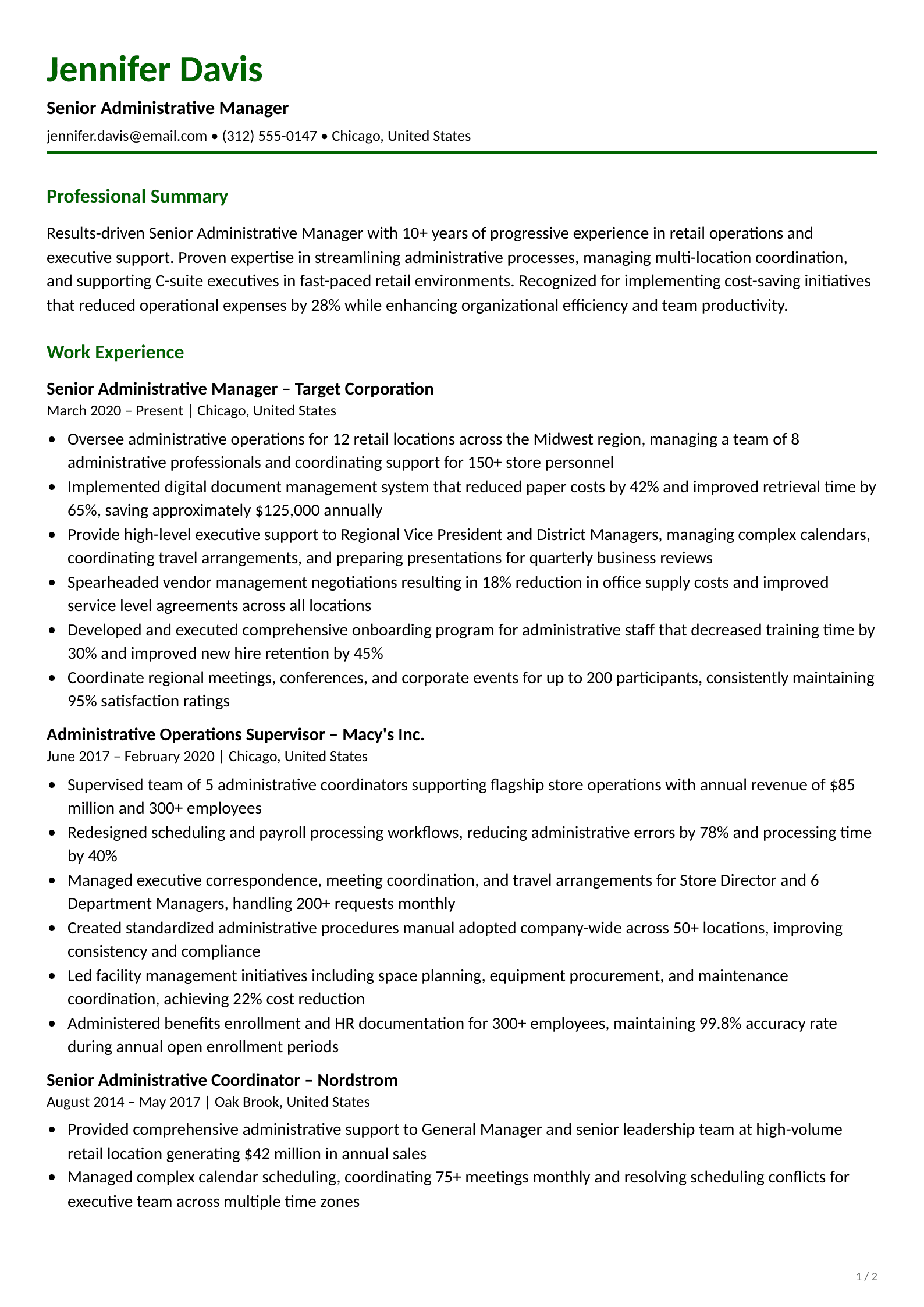
A great administrative resume must show your organizational skills and efficiency. The best ones include measurable achievements like "improved filing speed by 30%" and "reduced costs by $5,000". These resumes need both technical expertise (Office 365 Suite) and soft skills (communication) in a clean, easy-to-scan format.
Marketing resume example
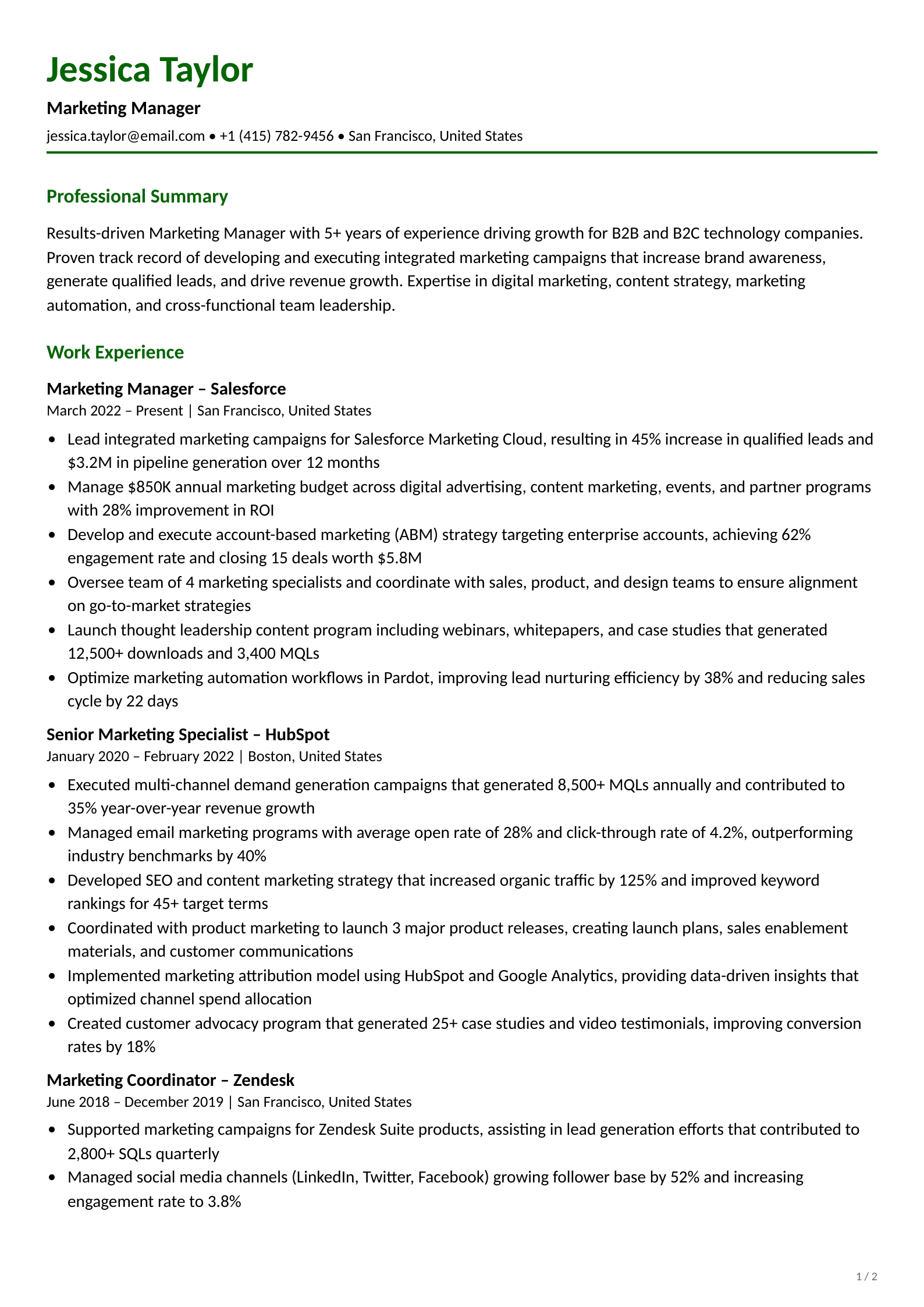
The best marketing resumes show results you can measure. Successful examples feature campaign outcomes like "increased social media engagement by 50%" and "boosted sales conversions by 42%". Most candidates show their analytics skills along with their creative abilities.
Engineering resume example
Engineering resumes need to balance technical expertise with project achievements. Harvard and other universities offer templates designed for engineering positions. These samples put technical skills front and center, with clear lists of programming languages and specialized software.
Healthcare resume example
Healthcare professionals should emphasize their clinical skills and patient care results. Strong examples feature specific numbers like "assessed at least 35 patient vitals per shift". They also include relevant certifications and industry terminology that shows deep knowledge.
Student or entry-level resume example
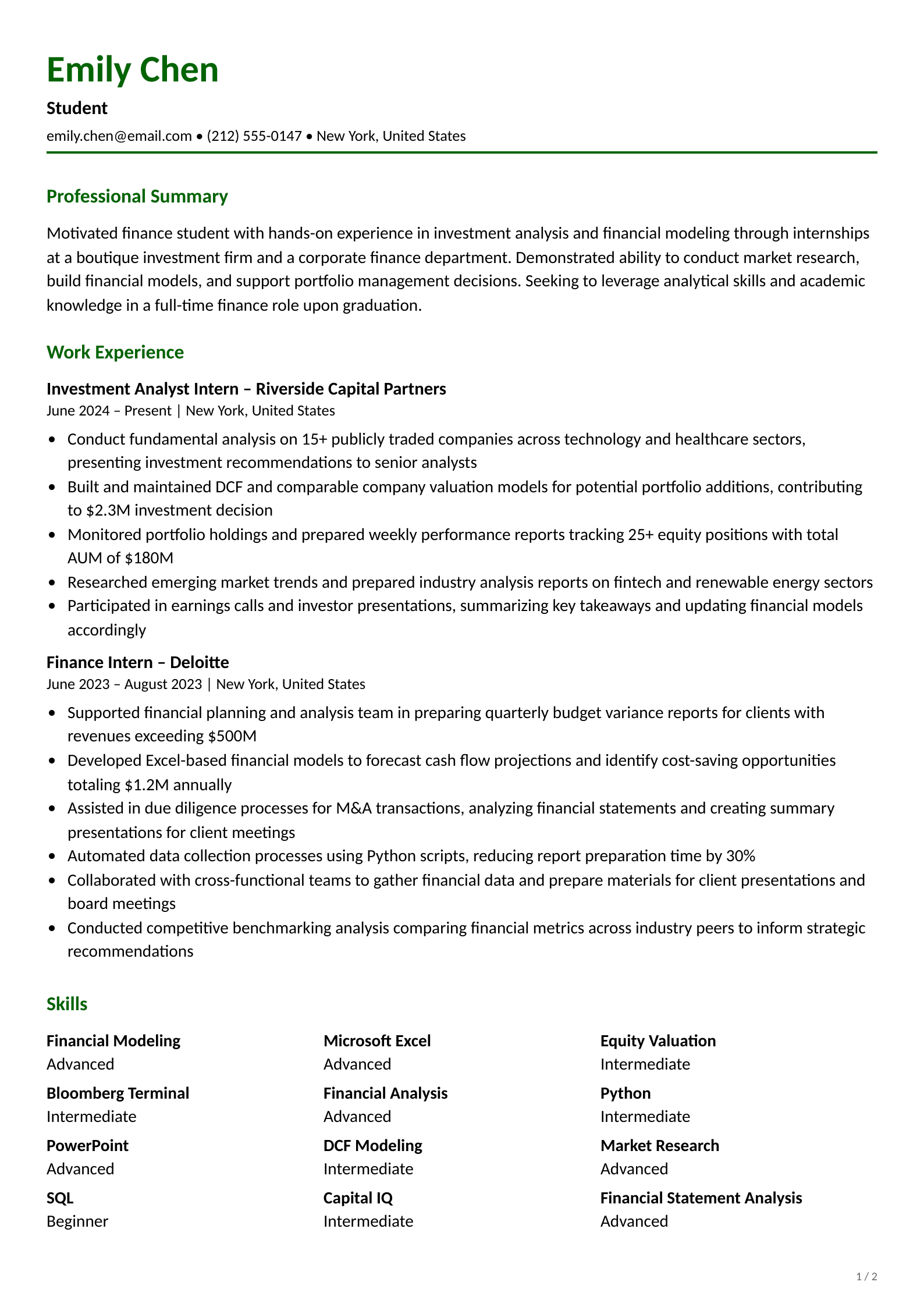
Students and new graduates should highlight their education, coursework, and activities outside class. The best examples showcase academic achievements and internship experience. Education takes center stage, ahead of work history.
Resume for career changers
Career transition resumes need to spotlight skills that transfer to new roles. Successful examples present past experience in ways that match the target industry. For instance, you can present "classroom management" as "team leadership" when applying for a Project Manager role.
A well-crafted resume needs careful attention to format, content, and presentation. This piece shows how chronological resumes continue to be the gold standard for 2026. Combination formats give career changers more flexibility to showcase their transferable skills. The format you choose substantially affects whether your application clears ATS systems and reaches recruiters.
Each section of your resume has its own purpose. Your contact details establish identity, while a powerful summary grabs attention. Detailed work experience shows your capabilities, and education and skills sections complete your professional profile. On top of that, certifications help you stand out among equally qualified candidates.
Good content becomes a standout resume with proper formatting. Busy hiring managers quickly spot qualifications through clean fonts, proper spacing, consistent formatting, and strategic bullet points. These formatting choices keep your resume ATS-friendly and away from the rejection pile.
Looking at strong examples from your industry will boost your job prospects. These ground templates are a great way to get inspiration and help you avoid common pitfalls like messy formatting, crowded layouts, and ATS-unfriendly design elements.
Customization sets exceptional resumes apart from average ones. When you tailor your document to each position, you show genuine interest and emphasize relevant qualifications. Take these best practices as your foundation, then make your resume tell your unique professional story. A well-crafted resume does more than list qualifications, it unlocks exciting career opportunities.
The reverse chronological format is the best choice for most job seekers in 2026. It lists your most recent job first, is preferred by recruiters, and is fully compatible with applicant tracking systems (ATS). If you're changing careers or have transferable skills to highlight, the combination (hybrid) format is a strong alternative.
One page if you have less than 10 years of experience. Two pages is acceptable for senior professionals with extensive relevant experience. Never go beyond two pages. Focus on recent, relevant roles and cut anything that doesn't directly support the job you're applying for.
No, not for jobs in the United States. Most US employers prefer resumes without photos to avoid unconscious bias in hiring. Including one can also cause issues with ATS systems that can't parse images. The exception is industries like acting or modeling where headshots are standard.
Use a clean, professional font between 10–12pt for body text. Safe choices include Arial, Calibri, and Helvetica (sans-serif) or Garamond, Cambria, and Times New Roman (serif). Sans-serif fonts are easier to read on screens, while serif fonts work better in print. Stick to one or two fonts throughout.
Use a chronological or combination format, standard section headings (Work Experience, Education, Skills), and a single-column layout. Avoid tables, graphics, text boxes, and multi-column designs. Save as a .docx or text-based PDF. Include keywords from the job description naturally throughout your resume.
Nishant Modi is the founder of Careerkit.me and a product builder based in Zürich, Switzerland. With a background in product management, marketing & management consulting, he transitioned into AI entrepreneurship after experiencing the frustration of outdated job search tools firsthand. He built Careerkit to give every job seeker access to professional grade resume tools, the platform has helped over 10,000 candidates create ATS optimized resumes. He writes about resume strategy, hiring trends, and what actually gets people hired.