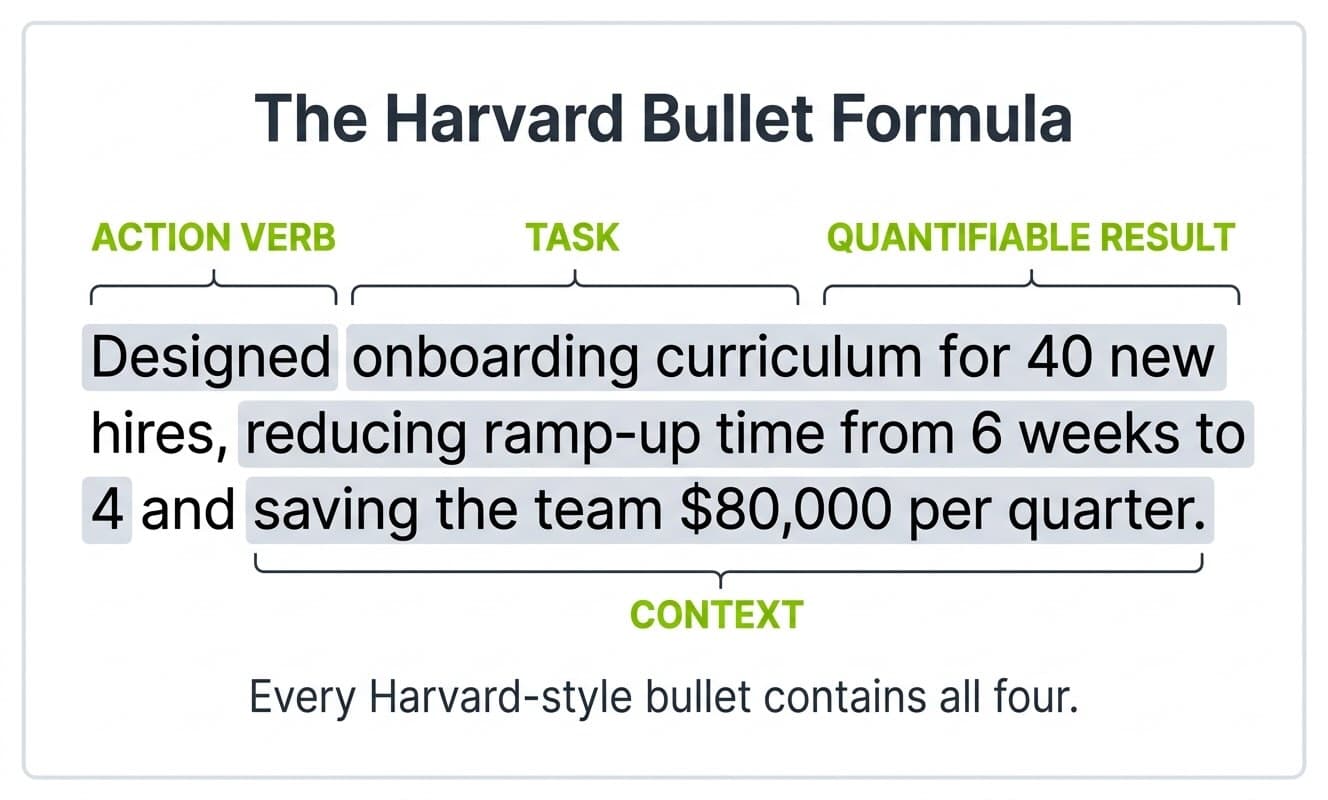
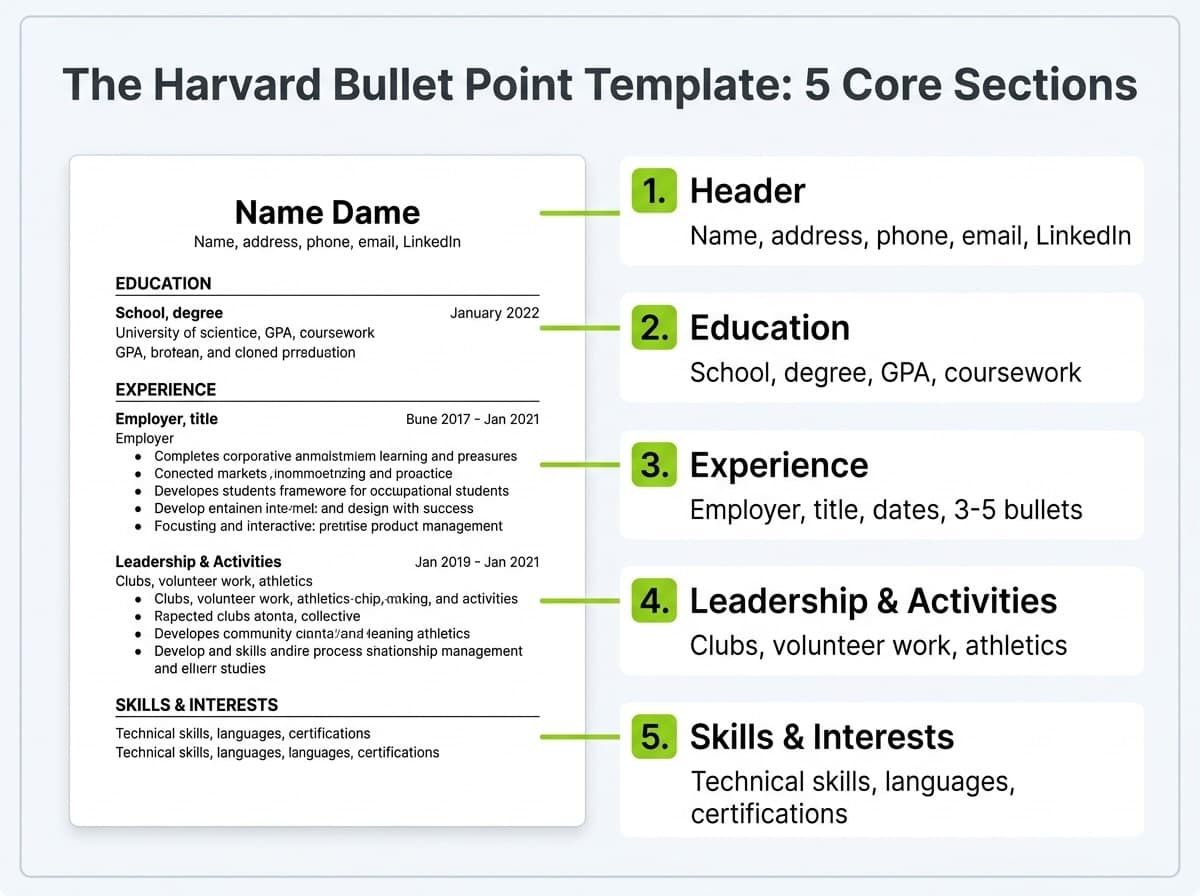
Building a strong resume gets easier when you start from a structure that already works, and in 2026 the most copied structure in the world is still the Harvard resume template. Officially the Harvard College Bullet Point Resume Template, published by Harvard's Mignone Center for Career Success, it is free, ATS-compatible, and built on a single principle: every bullet starts with a verb, describes a specific action, and ends with a measurable result.
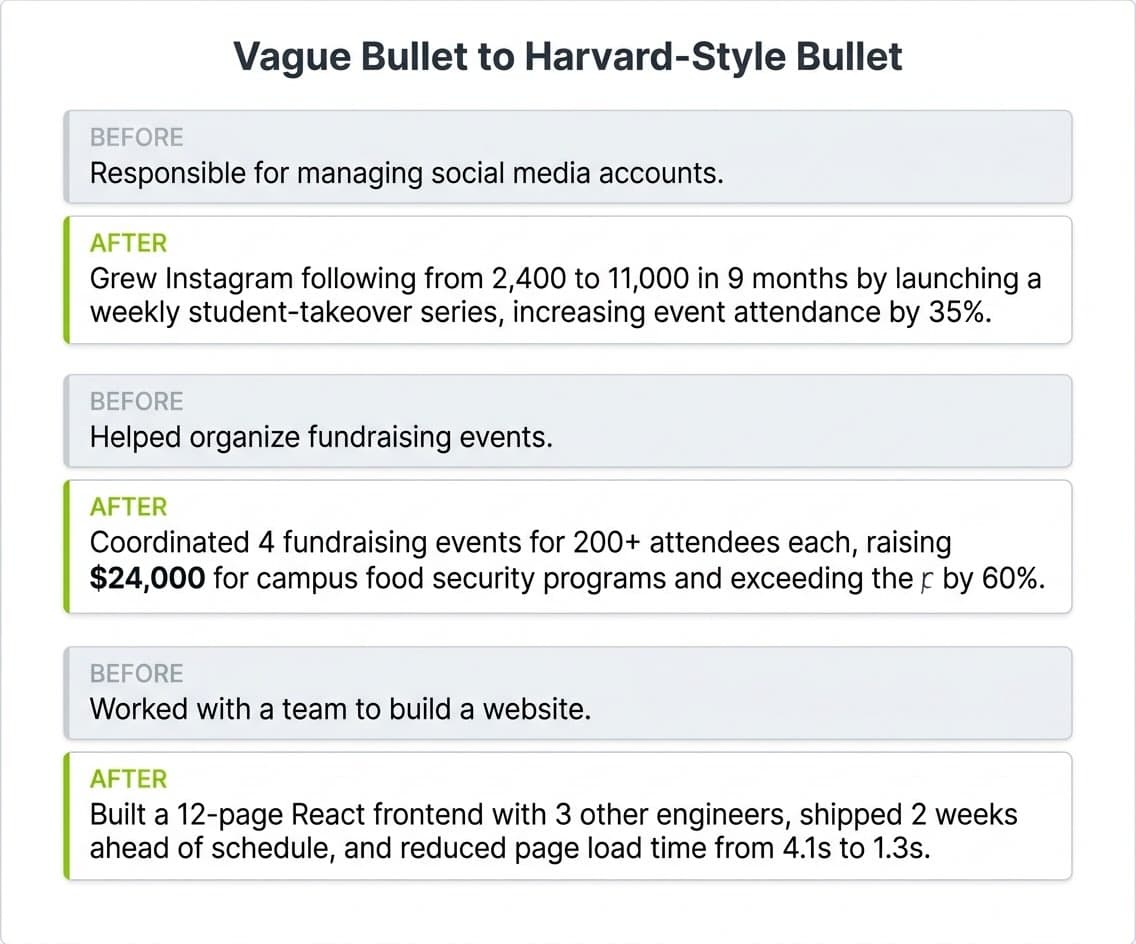
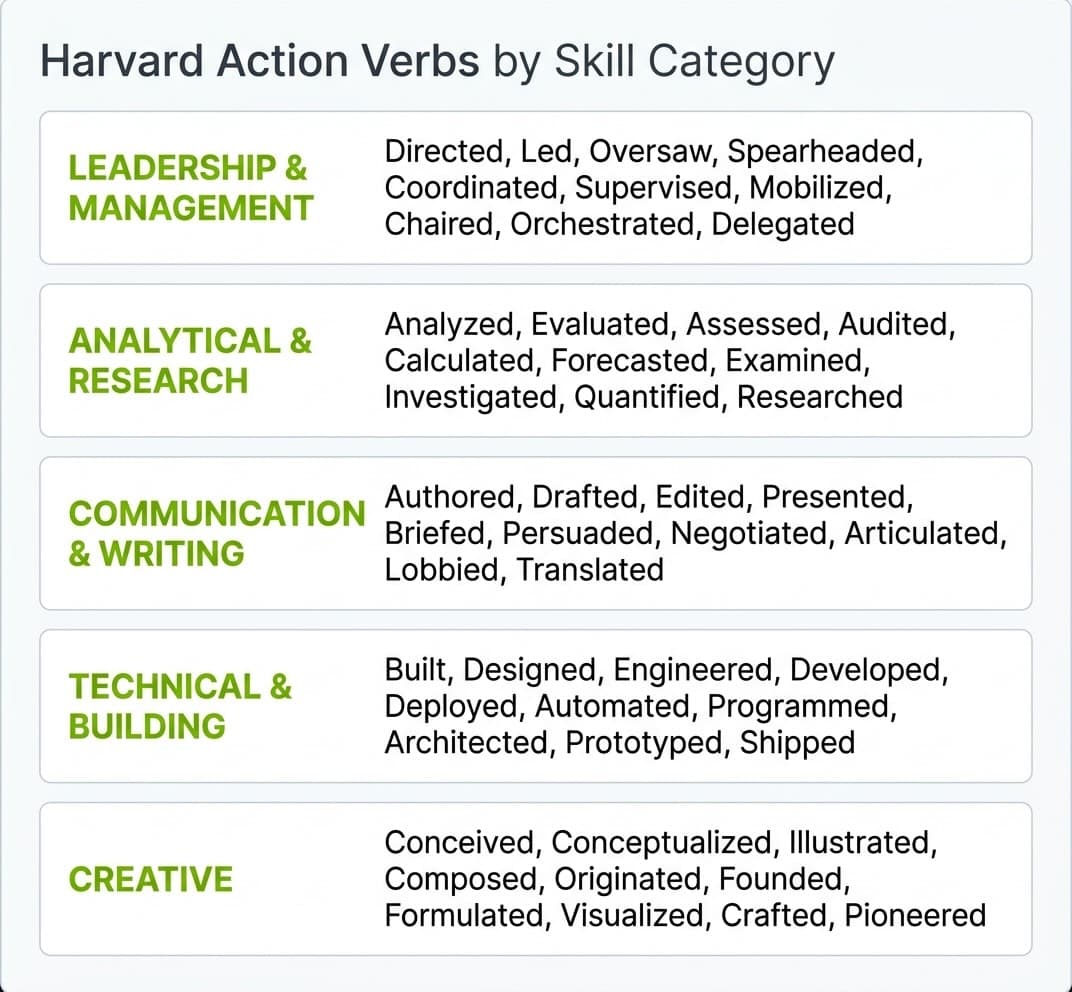
This guide breaks the Harvard resume down section by section, shows you the bullet formula Harvard teaches, and gives you the action verbs and before-and-after rewrites you need to use it well. If you are building your first resume, you may also want to read our beginner's resume guide alongside this one.
Where to Download the Harvard Resume Template
The official template lives on the Harvard Mignone Center for Career Success site. You can download it directly from Harvard here. Harvard offers it in three formats: Word (.docx), Accessible Word (.docx), and Google Docs.
The template is free, requires no Harvard login, and is updated by the MCS team. Harvard also publishes a paragraph-format version, but the bullet-point version is the one most students and early-career applicants use because it is faster to scan and easier to tailor per application.
Free Download: Word, Google Docs, PDF, and Canva Versions
Harvard publishes the template in Word and Google Docs, but which format you choose changes how the resume behaves once you start editing. Word (.docx) is the safest for applicant tracking systems, since most parse .docx cleanly and the formatting stays put. Google Docs is easiest if you want to copy the template, edit in the browser, and export a fresh PDF per application; use File, then Make a Copy to get your own editable version. PDF is what you should send for the final application, because it locks your layout so a recruiter sees exactly what you built. Avoid Canva and other heavily designed versions for corporate or ATS-screened roles: the columns, icons, and text boxes that look polished on screen are the same elements that scramble in a parser.