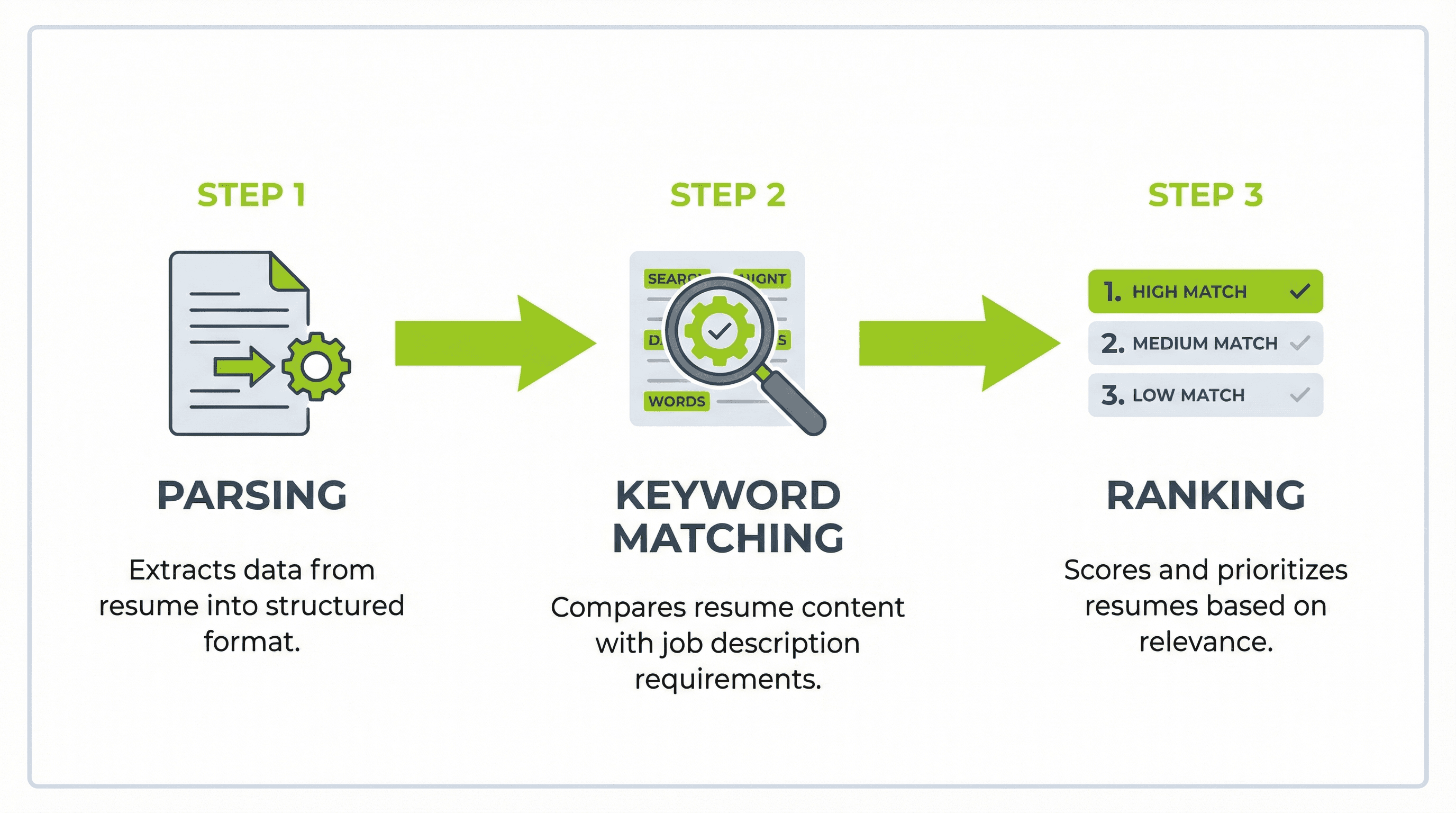
In today's competitive job market, landing an interview often starts with getting your resume past an Applicant Tracking System (ATS). These automated systems organize and filter resumes before a recruiter reviews them. Nearly 99 percent of Fortune 500 companies use some form of ATS to manage their hiring pipeline.
You have probably seen the claim that "75% of resumes are rejected by ATS." That statistic has been repeated across hundreds of career sites, but it is not accurate. It traces back to a defunct 2013 source with no verifiable methodology. A found that 92% of recruiters confirmed their ATS does not auto-reject resumes. What ATS actually does is deprioritize poorly optimized resumes, pushing them to the bottom of the pile rather than deleting them outright.
That distinction matters. Your resume is not being "rejected" — it is being ranked. And that is exactly what a resume score checker helps you improve. This guide covers how ATS scoring works, which free tools give you the most useful feedback, and how to use that feedback to move your resume to the top of the stack. If you want to understand which resume sections matter most before running a score check, start with our complete guide to resume anatomy and structure.
How ATS Score Checkers Actually Work
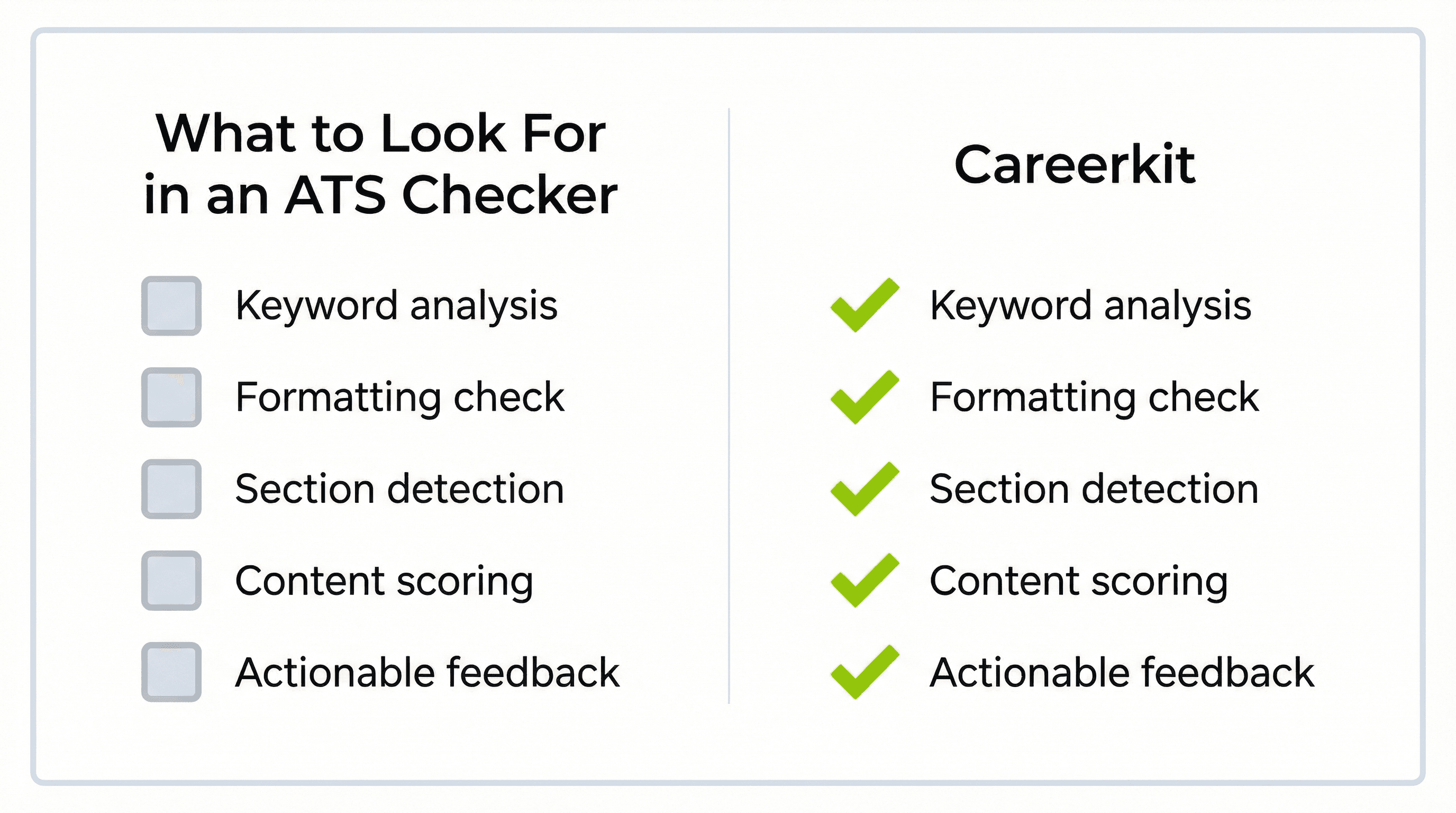
ATS score checkers evaluate your resume across several dimensions, though the specific criteria vary by tool. The most common factors they analyze include keyword relevance, which measures how closely your resume language matches a specific job description, formatting safety, which checks whether your layout, fonts, and file structure can be parsed without errors, section completeness, which looks for standard headings like Work Experience, Education, and Skills, and content quality, which evaluates whether your bullet points contain measurable achievements rather than generic job duties.
Understanding these categories helps you interpret your score intelligently. A low keyword match does not mean your resume is bad — it might mean you have not tailored it to a specific posting yet. A formatting flag might mean your two-column layout breaks the ATS parser, even though it looks great on screen.
What a Score Actually Means
Most ATS checkers give you a percentage or letter grade. A score between 80 and 100 percent generally means your resume is well-optimized for the target role, with strong keyword alignment and clean formatting. A score between 60 and 79 percent suggests your resume has a solid foundation but needs targeted improvements, usually in keyword matching or section structure. Below 60 percent typically indicates significant gaps in keyword relevance, formatting issues that may confuse the parser, or missing standard sections.
The goal is not to hit 100 percent. It is to get your resume into the range where it ranks competitively against other applicants for that specific role.
Best Free Resume Score Checker Tools in 2026
Several approaches exist for checking your resume against ATS criteria. These range from full AI-powered builders that optimize as you write to simple manual checks you can do in thirty seconds.
1. Careerkit — Best for AI-Powered ATS Optimization
I built Careerkit after reviewing thousands of resumes that failed ATS scans for preventable reasons: two-column layouts, missing standard headings, or keyword gaps that a five-minute fix could solve.
Careerkit is not just a score checker — it is a full resume builder designed around ATS compatibility. The AI analyzes your experience and generates tailored bullet points that align with how ATS software parses achievements. Every template has been tested against common ATS platforms including Greenhouse, Lever, and Workday.
What sets it apart is that you do not need to run your resume through a separate checker and then go fix issues in another tool. The optimization happens as you build. The platform also includes a cover letter builder, AI-generated professional headshots, and a Career Link profile page that acts as a living portfolio alongside your static resume.
Strengths: AI-tailored bullet points for each role, ATS-tested templates, free to start, integrated cover letter and headshot tools, Career Link profile page.
Limitations: Smaller template library than some legacy tools, though every template is ATS-verified.
Best for: Job seekers who want to build and optimize in one place rather than toggling between a builder and a checker.
2. Google Docs Resume Templates — Best for Full Control
Google Docs is not a score checker, but its built-in resume templates deserve a mention because they solve one of the most common ATS problems: formatting. Google's templates are single-column, clean, and ATS-friendly out of the box. Because you are working in a standard document editor, there are no parsing issues — what you see is what the ATS gets.
The tradeoff is that Google gives you zero guidance on content. There are no keyword suggestions, no AI writing help, and no score to improve against. You need to know what a strong resume looks like before you start. If you are unsure, read through our complete resume section breakdown first.
Strengths: Completely free, clean ATS formatting by default, easy real-time collaboration with a coach or mentor.
Bereit fuer Ihren Traumjob?
Schliessen Sie sich 50.000+ Jobsuchenden an, die ihre Karriere bereits mit unserem KI-gestuetzten Lebenslauf-Builder verwandelt haben.
Limitations: No ATS scoring, no keyword analysis, no content guidance, requires you to know what good looks like.
Best for: Experienced professionals who want total control over their content and already understand ATS requirements.
3. Indeed Resume Builder — Best for Quick Apply
Indeed's resume builder is built into the world's largest job board. If you already use Indeed to search for jobs, building your resume there means you can apply with one click. The templates are intentionally simple and ATS-compatible.
Indeed does not give you a traditional ATS score, but the tight integration with job listings means your resume is already formatted for the platform's own screening. The builder also shows salary estimates alongside job postings, which can help you tailor your language to specific employers.
Strengths: Integrated with Indeed job search, one-click apply, free, ATS-safe templates, salary data alongside listings.
Limitations: Very limited customization, no AI writing assistance, content suggestions are generic.
Best for: Job seekers who live on Indeed and want the fastest path from resume to application.
4. Plain Text Test — Free and Instant
This is not a tool — it is a technique, and it is the fastest ATS check you can run. Open your finished resume in a plain text editor (Notepad on Windows, TextEdit set to plain text on Mac). If the content appears in a logical, readable order with no jumbled characters or missing sections, the ATS will likely parse it correctly.
If entire sections are missing, text is scrambled, or your formatting breaks, you have a problem that no amount of keyword optimization will fix. This 30-second check catches the formatting issues that cause the most ATS failures.
Strengths: Instant, free, catches the most damaging formatting issues.
Limitations: Only tests formatting — does not evaluate keywords, content quality, or job-specific match.
Best for: A quick sanity check before submitting any application.
How to Actually Improve Your ATS Score
A score checker tells you what is wrong. This section tells you how to fix it.
Tailor Your Keywords to Each Job Posting
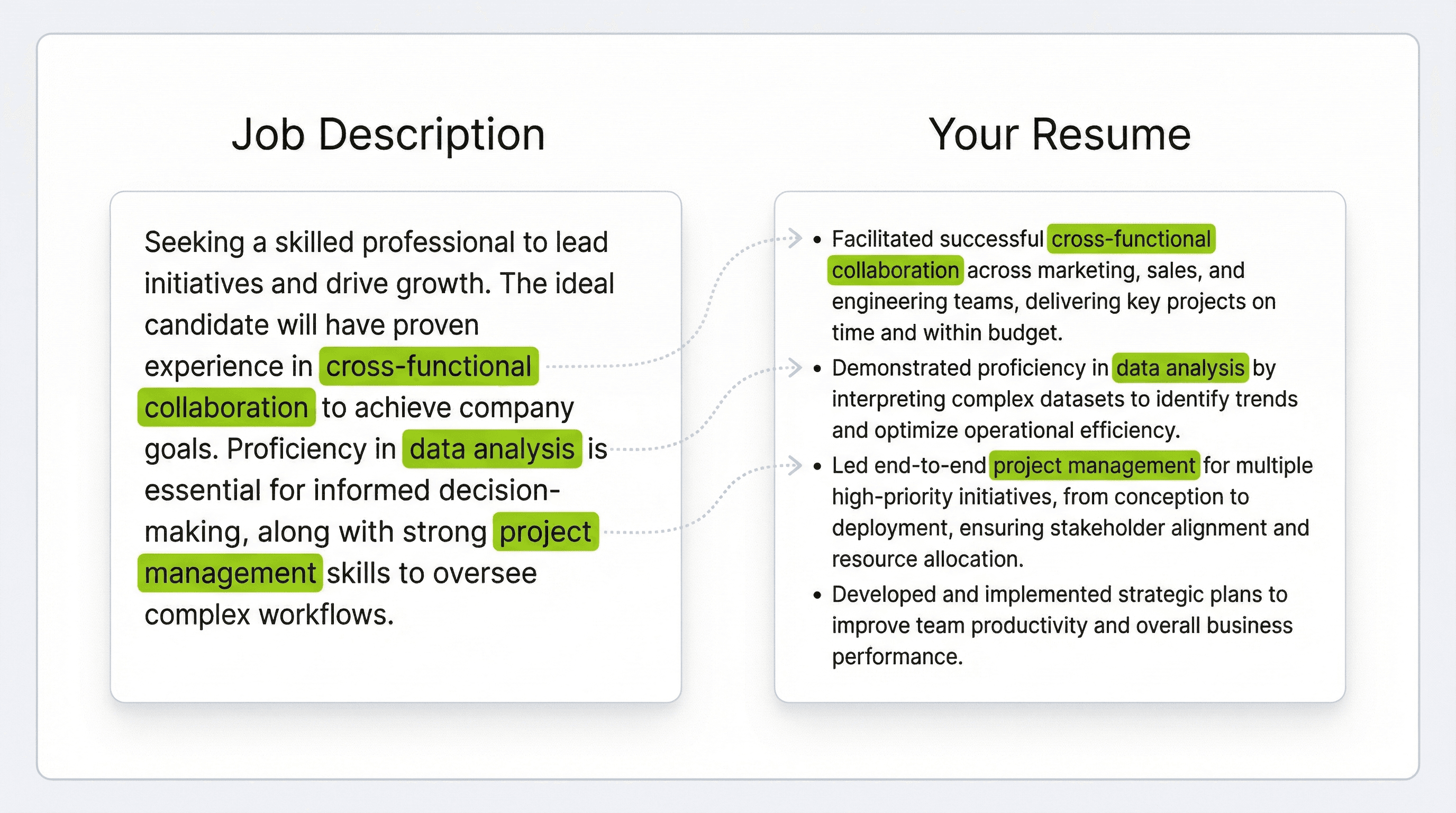
ATS software ranks candidates by how closely their resume matches the language in the job description. This does not mean copying the posting word for word. It means identifying the specific terms a company uses and reflecting them naturally in your experience and skills sections.
For example, if a posting says "cross-functional collaboration" and your resume says "worked with other teams," the ATS may not register the match. Read the job description once for meaning, then a second time to pull out the exact phrases you should mirror. If you need help identifying which skills to include, the Careerkit skills generator can suggest relevant keywords based on your target role.
Lead With Achievements, Not Responsibilities
Hiring managers and ATS algorithms both respond better to measurable accomplishments than to duty lists. Research from NBER found that algorithmic writing assistance can increase hiring probability by 8%, largely because it helps candidates frame their experience in terms of outcomes rather than activities.
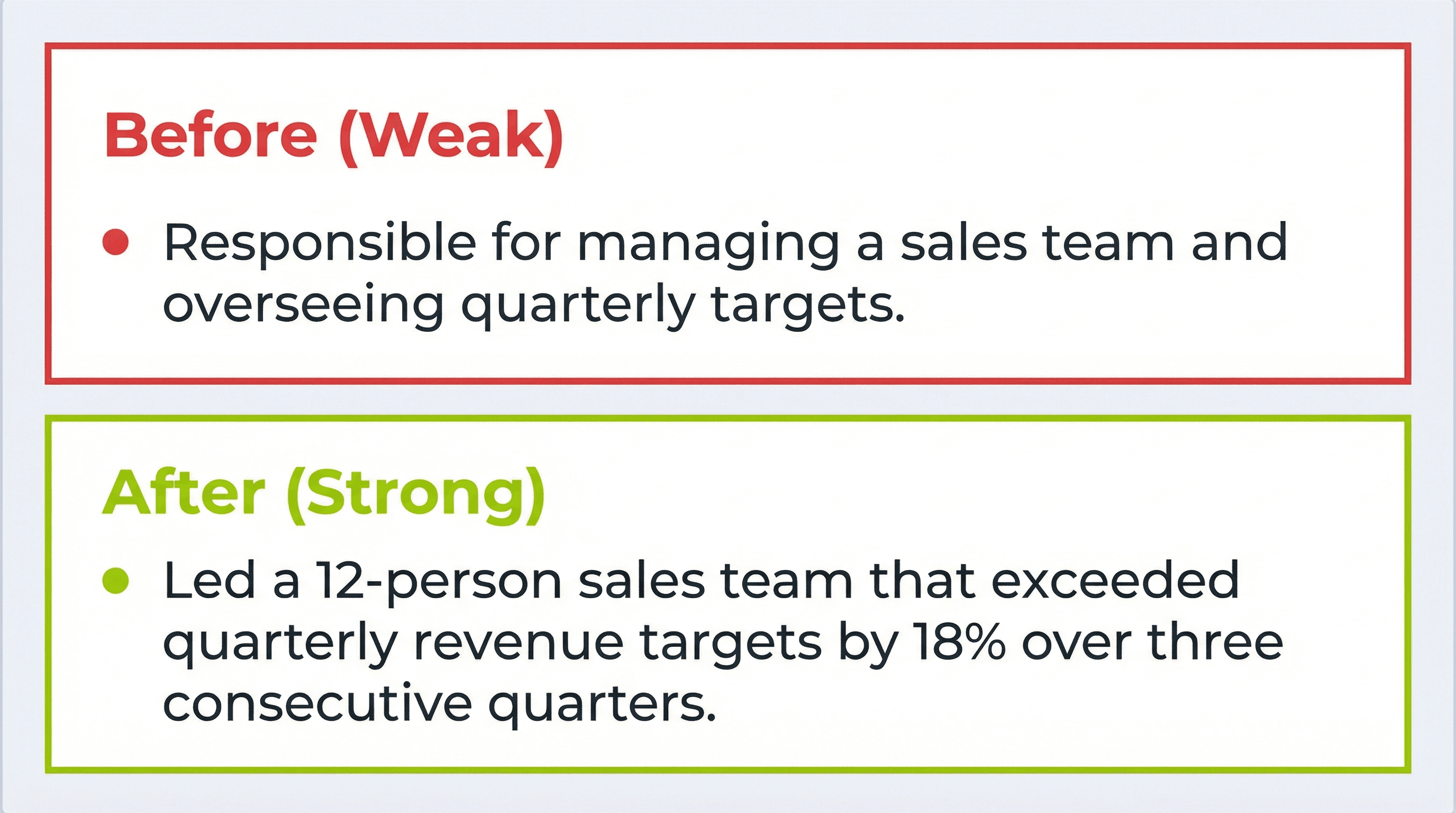
Instead of writing generic descriptions, aim for specific, quantified results. Here is what that looks like in practice:
Responsible for managing a sales team and overseeing quarterly targets. Handled client relationships and prepared reports for senior management.
Led a 12-person sales team that exceeded quarterly revenue targets by 18% over three consecutive quarters. Grew key account portfolio from 15 to 34 clients, contributing $1.2M in new annual recurring revenue.
Even the best content will fail if the ATS cannot parse it. According to a report from Harvard Business School, rigid formatting filters in automated hiring systems are one of the top reasons qualified candidates get screened out before a human ever sees their application.
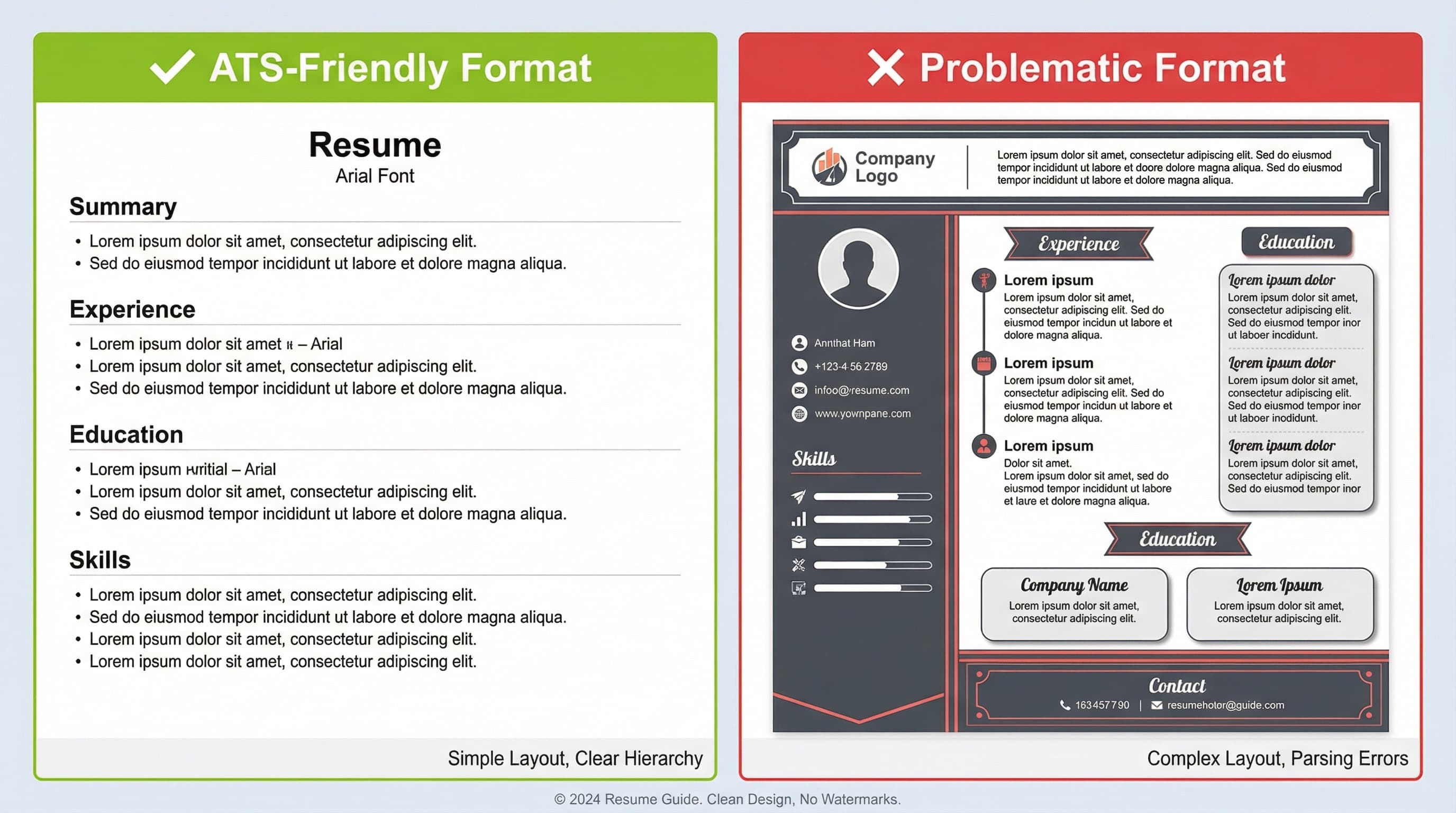
Use a single-column layout with standard headings like "Work Experience," "Education," and "Skills." Save your file as .docx or a simple text-based PDF. Use 10 to 12 point standard fonts like Arial, Calibri, or Garamond, and stick to plain bullet points for achievements.
Avoid two-column or sidebar layouts, text boxes, tables, or embedded images. Do not use creative headings like "Where I've Made an Impact" instead of "Work Experience." Avoid putting contact information in headers and footers, and never submit PDFs exported from Canva or Illustrator with flattened text layers.
For a comparison of which fonts render cleanly across ATS platforms, try our resume font preview tool.
Add a Professional Profile Link
Including a link to your LinkedIn profile or a career portfolio page gives recruiters a fast way to verify your background and see additional context that a one-page resume cannot cover. According to data cited by university career centers, LinkedIn users with complete profiles are 40 times more likely to receive opportunities through the platform. If you use Careerkit, your Career Link serves this purpose — it is a shareable, always-updated profile page that complements your static resume.
Addressing Bias in ATS and How to Navigate It
While ATS systems streamline hiring, recent research has raised concerns about potential biases in AI-driven resume evaluations. The FAIRE benchmark, introduced in a recent study on fairness in automated resume evaluation, assesses racial and gender biases in these systems to promote transparency.
As a job seeker, the best approach is to focus on creating clear, objective, and well-structured resumes that emphasize skills and measurable accomplishments. Using ATS-friendly formatting and factual achievement-based language reduces the surface area for bias to affect your ranking.
Frequently Asked Questions
An ATS resume score checker evaluates how well your resume is optimized for Applicant Tracking Systems. It analyzes keyword relevance, formatting, section structure, and content quality, then provides a score with specific recommendations for improvement.
No. A 2025 Enhancv and HR.com study found that 92% of recruiters confirmed their ATS does not auto-reject resumes. What ATS does is rank and deprioritize poorly optimized resumes, pushing them to the bottom of the stack rather than deleting them. Optimization determines where you rank, not whether you are rejected outright.
Check your score every time you tailor your resume for a new job application. Your score is relative to a specific job description, so a resume that scores well for one role may score poorly for another. At minimum, run a check whenever you make significant changes to your content or formatting.
For most job seekers, free tools provide sufficient feedback. The most important factors — formatting safety, keyword alignment, and section structure — are all covered by free options. Premium features like unlimited scans or advanced analytics are helpful but not essential.
The safest formats are .docx and simple, text-based PDFs. Avoid PDFs exported from design tools like Canva or Illustrator, as these often flatten text into images that ATS software cannot read. If a job posting specifies a preferred format, always follow that instruction. When in doubt, .docx is the most universally compatible option.
There is no fixed number. The goal is to reflect the language of the specific job posting naturally throughout your resume, particularly in the skills section and work experience bullet points. Read the job description carefully and identify the key technical skills, tools, and phrases it uses. Keyword stuffing — listing terms you cannot back up in an interview — will hurt you more than it helps.
Ueber den Autor
Nishant Modi
Nishant Modi is the founder of Careerkit.me and a product builder based in Zürich, Switzerland. With a background in product management, marketing & management consulting, he transitioned into AI entrepreneurship after experiencing the frustration of outdated job search tools firsthand. He built Careerkit to give every job seeker access to professional grade resume tools, the platform has helped over 10,000 candidates create ATS optimized resumes. He writes about resume strategy, hiring trends, and what actually gets people hired.