Resume Dos and Don'ts for 2026: What Hiring Managers, ATS, and AI Actually Reward
By Nishant Modi, Founder of CareerKit
The resume looks the same as it did a decade ago, but almost nothing else about applying for a job does. A recruiter still spends roughly 7.4 seconds on the first scan of your resume, but before that human ever opens the file, your application has likely been ranked, scored, and sometimes filtered out by an applicant tracking system or an AI screener. In 2026, , and .
The good news is that the principles of a strong resume have not changed as much as the headlines suggest. The bad news is that the cost of getting the basics wrong has gone up. A formatting choice that would have been forgiven by a recruiter in 2018 can now get a resume parsed badly enough to never reach a person.
This guide is the version of the resume conversation I have with friends, candidates, and clients of CareerKit. It covers what to do, what to stop doing, and what each choice actually signals in 2026. Every recommendation is tied to current data and to real before-and-after examples. If you only have time for the headline: write for humans, format for machines, and quantify everything you possibly can.
Resume Dos and Don'ts 2026: What's Changed This Year
A few shifts in 2026 deserve to be named before anything else, because they reshape almost every other choice on the page. The way your resume is read, the kind of work it represents, and the skills it needs to surface are all different from a few years ago.
How AI and ATS now read your resume
The applicant tracking system has been part of the picture since the 1990s, but the layer on top of it has changed. According to HR Dive's reporting on a Resume.org study, 57% of companies already use AI in hiring, and 74% said it has improved the quality of their hires. SHRM's State of AI in HR 2026 report notes that recruiting is the practice area where AI is most commonly deployed, ahead of every other HR function.
In practical terms, this means two things. First, the keyword-matching that defined ATS optimization a few years ago has become more contextual. Modern systems care less about exact-string matches and more about whether your experience actually demonstrates the skill the job needs. Second, the same hiring managers using AI are now more skeptical of resumes that read as AI-generated. The bar is higher on both ends. The foundation that survives both layers is structural rather than stylistic: a clean, parseable layout, standard section headers, and content that gets specific about what you did and what changed because of it. Our resume builder handles the structural side by default so you can spend your time on the words.
For your resume, this matters in two ways. If you have done remote or distributed work successfully, name it. Phrases like "led a fully distributed team of seven across three time zones" or "coordinated weekly releases with engineering counterparts in Berlin and Bangalore" signal something hiring managers in 2026 are actively looking for: someone who is already good at the asynchronous, written, outcome-oriented mode of working that hybrid roles require. And if you are applying to roles outside your country, your resume needs to read cleanly to readers who may not share your local conventions. Spell out acronyms the first time they appear, and use city plus country rather than abbreviations a non-local reader might miss.
The practical implication is that "I am good with computers" is no longer a useful claim. Specifying the AI tools you have used to do real work, the data systems you have queried, or the workflows you have automated says more than a list of generic skills ever will. We will return to the right way to surface this later in the guide.
Do Prioritize ATS-Friendly Formatting
This is the most important section in the article, because every other choice you make on your resume only matters if the file gets parsed correctly in the first place.
What an ATS-friendly resume looks like
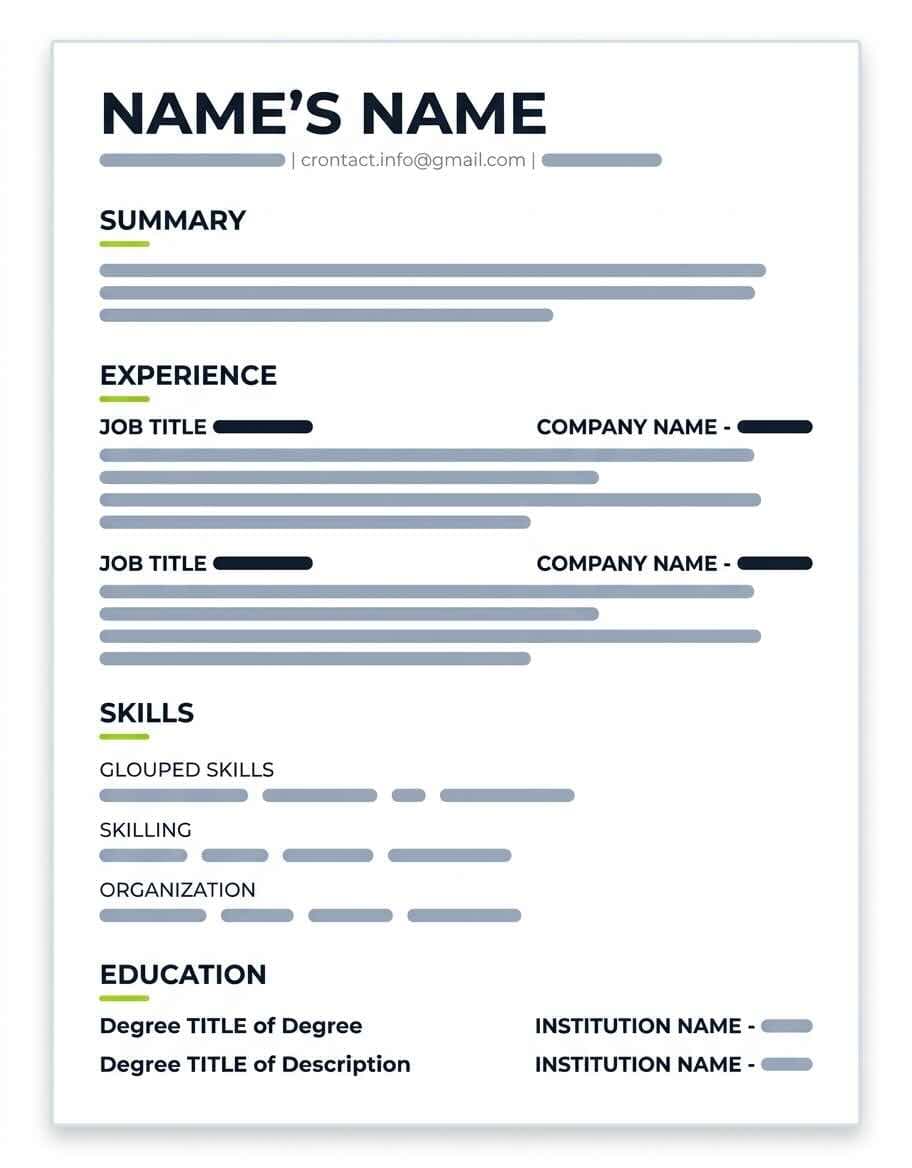
An ATS-friendly resume looks deceptively simple. It uses a single column. It uses standard section headers like "Experience," "Education," "Skills," and "Certifications," not creative ones like "Where I've Been" or "My Adventures." It uses one of a handful of widely available fonts (Calibri, Arial, Helvetica, Georgia, Garamond). It avoids text boxes, headers and footers for important content, embedded images, and multi-column layouts that confuse parsing engines. Most modern ATS platforms parse a text-based PDF without trouble, but a .docx export is the safest fallback when a portal does not specify a preferred format. You can preview different typefaces against your content using our resume font preview tool before you commit.
Design mistakes that break ATS parsing
The most common parsing failures I see come from the same handful of choices. Two-column layouts cause the ATS to read your skills column and your experience column in the wrong order, scrambling the dates. Icons and skill bars get ignored entirely or get parsed as gibberish. Text inside images cannot be read at all. Tables used for layout often break extraction of dates and titles. Custom fonts you have installed locally may not render correctly on the recruiter's screen, which is a separate problem but worth mentioning. The same is true of decorative dividers, color blocks behind text, and anything that asks the ATS to interpret design intent rather than read text.
Why formatting decides whether your resume gets read
ATS parsing and human readability are not in conflict. They reward most of the same choices.
Layout principles that work in 2026
Generous white space, clear visual hierarchy, and consistent alignment do the heaviest lifting. Your name should be the largest piece of text on the page, sized somewhere between 18 and 22 points. Section headers sit at 12 to 14 points in a heavier weight than the body. Body text runs at 10 to 11 points, never below 10. Margins should be at least half an inch on every side, though 0.7 to 0.8 inches usually feels less crammed during a seven-second scan. Research from Nielsen Norman Group on the F-shaped pattern of online reading is consistent with what we see in resume reading specifically: the top-left quadrant gets the most attention, the left margin gets the second-most, and dense paragraphs in the bottom-right get skipped almost entirely.
Visual choices that hurt readability
Cluttered layouts, headshots on the resume (in markets where they are not standard), gradient backgrounds behind text, and too many fonts on the same page all hurt readability. So does inconsistent alignment, where your job titles are flush left in one role and indented under the company in the next. Use one alignment pattern throughout. The same applies to date formatting: pick one (March 2022, 03/2022, or Mar '22) and stick with it everywhere.
This block looks easy and trivial, and that is exactly why people get it wrong.
What belongs at the top of your resume
Your full name, a city and country (or city and state for US applications), one phone number with country code if you are applying internationally, one professional email address, and links to your LinkedIn profile and any portfolio that supports your application. That is the entire list. Anything else competes with the experience and skills you are trying to highlight. For a complete breakdown of each section a resume should include, our anatomy of a resume guide walks through them in order.
What to remove from your contact block
Your full street address (city and country is enough; full addresses are a privacy risk and a relic from when resumes were mailed). Multiple phone numbers. Multiple email addresses. Any social media handle that is not directly relevant to the work. A photo, in most markets outside continental Europe. Pronouns are optional and personal; some candidates include them, others do not.
Why the contact section gets read more carefully than you think
The contact block is one of the first things a recruiter's eye lands on. A typo in your phone number or an email address with a domain like "rockstar2007@" can torpedo a strong application before anyone reads a bullet point. Use an email address built from your name. Confirm the phone number out loud before you submit. Make the LinkedIn URL the clean custom version (linkedin.com/in/yourname) rather than the default string of numbers.
Don't Include Outdated Personal Information
The conventions of the early 2000s resume have not aged well, and several of them are still floating around in templates.
Personal details to leave off
Date of birth, marital status, religion, nationality (in most cases), national ID numbers, and a photo. In the US, the UK, and most of Canada and Australia, these fields are at best irrelevant and at worst a liability that introduces unconscious bias against you. In parts of continental Europe, conventions vary, but the trend even there is toward simpler, US-style resumes. Your high school is also outdated information once you have a bachelor's degree or any meaningful work experience.
What to include instead
A clean header with the items listed in the previous section. If you want to signal cultural or linguistic depth, do it through a Languages section ("German, native; English, professional; French, intermediate") rather than through a Nationality field. If you have authorization to work in multiple countries, a brief line under your name ("Authorized to work in the EU and UK") communicates the same thing without invoking nationality.
Why personal data invites bias and risk
The most important reason is the one nobody talks about: the data is doing nothing for you. A line on your resume should either advance your candidacy or get out of the way. Your birthday does neither. The secondary reason is bias. Recruiters are human; once they know your age, family status, or religion, the information cannot be unread, and you cannot control how it lands.
Do Write Achievement-Focused Bullet Points
Bullet points are where your resume is actually evaluated. A long list of duties is unreadable; a tight list of achievements is the difference between a callback and a no-reply.
The verb-action-metric-impact formula
The pattern I teach everyone at CareerKit is simple: start with a strong verb, name the action, attach the metric, and end with the business impact. Not every bullet needs all four parts, but the bullets that do tend to land.
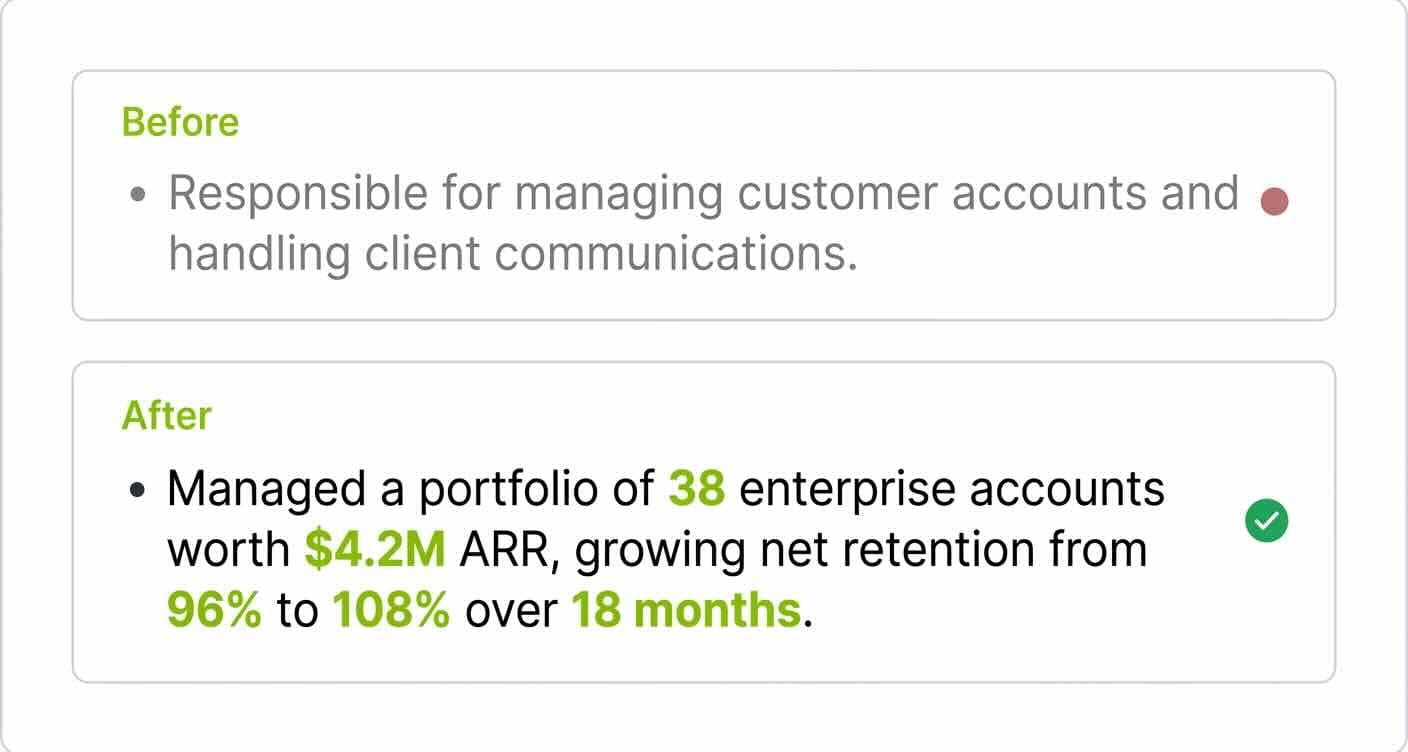
Consider how a customer-success bullet looks before and after this treatment.
Before: Responsible for managing customer accounts and handling client communications.
After: Managed a portfolio of 38 enterprise accounts worth $4.2M in annual recurring revenue, growing net retention from 96% to 108% over 18 months through quarterly business reviews and proactive expansion planning.
The second bullet does in one line what the first one fails to do in any number of lines. It tells a hiring manager exactly what scale you operated at, what changed under your ownership, and how you made it change. Our collection of work-experience bullet point examples has dozens more, broken out by function.
Bullet point patterns that fall flat
The first pattern to watch is leading every bullet with "responsible for." Whatever follows is a description of a role, not an account of what you did with it. The second is using the same verb six times in a row (managed, managed, managed). The third is writing bullets that could appear on anyone's resume with that job title. If a peer doing the same job could lift your bullets and use them verbatim, you have written a job description, not an achievement record.
Why achievements outperform descriptions
Achievement bullets do three things at once. They give the ATS specific keywords and numerical signals to score. They give the recruiter something to remember during the seven-second scan. And they give the hiring manager something concrete to ask about in an interview. Every bullet that is purely descriptive forfeits all three of those.
Don't List Job Responsibilities Without Impact
This is the same problem from the other side. The shift from describing the role to describing the outcome is the single highest-leverage edit you can make to most resumes.
How to reframe duties as outcomes
For each bullet, ask three questions in order. What did I do? What changed because I did it? How can I measure that change? Even when the change cannot be perfectly quantified, the act of asking forces specificity.
Before: Led weekly team meetings and tracked project deliverables.
After: Restructured the team's weekly cadence into a 30-minute standup plus a written decision log, reducing meeting time by four hours per week and cutting the average decision turnaround from five days to one.
The first version describes routine work. The second tells the hiring manager you noticed a problem, designed a fix, and have evidence the fix worked.
Phrases that signal "job description" writing
"Responsible for," "duties included," "tasked with," "in charge of," and "served as" are signals to the reader that what follows is going to be a job description rather than evidence. Replace them with action verbs that name what you actually did: built, redesigned, launched, negotiated, automated, consolidated, shipped.
Why responsibility-only bullets get skipped
A hiring manager already knows what the duties of a marketing manager or a software engineer look like in the abstract. What they cannot know without your help is what you, specifically, did with those duties. The duties have been read a thousand times already. Your outcomes are new information.
Do Quantify Your Accomplishments
Bereit fuer Ihren Traumjob?
Schliessen Sie sich 50.000+ Jobsuchenden an, die ihre Karriere bereits mit unserem KI-gestuetzten Lebenslauf-Builder verwandelt haben.