Sie brauchen kein kostenpflichtiges Abo, um diese Lücke zu schließen. Nachfolgend finden Sie fünf Kategorien kostenloser Tools, die Ihnen helfen, einen Lebenslauf für die moderne Rekrutierung aufzufrischen, wofür sich das jeweilige Tool wirklich eignet und wo es an seine Grenzen stößt. Wenn Sie die Bewertung überspringen und direkt mit einem KI-gestützten Builder starten möchten, der Formatierung, ATS-Prüfungen und Anpassung in einem einzigen Arbeitsablauf erledigt, können Sie einen kostenlosen Lebenslauf mit Careerkit erstellen – und zwar sofort.
Warum ein Tool zur Lebenslauf-Aktualisierung nutzen?
Einen Lebenslauf zu aktualisieren ist nicht bloß kosmetische Arbeit. Die beiden Instanzen, die entscheiden, ob Ihre Bewerbung weiterkommt (das ATS und die Personalverantwortlichen), suchen jeweils nach ganz bestimmten Dingen, und keine der beiden bringt viel Geduld mit.
Das Problem des ATS-Filters
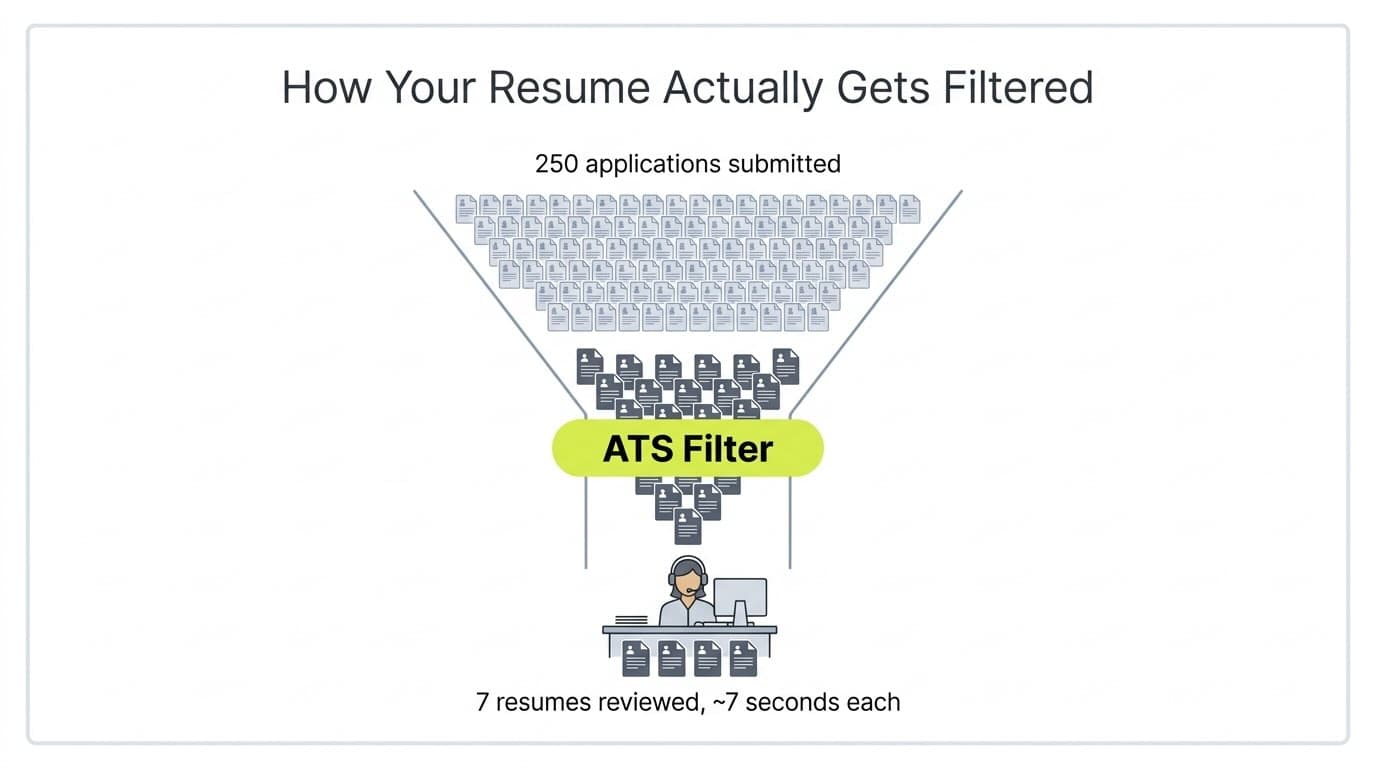
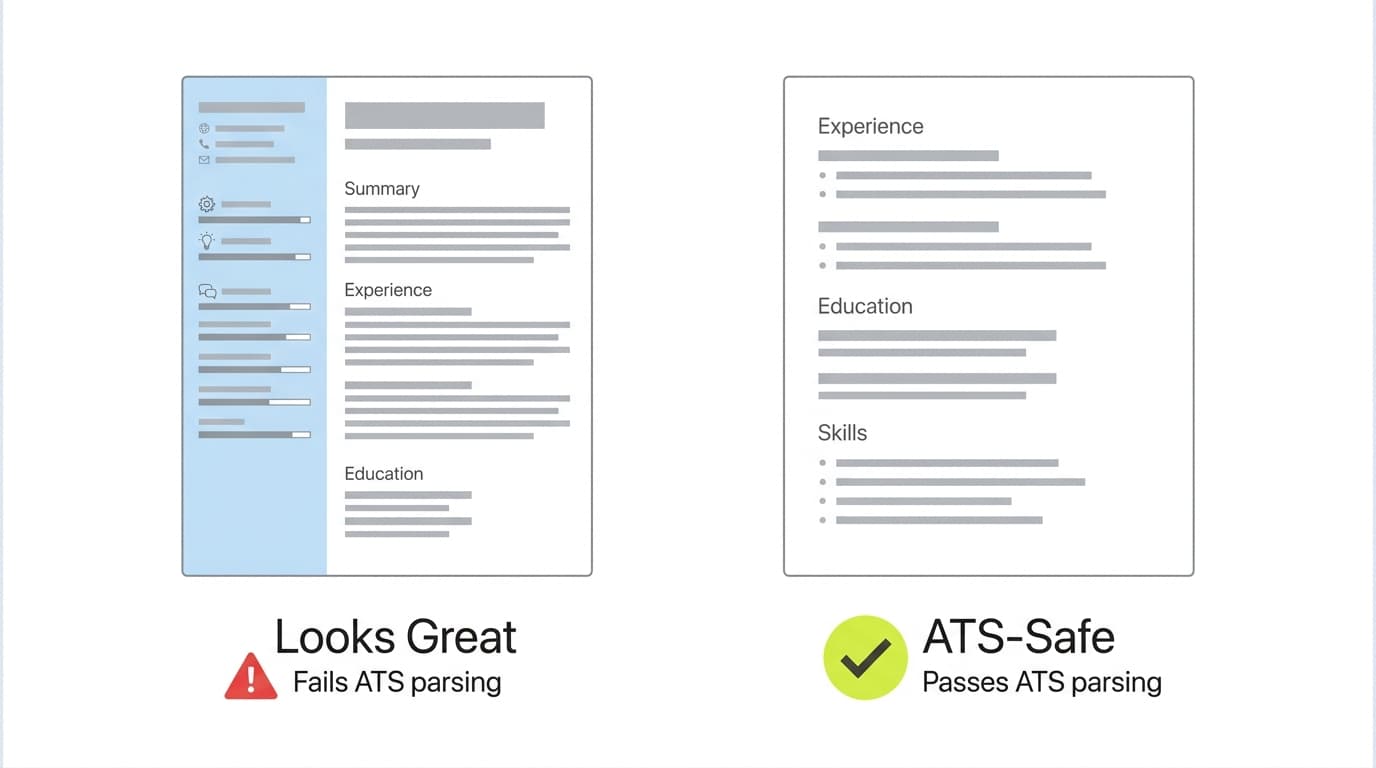
Die meisten großen Unternehmen leiten Bewerbungen durch ein Applicant Tracking System (ATS), bevor ein Mensch sie sieht. Das ATS zerlegt Ihren Lebenslauf in strukturierte Felder, gleicht Keywords mit der Stellenbeschreibung ab und reiht die Kandidaten. Lebensläufe mit nicht standardmäßiger Formatierung (Text in Tabellen, Bilder, mehrspaltige Layouts, ungewöhnliche Schriftarten) werden oft falsch ausgelesen, sodass qualifizierte Bewerber wegen eines Formatierungsproblems aussortiert werden, das sie nie zu sehen bekommen. Eine Aufschlüsselung, wie jeder Abschnitt eines Lebenslaufs sowohl für das ATS als auch für menschliche Leser aufgebaut sein sollte, finden Sie in der Anatomie eines Lebenslaufs mit Beispielen.
Was ein gutes Aktualisierungs-Tool tatsächlich leistet
Ein Tool zur Lebenslauf-Aktualisierung löst drei Dinge auf einmal. Es verwendet ATS-sichere Vorlagen, damit Ihre Inhalte sauber ausgelesen werden, es schlägt Verbesserungen bei Keywords und Formulierungen auf Basis der angestrebten Stelle vor, und es übernimmt das Mechanische (einheitliche Abstände, Schriftgrößen, Reihenfolge der Abschnitte), sodass Sie sich auf den Inhalt konzentrieren können. Der Rest dieses Beitrags geht die fünf Kategorien kostenloser Tools durch, die das gut können, und zeigt, welches Tool zu welcher Situation passt.
1. KI-gestützte Lebenslauf-Builder
KI-Lebenslauf-Builder analysieren Ihre vorhandenen Inhalte und formulieren sie im Hinblick auf Klarheit, Keyword-Abgleich und ATS-Lesbarkeit neu. Sie sind der schnellste Weg, einen Lebenslauf zu aktualisieren, weil sie die Formatierung und Keyword-Recherche für Sie übernehmen.
Wie es Ihnen bei der Aktualisierung Ihres Lebenslaufs hilft
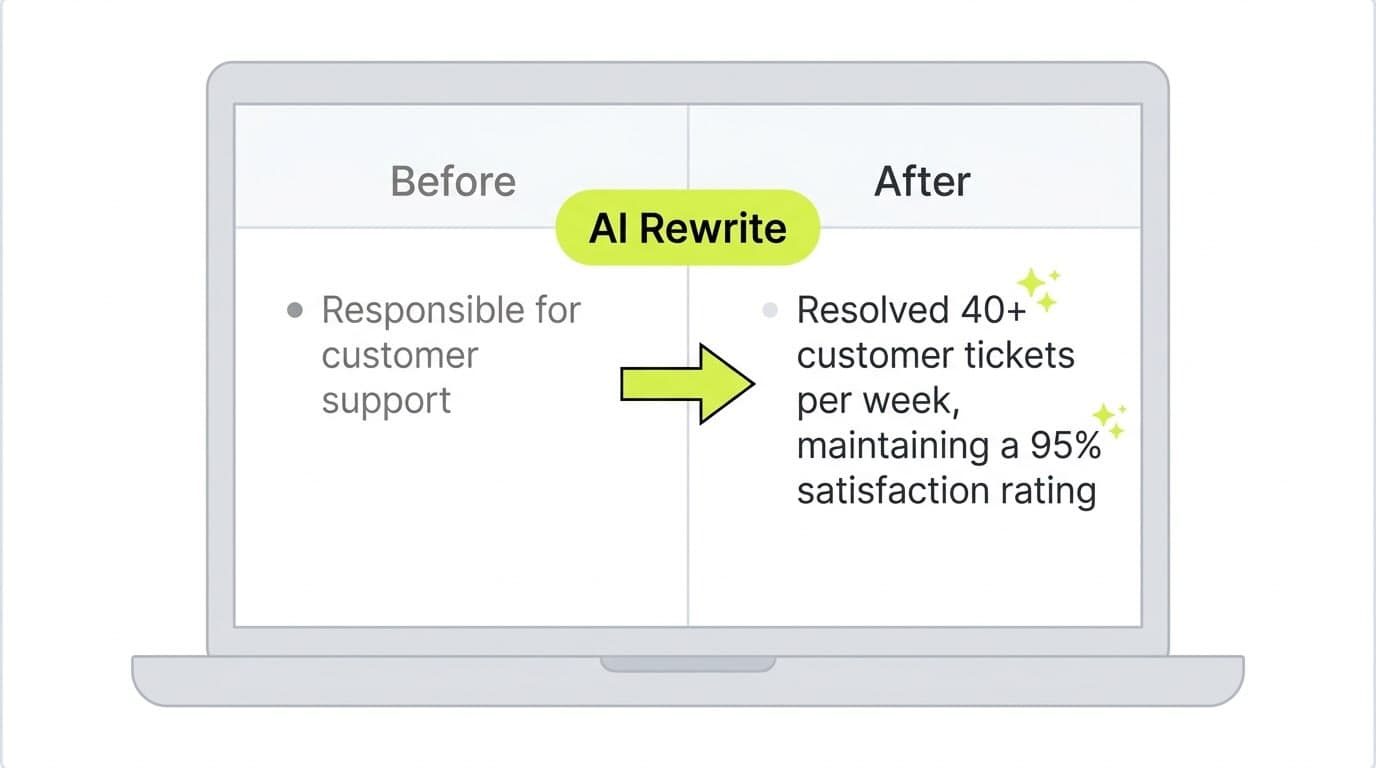
Die KI liest Ihren alten Lebenslauf oder Ihren Werdegang, extrahiert Ihre tatsächlichen Erfolge und schreibt Stichpunkte im Format "Aktionsverb + Kennzahl + Ergebnis" um, das Personalverantwortliche erwarten. Gute Builder passen das Ergebnis außerdem an eine konkrete Stellenbeschreibung an, die Sie einfügen, und das ist wichtig, weil der Keyword-Abgleich einer der am stärksten gewichteten Faktoren beim ATS-Ranking ist. Wenn Sie sehen möchten, wie "gut" aussieht, bevor Sie eine KI Ihren Lebenslauf erstellen lassen, decken diese Beispiele für Stichpunkte zur Berufserfahrung genau die Muster ab, die tatsächlich zu Vorstellungsgesprächen führen.
Worauf Sie achten sollten
Manche KI-Builder verwenden standardmäßig aufwendige Vorlagen mit Seitenleisten, Spalten und Symbolen, die auf dem Bildschirm gut aussehen, aber ATS-Parser verwirren. Bleiben Sie bei einspaltigen Layouts mit standardmäßigen Abschnittsüberschriften. Der kostenlose Lebenslauf-Builder von Careerkit verwendet standardmäßig ATS-sichere Vorlagen und übernimmt die KI-Neuformulierung im selben Arbeitsablauf, sodass Sie nicht zwischen drei Tabs wechseln müssen, um einen Lebenslauf fertigzustellen.
2. Design-orientierte Editoren (Canva)
Wenn optische Wirkung für Ihre Zielrolle wichtig ist (denken Sie an Marketing, Design, Kreativberufe oder den Gästekontakt im Gastgewerbe), sind die kostenlosen Lebenslauf-Vorlagen von Canva eine solide Option.
Wie es Ihnen bei der Aktualisierung Ihres Lebenslaufs hilft
Mit dem Drag-and-drop-Editor von Canva frischen Sie ein müdes Layout in unter einer Stunde auf. Sie können Schriftarten austauschen, Abstände anpassen, Abschnitte neu anordnen und als PDF exportieren, ohne Software zu installieren. Bei Rollen, in denen visuelles Denken Teil des Auftritts ist, kann ein gut gestalteter Lebenslauf tatsächlich den Unterschied ausmachen.
Worauf Sie achten sollten
Viele der beliebtesten Lebenslauf-Vorlagen von Canva verwenden Textfelder, zweispaltige Layouts und grafische Elemente, die ATS-Software nicht korrekt auslesen kann. Wenn bei Ihrer Zielstelle Bewerbungen durch ein ATS laufen (was auf die meisten Unternehmensrollen zutrifft), bleiben Sie bei den einspaltigen Vorlagen "Classic" oder "Simple" von Canva und fügen Sie Abschnittsüberschriften manuell als reinen Text hinzu, statt die vorgestalteten Überschriftengrafiken zu verwenden. Bevor Sie sich auf eine Vorlage festlegen, sehen Sie in einer Vorschau, wie sich Ihr Inhalt in verschiedenen Lebenslauf-Schriftarten darstellt, damit Sie nicht bei einer Entscheidung festhängen, die Sie am Export-Tag bereuen.
3. Cloud-Dokumententools (Google Docs und Microsoft Word)
Wenn Sie die volle Kontrolle über die Formatierung möchten und keine KI-Unterstützung brauchen, bieten die Lebenslauf-Vorlagen von Google Docs und Microsoft Word online beide kostenlose, cloudbasierte Ausgangspunkte, die von Haus aus ATS-freundlich sind.
Wie es Ihnen bei der Aktualisierung Ihres Lebenslaufs hilft
Bereit fuer Ihren Traumjob?
Schliessen Sie sich 50.000+ Jobsuchenden an, die ihre Karriere bereits mit unserem KI-gestuetzten Lebenslauf-Builder verwandelt haben.
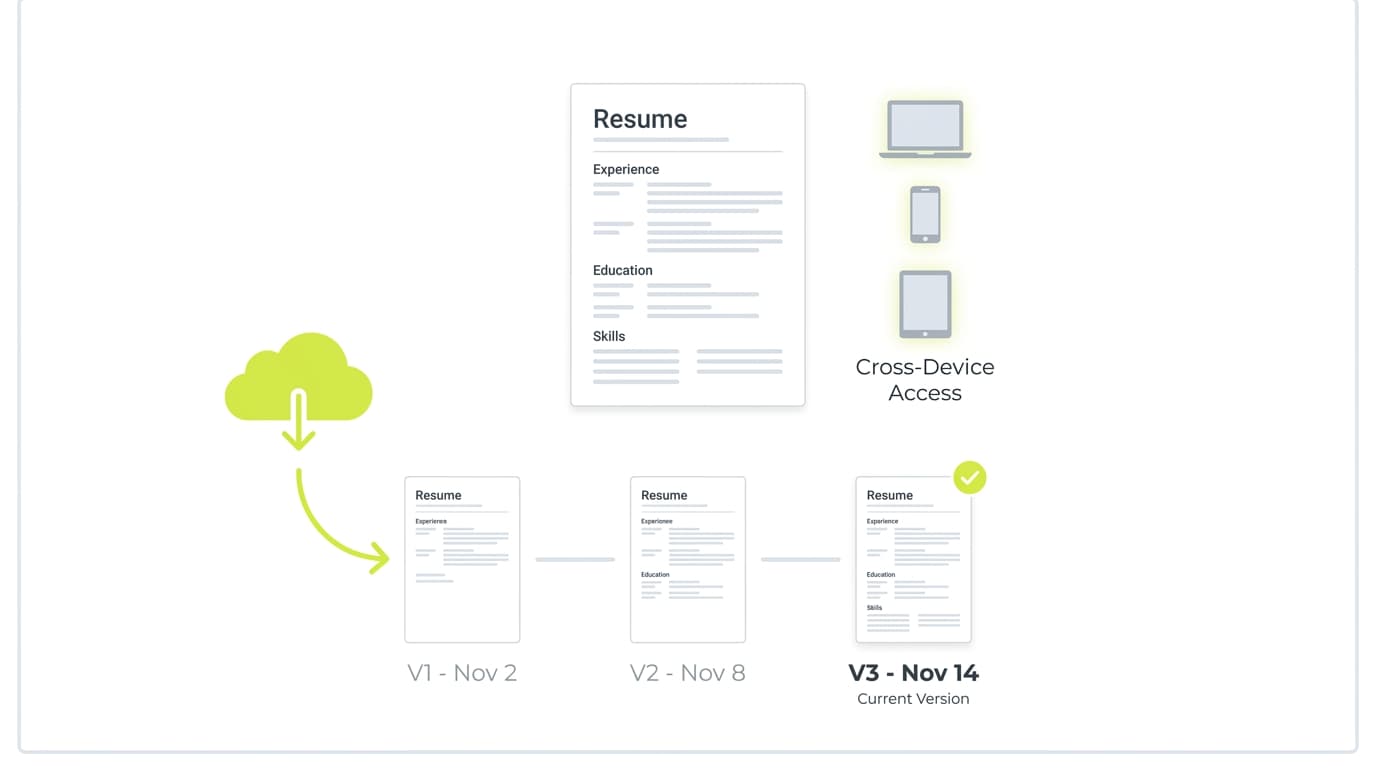
Der Hauptvorteil liegt hier in Einfachheit und Portabilität. Jede Vorlage verwendet ein einspaltiges Layout, Standardschriftarten und schlichte Abschnittsüberschriften, also genau das, was ATS-Parser bevorzugen. Eine Versionsverlauf ist integriert, sodass Sie eine Datei duplizieren, für eine bestimmte Stelle anpassen und trotzdem zurücksetzen können, wenn Sie es übertreiben. Wenn Sie ohnehin in Google Workspace oder Microsoft 365 arbeiten, gibt es null Reibung beim Einstieg.
Worauf Sie achten sollten
Diese Tools bieten Ihnen keine Keyword-Analyse, keine ATS-Bewertung und keine Inhaltsvorschläge. Sie liefern die Texte, das Tool verwaltet die Datei. Wenn Sie bei null anfangen oder nach einer Pause ins Berufsleben zurückkehren, ist eine leere Vorlage meist der falsche Ausgangspunkt. Diese Schritt-für-Schritt-Anleitung zum Schreiben Ihres ersten Lebenslaufs ist ein besserer Startpunkt; übertragen Sie die Inhalte anschließend in eine Vorlage, sobald die Struktur klar ist.
4. Lebenslauf-Builder von Jobplattformen (LinkedIn und Indeed)
Sowohl LinkedIn als auch Indeed sind direkt mit ihren Jobbörsen verknüpft. Wenn der Großteil Ihrer Bewerbungen über diese beiden Plattformen läuft, kann es echte Zeit sparen, Ihren Lebenslauf direkt dort zu erstellen.
Wie es Ihnen bei der Aktualisierung Ihres Lebenslaufs hilft
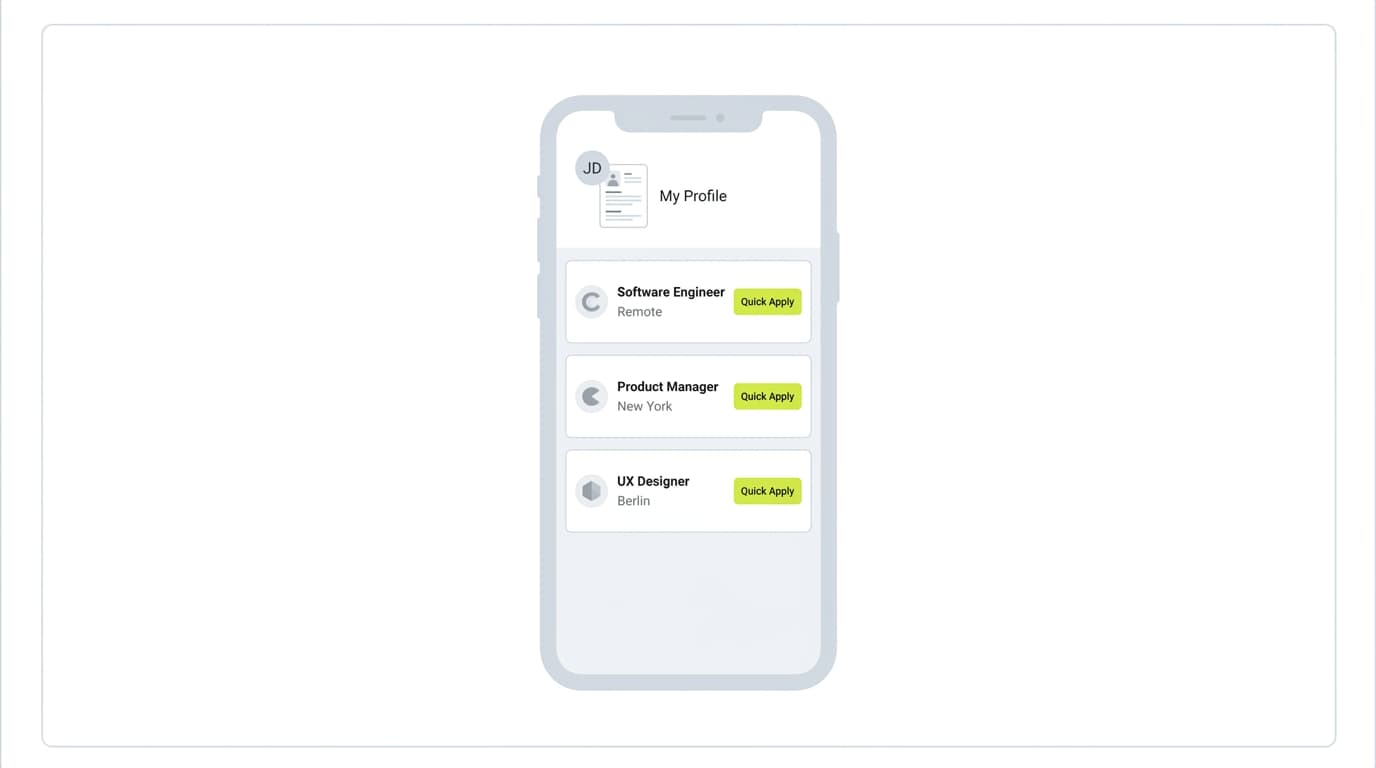
LinkedIn kann in wenigen Klicks ein herunterladbares PDF aus Ihrem bestehenden Profil erzeugen. Der Builder von Indeed speichert Ihren Lebenslauf in Ihrem Indeed-Konto, sodass Sie sich mit einem Klick auf Stellen der Plattform bewerben können. Für Bewerber, die in großer Zahl bewerben, ist allein die Zeitersparnis ein Grund, diese Tools zu kennen.
Worauf Sie achten sollten
Die erzeugten Dateien sind funktional, aber generisch. Besonders von LinkedIn exportierte PDFs sehen bei den Kandidaten nahezu identisch aus, was gegen Sie arbeitet, wenn Personalverantwortliche einen ganzen Stapel durchsehen. Auch bleibt die Formatierung nicht immer erhalten, wenn Sie diese Lebensläufe in ein ATS eines Drittanbieters hochladen. Nutzen Sie diese Plattformen als Reserve oder schnellen Entwurf und erstellen Sie für Stellen, die Ihnen wirklich am Herzen liegen, eine maßgeschneiderte Version in einem spezialisierten Tool.
5. Spezialisierte Lebenslauf-Hilfsmittel (Tools für einen einzigen Zweck)
Manchmal müssen Sie nicht den ganzen Lebenslauf neu aufbauen, sondern nur einen Abschnitt korrigieren. Kostenlose Tools für einen einzigen Zweck sind schneller, als für ein 10-minütiges Update einen vollständigen Builder zu öffnen.
Wie es Ihnen bei der Aktualisierung Ihres Lebenslaufs hilft
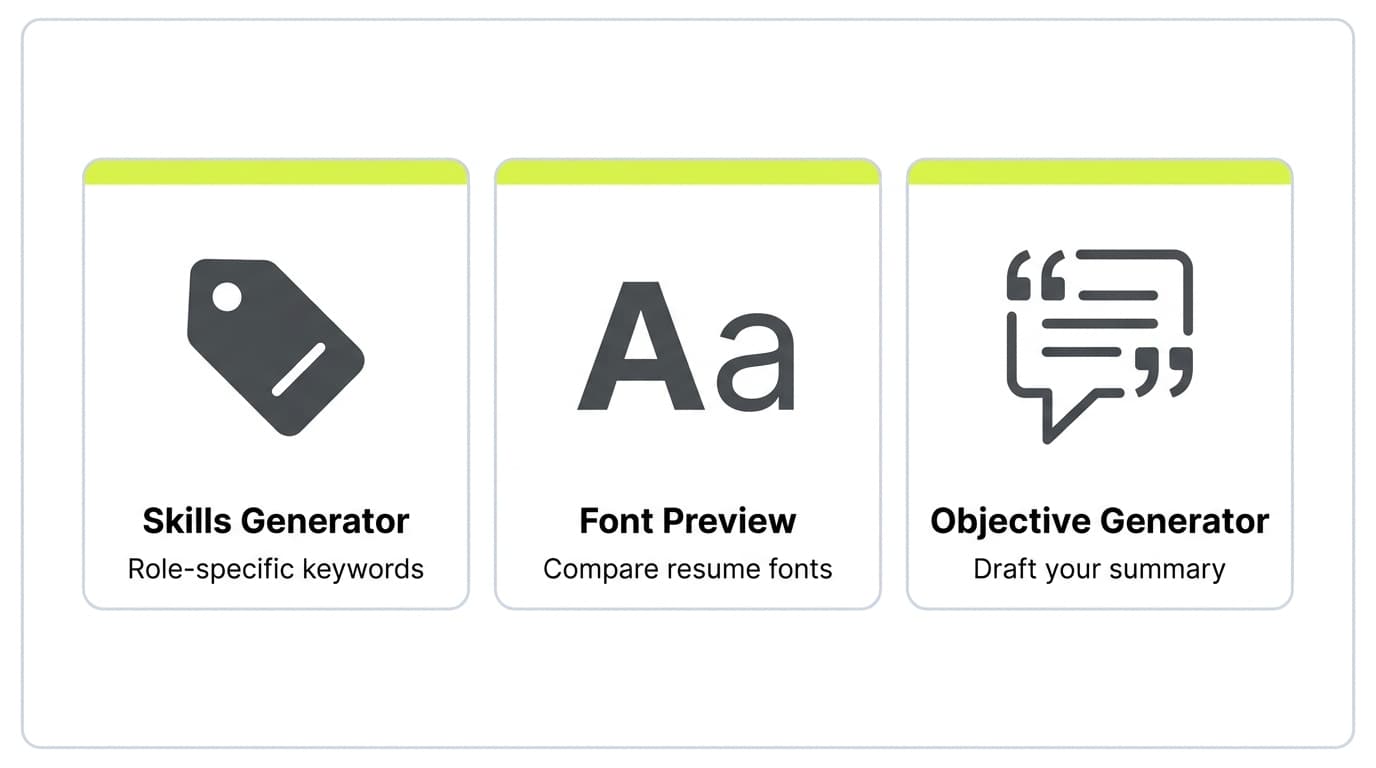
Für fast jede Teilaufgabe rund um den Lebenslauf gibt es kostenlose Hilfsmittel. Der Generator für Lebenslauf-Fähigkeiten schlägt die passenden Skill-Keywords auf Basis Ihrer Zielrolle vor, was eine der wirkungsvollsten Änderungen ist, die Sie vornehmen können, weil ATS-Systeme den Kompetenzabschnitt stark gewichten. Das Vorschau-Tool für Lebenslauf-Schriftarten lässt Sie vergleichen, wie sich Ihr Lebenslauf in Helvetica, Calibri und Garamond liest, ohne drei verschiedene Dateien zu exportieren. Bei einem festgefahrenen Profilabschnitt spart ein Generator für Lebenslauf-Ziele Ihnen die 30 Minuten, die die meisten Menschen damit verschwenden, auf eine leere Kopfzeile zu starren.
Worauf Sie achten sollten
Tools für einen einzigen Zweck funktionieren am besten als Teil eines größeren Arbeitsablaufs, nicht als Komplettlösung. Nutzen Sie sie, um bestimmte Abschnitte in dem Lebenslauf zu ergänzen, den Sie ohnehin an anderer Stelle erstellen. Wenn Sie merken, dass Sie vier oder fünf Hilfsmittel aneinanderreihen, ist das meist ein Zeichen, auf einen vollständigen Builder umzusteigen.
Wie KI- und Cloud-Technologie die Aktualisierung von Lebensläufen prägen
In den letzten zwei Jahren haben sich zwei Dinge geändert, die kostenlose Lebenslauf-Tools spürbar besser gemacht haben.
Bessere Texte, nicht nur bessere Vorlagen
Große Sprachmodelle sind inzwischen gut genug im Erfassen von Kontext, dass sie einen vagen Stichpunkt wie "zuständig für Kundenbetreuung" in einen konkreten Erfolg wie "über 40 Kundentickets pro Woche gelöst, bei einer Zufriedenheitsquote von 95 %" umschreiben können, ohne dass Sie die verbesserte Fassung selbst schreiben. Das ist die Fähigkeit, die hinter jeder KI-Lebenslauffunktion steckt, die seit 2023 erschienen ist. Der Abstand zwischen "ich habe meinen Lebenslauf selbst geschrieben" und "die KI hat meinen Lebenslauf mit umgeschrieben" ist so klein geworden, dass der KI-Entwurf oft der bessere Ausgangspunkt ist.
Geräteübergreifend, nicht nur plattformübergreifend
Der Cloud-Betrieb hat die größte Reibung beim Bearbeiten von Lebensläufen beseitigt: die Synchronisierung der Versionen. Sie können einen Lebenslauf auf Ihrem Laptop beginnen, ihn vor einem Vorstellungsgespräch auf Ihrem Handy fertigstellen und in unter fünf Minuten ein frisches PDF in Ihrem Postfach haben. Für einen breiteren Blick darauf, wie sich der Markt für Lebenslauf-Tools verschoben hat, dieser Vergleich der Lebenslauf-Builder 2026 zeigt, wohin sich diese Kategorie entwickelt.
Tipps, um Ihre Lebenslauf-Aktualisierungen optimal zu nutzen
Das richtige Tool zu wählen bringt Sie zu 70 % ans Ziel. Die letzten 30 % hängen davon ab, wie Sie es einsetzen, und dieser Teil liegt bei Ihnen.
Passen Sie an jede Stelle an, nicht an jede Branche
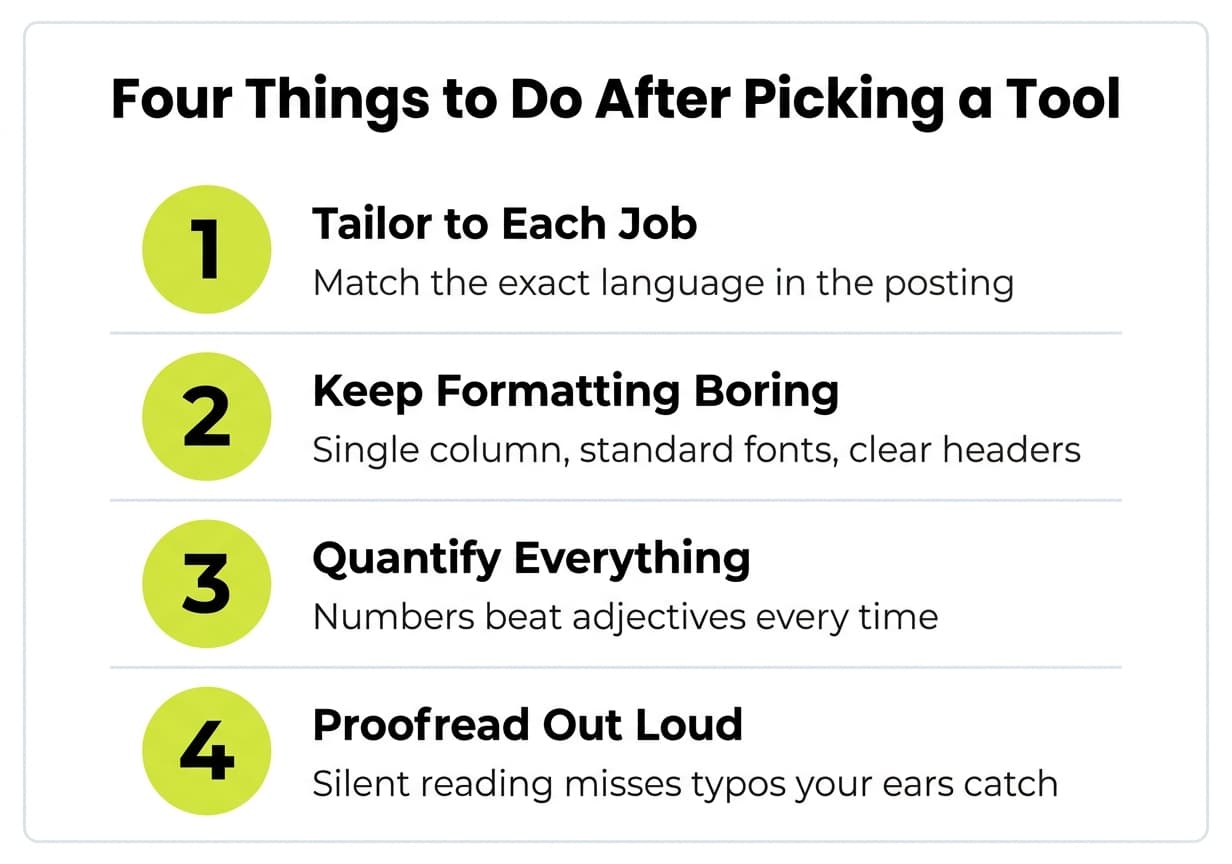
Die wirkungsvollste einzelne Änderung ist, Ihren Lebenslauf an jede konkrete Stellenbeschreibung anzupassen. Jede Rolle verwendet für ähnliche Aufgaben eine leicht andere Sprache. Eine Marketingstelle nennt es in einer Ausschreibung "Kampagnenmanagement" und in einer anderen "Wachstumsinitiativen". Genau diese Sprache aufzugreifen bringt Sie im ATS-Ranking von "aussortiert" zu "Top-Kandidat". Allgemeine Branchen-Keywords reichen nicht, die Ausschreibung, auf die Sie sich bewerben, ist die maßgebliche Quelle.
Halten Sie die Formatierung schlicht
Eine Spalte, Standardschriftarten (Calibri, Arial, Garamond, Helvetica) und klare Abschnittsüberschriften. Aufwendige Layouts wirken wie Mühe, schaden aber der Auslesegenauigkeit. Wenn Sie unsicher sind, wie sich eine Gestaltungsentscheidung auf die Lesbarkeit auswirkt, sehen Sie Ihren Lebenslauf in einer Vorschau in verschiedenen Schriftarten, bevor Sie exportieren.
Beziffern Sie alles, was sich beziffern lässt
"Betreuung des Social-Media-Kalenders" sagt einem Personalverantwortlichen nichts. "Betreuung des Social-Media-Kalenders über 4 Plattformen, Steigerung der Impressionen um 120 % in 9 Monaten" sagt ihm genau, was Sie mitbringen. Die Zahlen müssen nicht riesig sein, um nützlich zu sein, sie müssen konkret sein. Auch Prozesskennzahlen (eingesparte Stunden, geschlossene Tickets, reduzierte Fehler) funktionieren.
Zweimal Korrektur lesen, einmal laut vorlesen
Die meisten Lebensläufe enthalten mindestens eine holprige Formulierung oder einen Tippfehler, für den der Verfasser blind geworden ist. Lautes Vorlesen zwingt Sie, sie zu bemerken. Rechtschreibprüfungen übersehen jedes Mal "Manger" statt "Manager".
Fazit
Das beste kostenlose Tool zur Lebenslauf-Aktualisierung hängt davon ab, wo Sie in Ihrer Suche stehen. Wenn Sie einen müden Lebenslauf für eine bestimmte Stelle überarbeiten, spart ein KI-gestützter Builder die meiste Zeit. Ist Ihr Lebenslauf bereits stark und Sie müssen nur das Layout auffrischen, reichen Cloud-Dokumententools oder spezialisierte Hilfsmittel. Wenn die visuelle Präsentation in Ihrem Bereich zählt, verdient sich ein design-orientierter Editor seinen Platz.
Wichtiger als die Wahl des Tools ist, wie Sie es einsetzen. Passen Sie an jede Rolle an, halten Sie die Formatierung auslesbar, beziffern Sie Ihre Wirkung. Tools beschleunigen das Mechanische, sie ersetzen nicht das Denken.
Für die meisten Jobsuchenden ja. Die kostenlosen Stufen moderner KI-Lebenslauf-Builder enthalten inzwischen die Kernfunktionen (KI-Neuformulierung, ATS-sichere Vorlagen, Keyword-Abgleich), die früher hinter einer Bezahlschranke lagen. Kostenpflichtige Tarife schalten in der Regel unbegrenzte Exporte, Premium-Vorlagen und die Erstellung von Anschreiben frei, was für die Mehrheit der Bewerber eher schön zu haben als unverzichtbar ist.
Nicht, wenn Sie das Ergebnis überarbeiten. KI-Tools liefern Ihnen einen guten ersten Entwurf, aber die Details (Ihre tatsächlichen Kennzahlen, Ihre tatsächlichen Projekte, Ihre Stimme) kommen weiterhin von Ihnen. Lesen Sie jede erzeugte Zeile, formulieren Sie alles um, was generisch klingt, und stellen Sie sicher, dass die Zahlen der Realität entsprechen.
Mindestens alle sechs Monate, selbst wenn Sie nicht aktiv auf Jobsuche sind. Es ist weit einfacher, einen Stichpunkt hinzuzufügen, solange Sie sich noch an das Projekt erinnern, als Ihre Erfolge zwei Jahre später aus einem halb vergessenen Slack-Verlauf zu rekonstruieren.
Eine Seite ist für Kandidaten mit weniger als 10 Jahren Erfahrung weiterhin die Norm. Zwei Seiten sind für Senior-Rollen mit tiefer Erfahrung oder umfassender technischer Spezialisierung akzeptabel. Blähen Sie nichts auf, um eine Seite zu füllen, und quetschen Sie nichts zusammen, um zu passen: Die Länge sollte dem Inhalt folgen.
Sie können, aber Sie werden weniger Vorstellungsgespräche bekommen. Den Kompetenzabschnitt, das berufliche Profil und die wichtigsten drei bis fünf Stichpunkte an jede Stellenbeschreibung anzupassen, ist die Änderung mit dem höchsten Nutzen. Sie dauert 10 bis 15 Minuten pro Bewerbung und wirkt sich direkt auf Ihr ATS-Ranking aus.
Beginnen Sie mit der Struktur, nicht mit dem Inhalt. Ein Lebenslauf für einen Branchenwechsel muss übertragbare Fähigkeiten neu in den Vordergrund stellen, statt frühere Rollen nur chronologisch aufzulisten. Diese kostenlose Lebenslauf-Vorlage für den Branchenwechsel zeigt die genaue Struktur, die für einen beruflichen Übergang funktioniert, und Sie füllen dann Ihre Inhalte ein.
Setzen Sie diese Tipps in die Praxis um
Sie kennen jetzt die Theorie. Der KI-Builder von Careerkit macht daraus einen ATS-optimierten Lebenslauf, zugeschnitten auf Ihre Wunschstelle.
Nishant Modi is the founder of Careerkit.me and a product builder based in Zürich, Switzerland. With a background in product management, marketing & management consulting, he transitioned into AI entrepreneurship after experiencing the frustration of outdated job search tools firsthand. He built Careerkit to give every job seeker access to professional grade resume tools, the platform has helped over 10,000 candidates create ATS optimized resumes. He writes about resume strategy, hiring trends, and what actually gets people hired.