The good news is that profile optimization is one of the highest-return things you can do in a job search, and almost all of it is free. . This guide walks through exactly what to fix, in the order that matters most, with real before-and-after examples you can copy.
I am Nishant Modi, founder of CareerKit, and I have reviewed thousands of profiles and resumes from my desk in Zurich. The advice below is the same I give one-on-one: practical, specific, and built around how recruiters actually search.
Why LinkedIn Profile Optimization Matters for Job Seekers
Before you change a single word, it helps to understand the mechanics. Recruiters do not browse LinkedIn the way you scroll a feed. They run structured searches, and your profile either matches those queries or it does not. Everything that follows in this guide is about making your profile match.
How Recruiters Use LinkedIn to Find Candidates
LinkedIn Recruiter is a search engine for people. Hiring teams filter by job title, skills, location, seniority, and industry, then narrow further with parameters like "must have," "nice to have," and "doesn't have." A recruiter looking for a mid-level data analyst in Berlin will type those criteria in, and only profiles that contain the right keywords in the right fields come back.
That has a direct consequence for you. If your profile says "Specialist" where the market says "Analyst," you will not appear, no matter how qualified you are. The platform is a two-way street: recruiters search you using the same data points you would use to search for jobs. Your task is to speak their language in every field they can filter on.

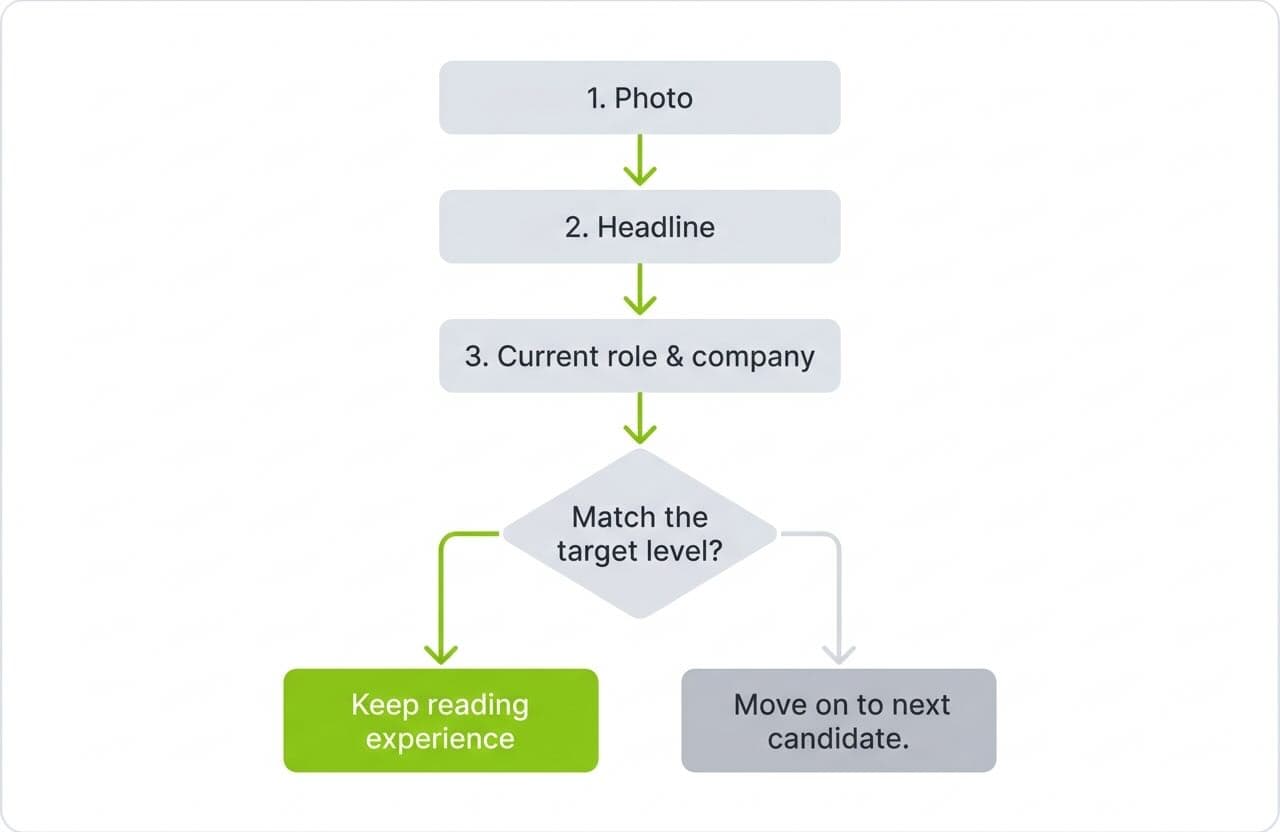
Recruiters also scan in a predictable pattern once they land on you. Photo first, then headline, then current role and company. If those top signals do not place you at the level they want, they move on before they ever read your experience. This is why the top third of your profile carries so much weight.
The Connection Between Profile Quality and Job Opportunities
If you want to think about your profile as a complete document rather than a collection of fields, our breakdown of every resume section explained with examples maps closely to how a strong LinkedIn profile should be built, section by section.
Key Numbers Worth Keeping in Mind
A few figures frame why this work pays off. A complete profile drives a 71% higher callback rate. Five or more skills can multiply recruiter contact by up to 33 times. And as you will see in the next section, simply having a quality photo is one of the single biggest visibility levers on the platform. None of these require money or connections. They require an hour of focused editing.
The pattern is consistent: small, specific improvements to a handful of fields produce outsized gains in visibility. Let us start where recruiters look first.
Setting Up Your Visual Identity
Recruiters form an impression of your photo and banner in a fraction of a second, before they read a word. These two images set the tone for everything below them, so they are worth getting right first.
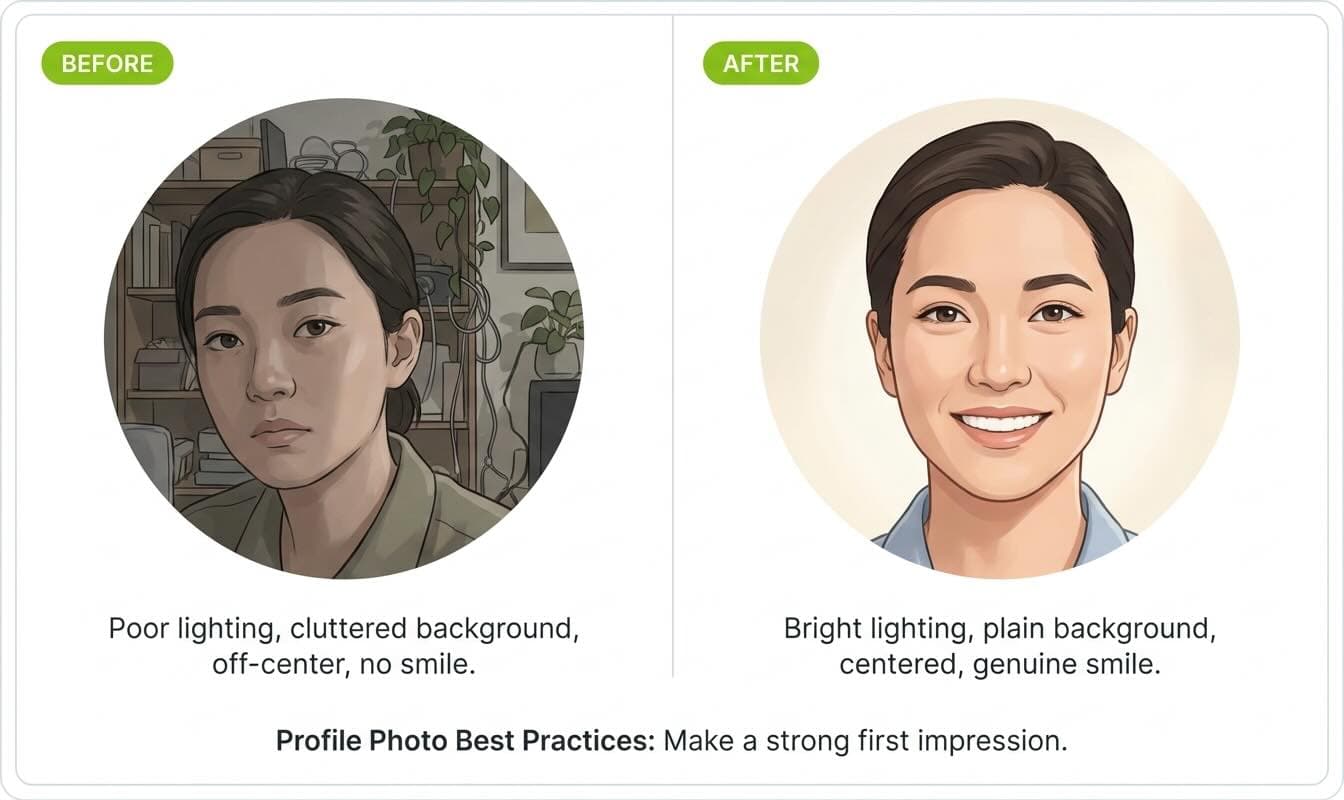
The practical setup is simple. Use soft, natural light from a window, with your face filling most of the frame, against a plain background. Wear what you would wear to the job you want. LinkedIn crops every photo into a circle, so center your face and keep the top of your head and your shoulders out of the corners where they get clipped. Coursera's profile guide notes the technical specs: a square image, ideally 400 by 400 pixels or larger.
Here is what the difference looks like in practice.
Before: A dim group photo, cropped from a wedding, where your face is one of four and partly in shadow.
After: A bright, head-and-shoulders shot taken near a window, plain wall behind you, genuine smile with teeth, wearing the kind of collar you would wear to an interview.
The second version is the one that earns the 21x views. It costs nothing but ten minutes and a phone propped on a stack of books.
Add a Banner Image That Adds Context
The banner is the wide strip behind your photo, and most people leave it as the default blue. That is wasted space. A clean banner gives a recruiter instant context about your field or focus before they read anything.
The banner size for personal profiles is 1,584 by 396 pixels. Free tools like Adobe Express, Canva, and Figma all have templates at exactly that size. Keep your design simple and keep important elements toward the center, because mobile devices crop the edges and your photo overlaps the lower-left area. A muted background that suggests your industry works better than a busy collage.
Before: The stock LinkedIn gradient that every new account starts with.
After: A calm, on-brand image, for example a simple architectural line pattern for an architect or a clean data-grid texture for an analyst, with no text crowding the corners.
Record Your Name Pronunciation
This small feature punches above its weight, especially if your name is often mispronounced. The name pronunciation tool lets you record a short audio clip that appears as a speaker icon next to your name, so recruiters and interviewers can say it correctly before they meet you.
You record it through the LinkedIn mobile app: open your profile, tap the edit pencil, choose Add name pronunciation, and hold the record button while you say your name. Playback then works everywhere, on desktop and mobile. It takes under a minute and removes a small friction point that can otherwise create an awkward first phone call.
Your visual identity is now working for you. Once you have a strong photo, banner, and the basics in place, it is worth getting your resume to the same standard. You can build one that matches your optimized profile with our free resume builder.
Writing Compelling Profile Content
Visuals get you noticed; words get you contacted. Every text field on your profile serves a search function and a persuasion function at the same time. Here is how to write each one so it does both.
Write a Keyword-Rich Headline
Your headline carries more search weight than any other field, and you get 220 characters to use. The default headline LinkedIn gives you, just your current title and company, wastes almost all of that space and most of your search potential.
A stronger formula is target role, two or three hard skills, then a short value statement. Put your most important keyword in the first 80 characters, because that is the portion that shows up in mobile search results and recruiter preview cards. And critically, write the headline for the job you want, not only the one you have.
Ready to land your dream job?
Join 50,000+ job seekers who have already transformed their careers with our AI-powered resume builder.