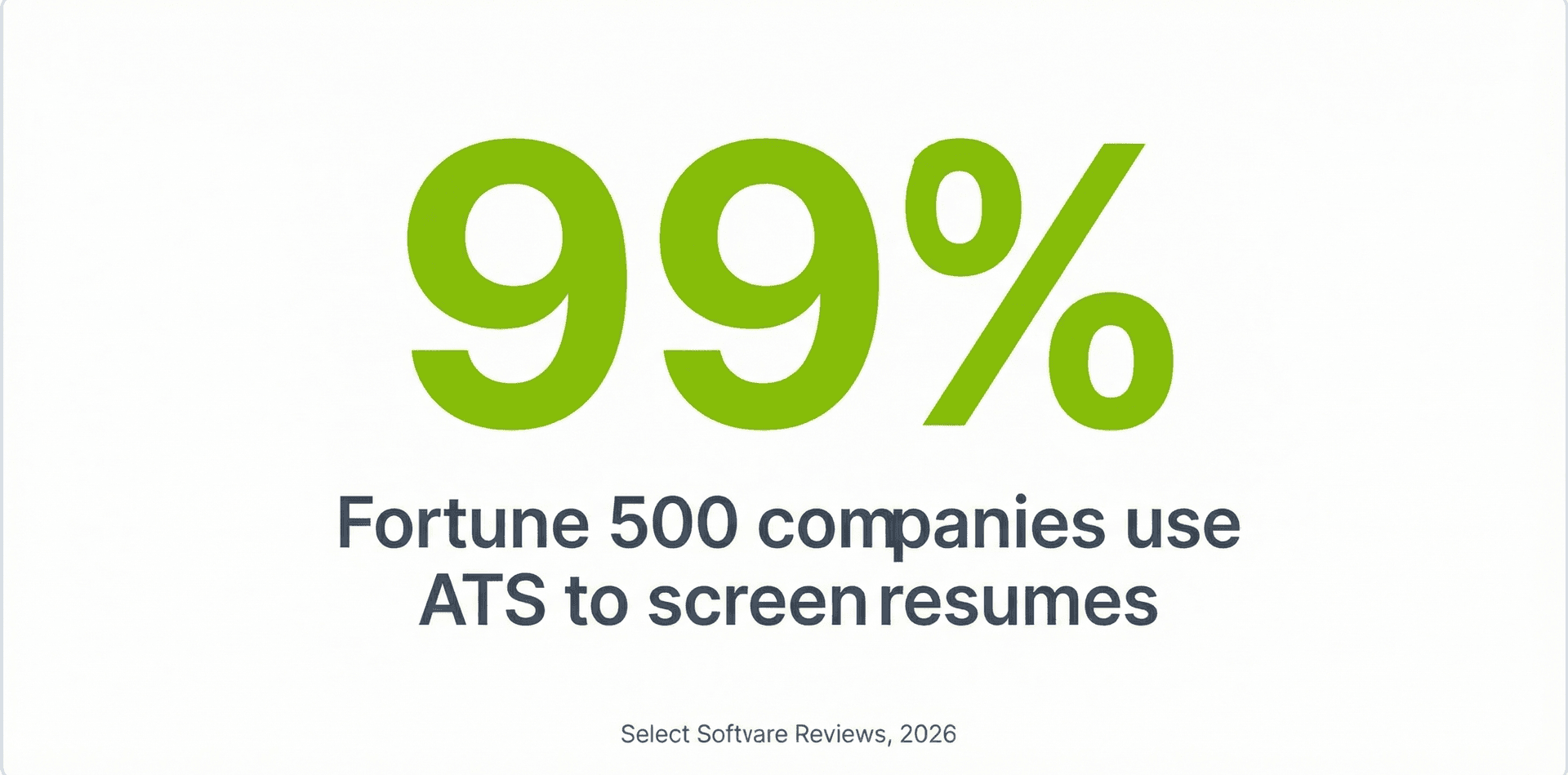
Près de 99 % des entreprises du Fortune 500 utilisent désormais des systèmes de suivi des candidatures pour trier les CV avant qu'un humain ne les voie, selon Select Software Reviews. Autrement dit, votre CV doit être rédigé pour deux publics : l'algorithme et le responsable du recrutement. Les créateurs de CV dopés à l'IA vous aident sur les deux fronts : ils optimisent votre CV pour les mots-clés de l'ATS, suggèrent de meilleures puces et mettent tout en forme dans une présentation professionnelle soignée. Le meilleur, c'est que plusieurs de ces outils sont entièrement gratuits. Dans ce guide, vous verrez comment se comparent cinq des créateurs de CV par IA les plus populaires, avec de vrais exemples avant-après pour juger la qualité par vous-même.
top 5 free ATS resume builders for 2026
Pourquoi utiliser un créateur de CV par IA ?
Un CV bien rédigé ne suffit plus à lui seul. Comme plus de 98 % des grands employeurs utilisent des systèmes de suivi des candidatures, selon Select Software Reviews, votre CV doit être optimisé pour le logiciel avant même d'atteindre le bureau d'un recruteur. Les créateurs de CV par IA résolvent ce problème en analysant les descriptions de poste, en repérant les bons mots-clés et en suggérant un contenu qui correspond à ce que recherchent à la fois les algorithmes et les responsables du recrutement.
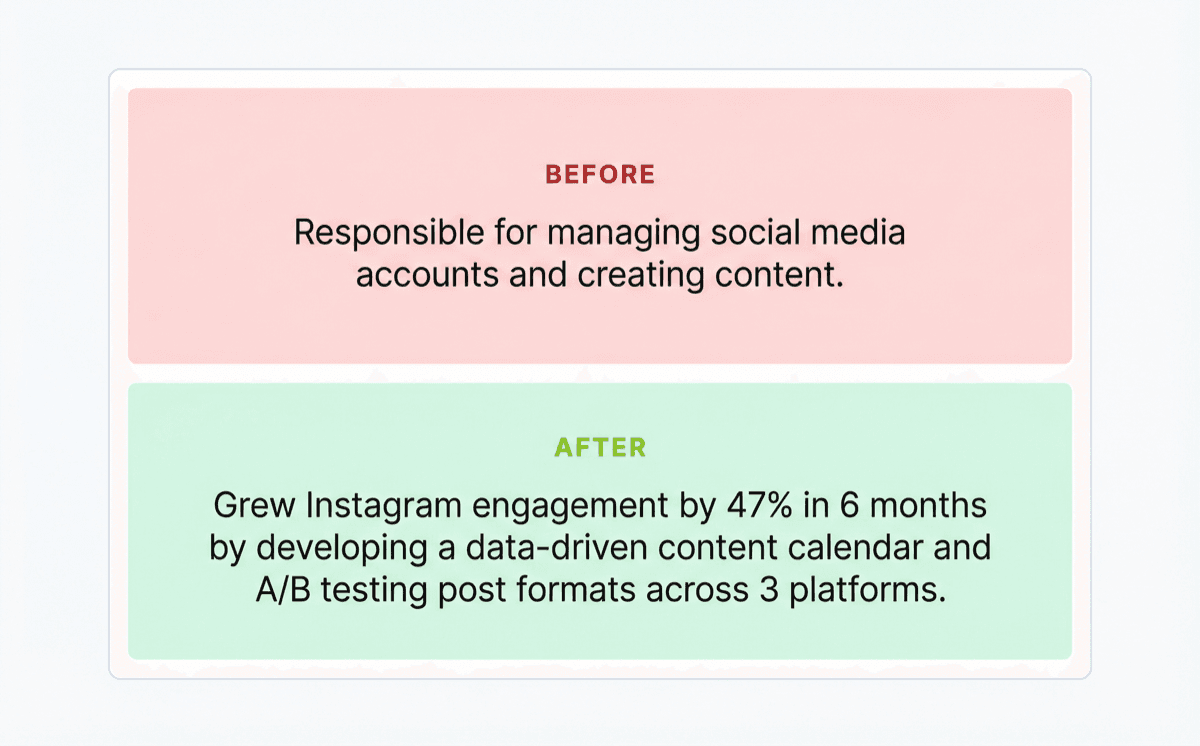
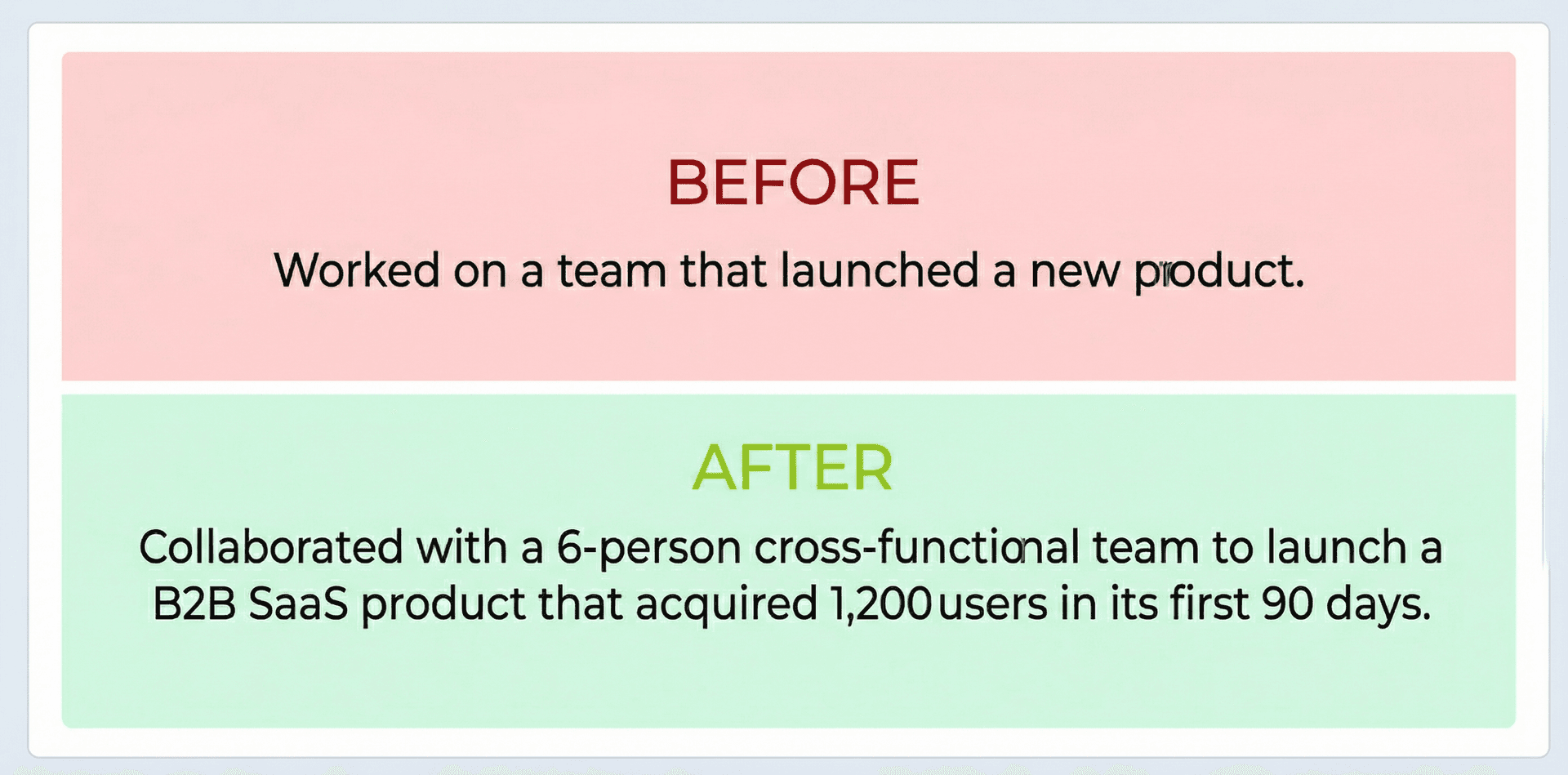
La différence entre une puce générique et une puce optimisée par l'IA peut être frappante. Prenez cet exemple :
Avant : Chargé de la gestion des comptes de réseaux sociaux et de la création de contenu.
Après : Augmenté l'engagement Instagram de 47 % en 6 mois en élaborant un calendrier de contenu basé sur les données et en testant en A/B des formats de publication sur 3 plateformes.
La version enrichie par l'IA est précise, mesurable et truffée des verbes d'action et des indicateurs que privilégient à la fois les logiciels ATS et les recruteurs. Selon une enquête de Resume Builder de 2025 relayée par HR Dive, 65 % des managers utilisent déjà des outils d'IA au travail, et 94 % d'entre eux s'en servent pour prendre des décisions concernant leurs collaborateurs directs. Les outils que l'on emploie pour vous évaluer deviennent pilotés par l'IA ; ceux que vous utilisez pour vous présenter devraient l'être aussi.
Au-delà de la correspondance des mots-clés, les meilleurs créateurs de CV par IA aident aussi à la mise en forme : ils veillent à ce que votre CV emploie les bons intitulés de rubriques, évite les tableaux ou colonnes qui déroutent les analyseurs d'ATS, et s'exporte proprement en PDF. Si vous partez de zéro, le créateur de CV de Careerkit gère tout cela automatiquement avec des modèles optimisés pour l'ATS.
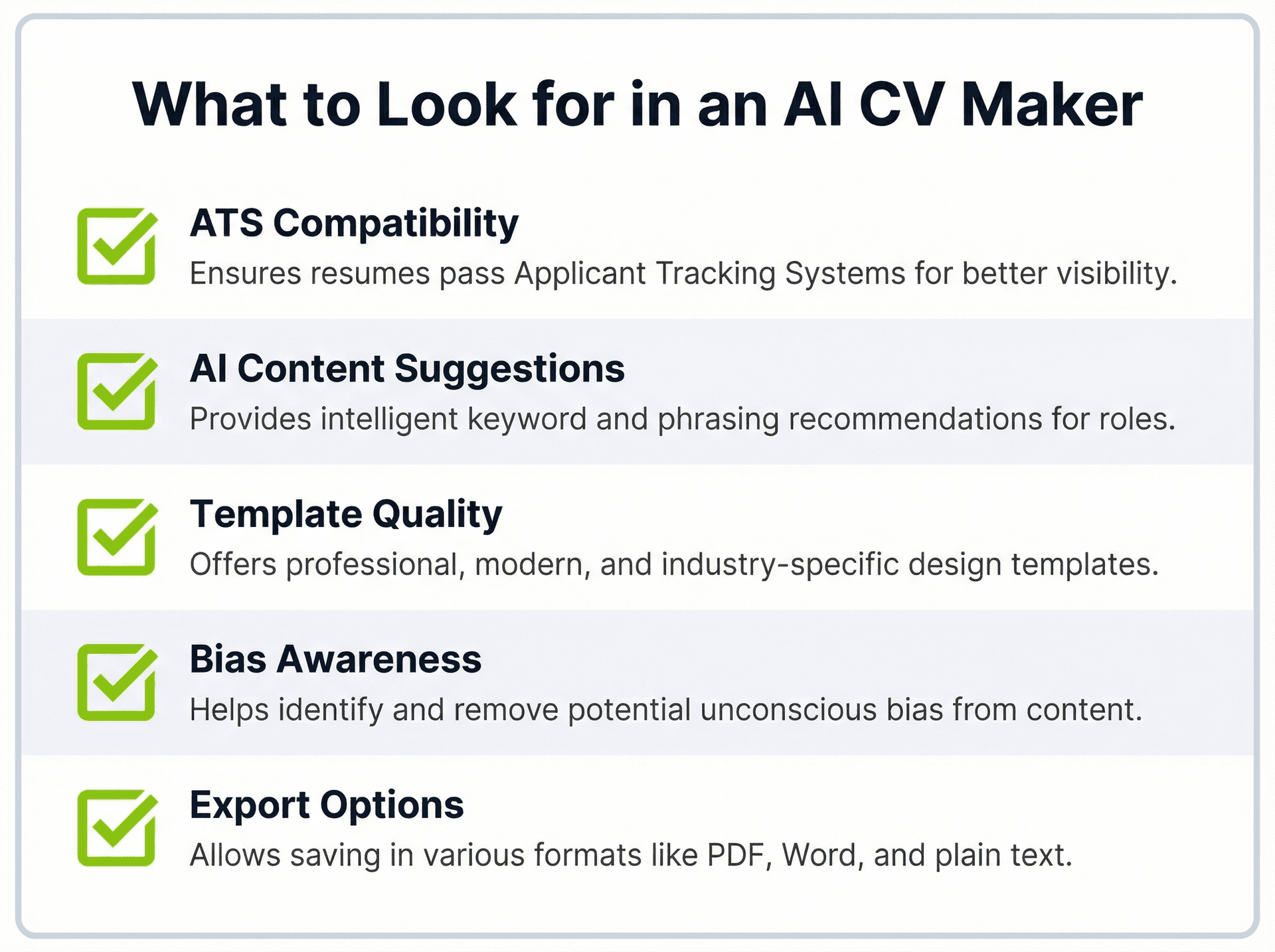
Ce qu'il faut rechercher dans un créateur de CV par IA gratuit
Tous les outils de CV par IA ne se valent pas, et choisir le bon peut vous épargner des heures de frustration. Voici ce qui distingue un outil vraiment utile de celui qui se contente de remettre en forme votre texte.
Compatibilité ATS
La caractéristique la plus importante est de savoir si l'outil produit des CV qui franchissent les systèmes de suivi des candidatures sans erreurs de mise en forme. Selon Select Software Reviews, 88 % des employeurs estiment perdre des candidats qualifiés parce que ceux-ci ne soumettent pas de CV compatibles ATS. Recherchez des outils qui utilisent des présentations sur une seule colonne, des intitulés de rubriques standard comme "Expérience professionnelle" et "Formation", et exportent vers des fichiers PDF propres. Si vous voulez vérifier comment votre CV actuel gère la mise en forme ATS, le créateur de CV de Careerkit évalue votre CV au regard des critères ATS en temps réel.
Suggestions de contenu par l'IA
Les meilleurs outils ne se contentent pas de mettre en forme votre CV : ils vous aident à le rédiger. Recherchez une IA capable d'analyser une description de poste et de suggérer des puces, des compétences et des mots-clés sur mesure. Par exemple, si vous collez une annonce pour un poste de "Responsable marketing digital", l'IA devrait proposer des termes comme "ROI des campagnes", "automatisation marketing" et "stratégie multicanale" selon ce qui figure dans l'annonce. Le générateur de compétences de Careerkit fait exactement cela : collez n'importe quelle description de poste et obtenez une liste de compétences sur mesure en quelques secondes.
Qualité des modèles et personnalisation
Gratuit ne doit pas rimer avec disgracieux. De bons modèles doivent être visuellement épurés, utiliser des polices professionnelles et vous permettre d'ajuster les espacements et les rubriques sans casser la mise en page. Si vous ne savez pas quelle police convient le mieux à votre CV, essayez l'outil d'aperçu de polices de Careerkit pour comparer les options côte à côte.
Conscience des biais
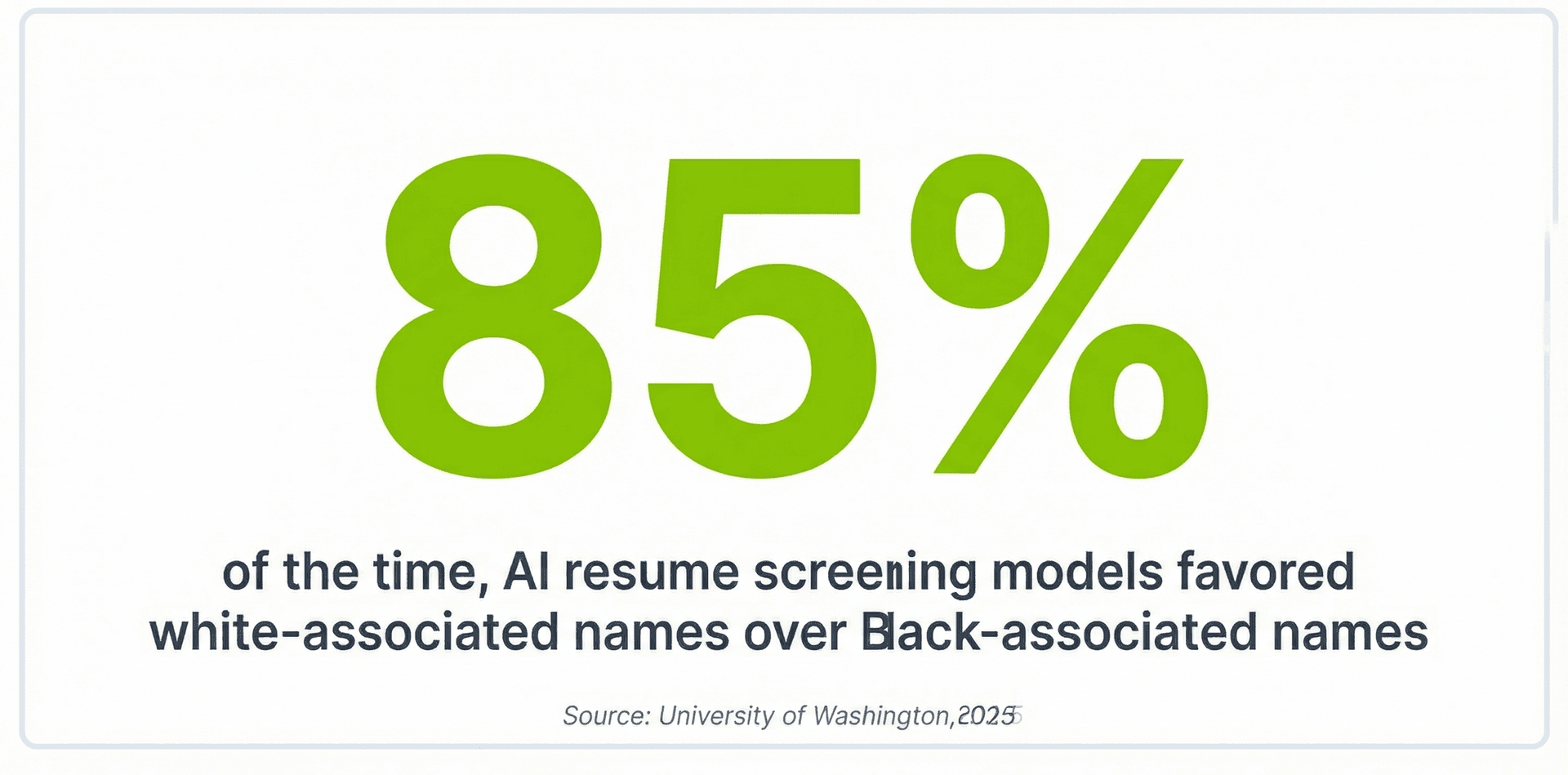
Les outils de CV par IA peuvent véhiculer des biais involontaires. Une étude de 2025 de l'University of Washington, présentée à l'AAAI/ACM Conference on AI, Ethics, and Society (lien), a révélé que les grands modèles de langage privilégiaient les noms associés aux personnes blanches dans 85 % des cas lors du classement des CV, et ne privilégiaient jamais les noms associés aux hommes noirs par rapport à ceux associés aux hommes blancs. L'étude de référence FAIRE a confirmé que chaque modèle d'IA testé présentait un certain degré de biais racial ou de genre. Au moment de choisir un outil, privilégiez les plateformes qui expliquent le fonctionnement de leur IA et vérifient activement les biais.
Options d'export et de partage
Votre CV finalisé doit se télécharger facilement en PDF et, idéalement, aussi en document Word. Certains outils permettent également de créer un lien partageable, utile pour le réseautage. La fonction Career Link de Careerkit vous offre une page de profil en ligne professionnelle que vous pouvez partager en accompagnement de votre CV.
Top 5 des créateurs de CV par IA gratuits
Choisir le bon créateur de CV par IA dépend de ce dont vous avez le plus besoin : optimisation ATS, puces rédigées par l'IA, modèles créatifs ou boîte à outils carrière tout-en-un. Careerkit est notre choix numéro un pour la plupart des chercheurs d'emploi, car il conjugue optimisation ATS et boîte à outils de candidature complète sur une seule plateforme gratuite, et les quatre alternatives ci-dessous gèrent chacune bien un aspect.
1. Careerkit
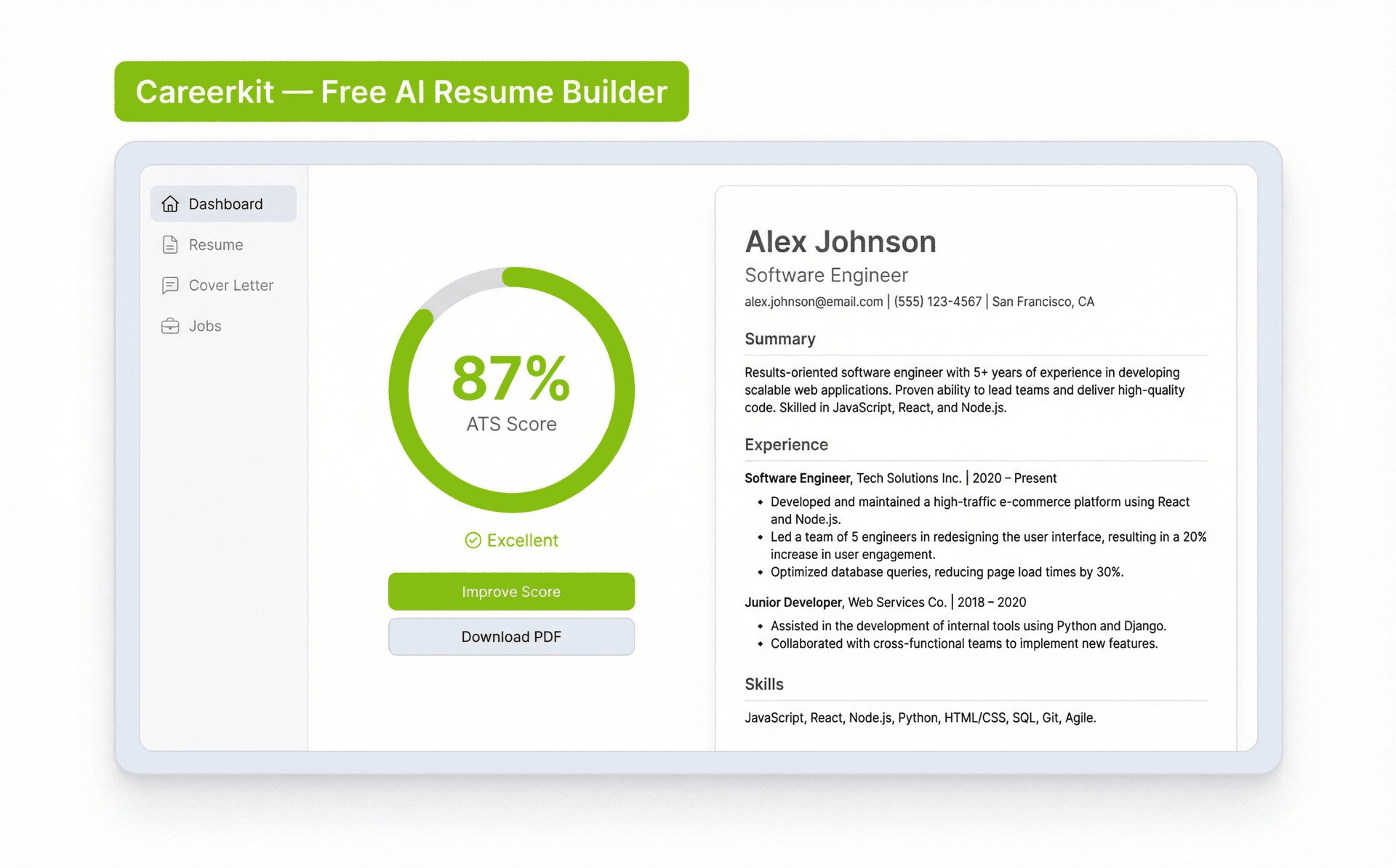
Careerkit est un créateur de CV gratuit propulsé par l'IA, conçu spécifiquement pour l'optimisation ATS. La plateforme analyse la description du poste visé et adapte le contenu de votre CV en conséquence, en suggérant de meilleures puces et en faisant ressortir les mots-clés que recherchent les systèmes de suivi des candidatures. Chaque modèle est testé face aux principales plateformes ATS pour que votre mise en forme ne soit pas brouillée lors de l'analyse.
Pret a decrocher votre emploi de reve ?
Rejoignez plus de 50 000 chercheurs d'emploi qui ont deja transforme leur carriere avec notre createur de CV propulse par l'IA.
Ce qui distingue Careerkit des autres outils gratuits, c'est l'étendue de ses fonctionnalités. Au-delà du créateur de CV, vous accédez à un générateur de lettres de motivation par IA, à un outil de photo de profil par IA pour créer une photo professionnelle, à un générateur de compétences qui extrait les compétences pertinentes de n'importe quelle description de poste, et à un Career Link, un profil en ligne partageable qui agit comme un prolongement vivant de votre CV. La formule gratuite comprend tout ce qu'il faut pour bâtir une candidature complète et soignée.
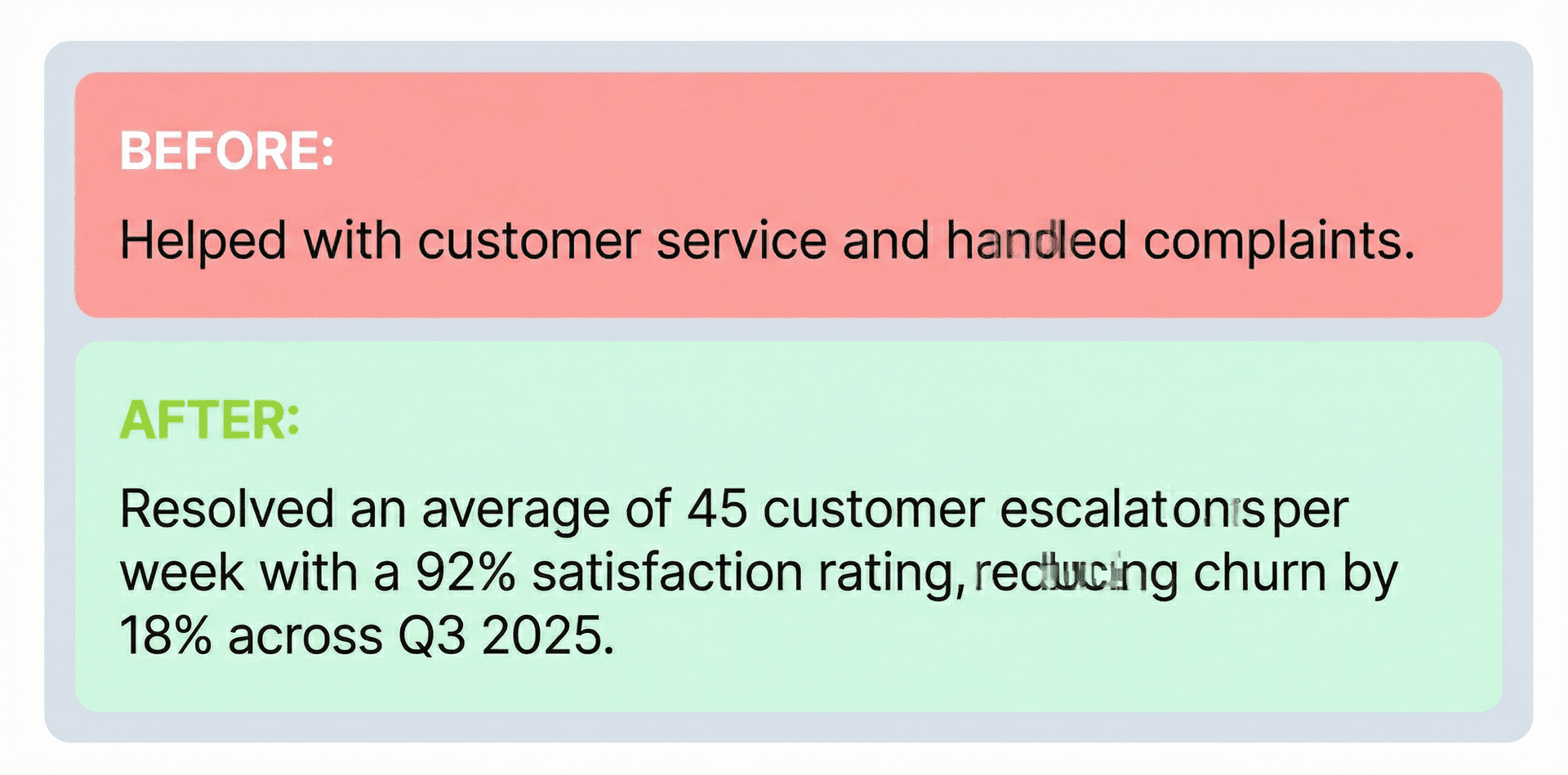
Exemple de puce générée par l'IA de Careerkit : Réduit le temps d'intégration des clients de 35 % en repensant la séquence d'e-mails de bienvenue et en mettant en place des relances automatisées dans HubSpot.
2. Resume.io
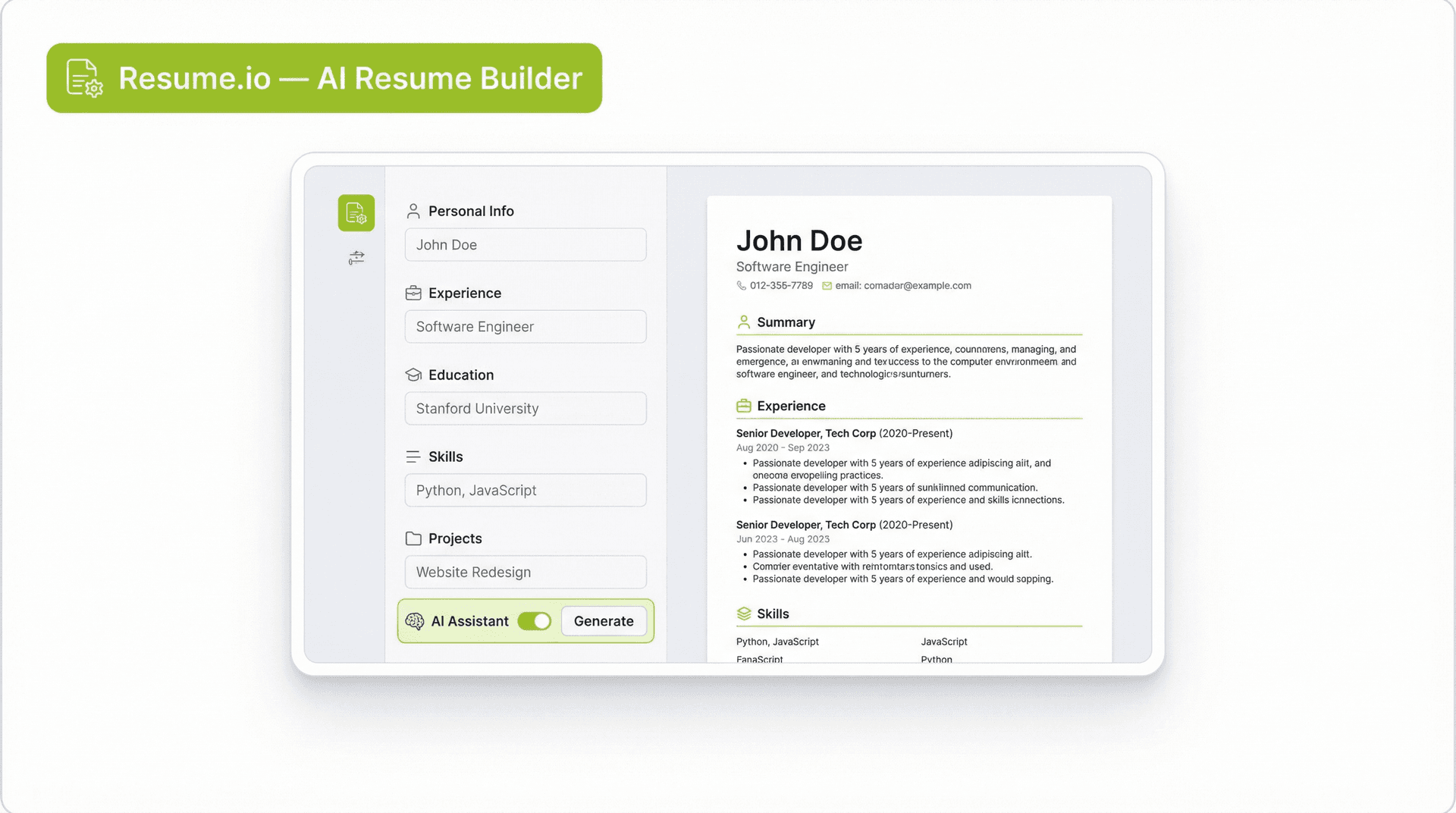
Resume.io est un créateur de CV doté d'une interface épurée et d'une vaste bibliothèque de modèles. La plateforme fournit des suggestions de contenu en temps réel pendant la saisie et signale les problèmes courants comme un langage vague ou des mots-clés manquants. Elle prend en charge plusieurs formats d'export, dont PDF et Word. La version gratuite est limitée dans le choix des modèles, et certaines fonctions d'IA sont réservées à une formule payante. C'est un choix solide pour une création de CV simple, mais elle n'inclut pas d'extras comme la génération de lettres de motivation ou les liens de profil de carrière.
3. Rezi
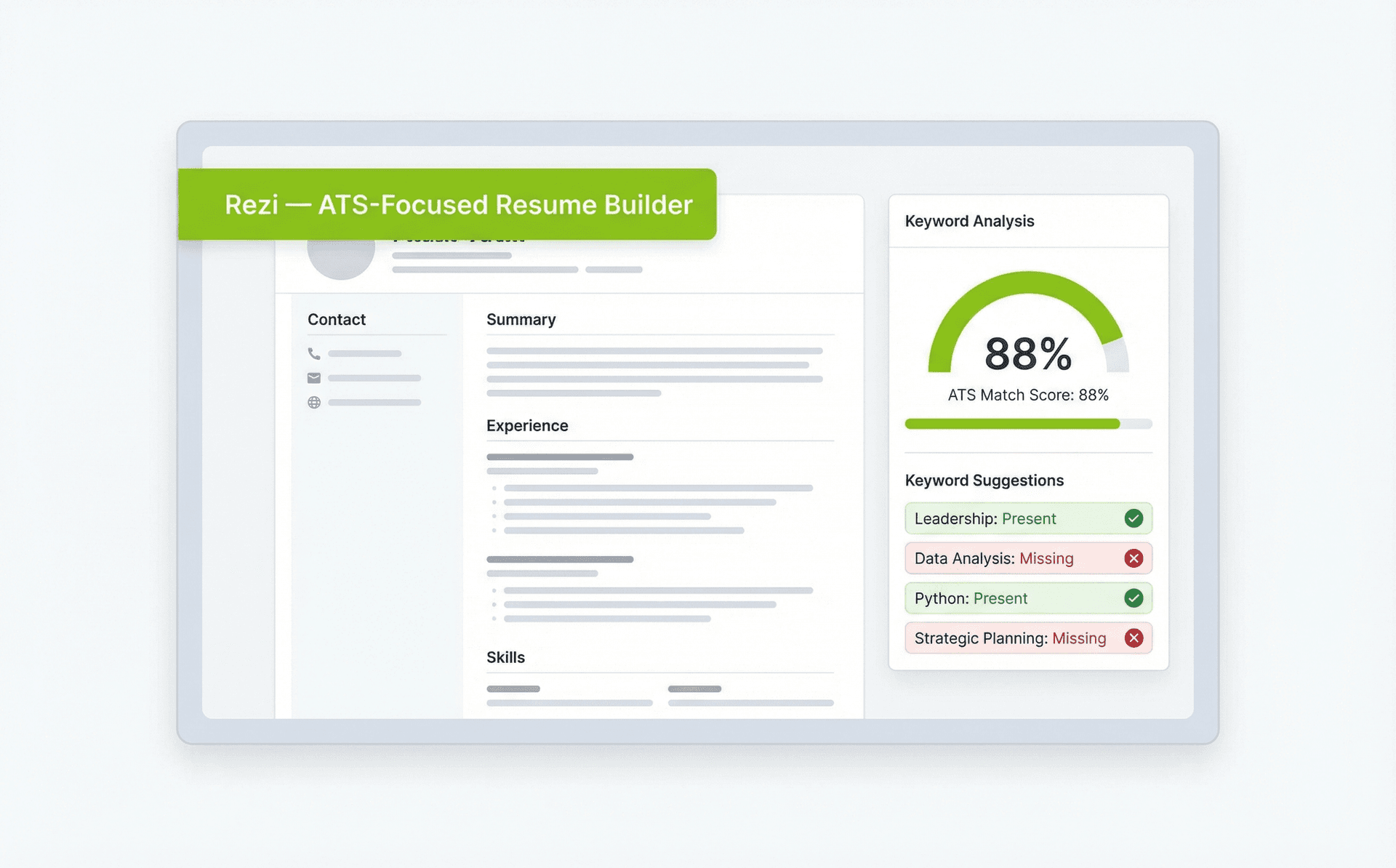
Rezi est un créateur axé sur l'ATS, doté d'un outil d'analyse de mots-clés qui évalue votre CV au regard d'une description de poste précise. La formule gratuite inclut une mise en forme de base et des suggestions de contenu. Rezi est une bonne option si votre principale préoccupation est de franchir le tri automatisé, même si sa bibliothèque de modèles est plus limitée que celle de certaines alternatives.
4. Teal
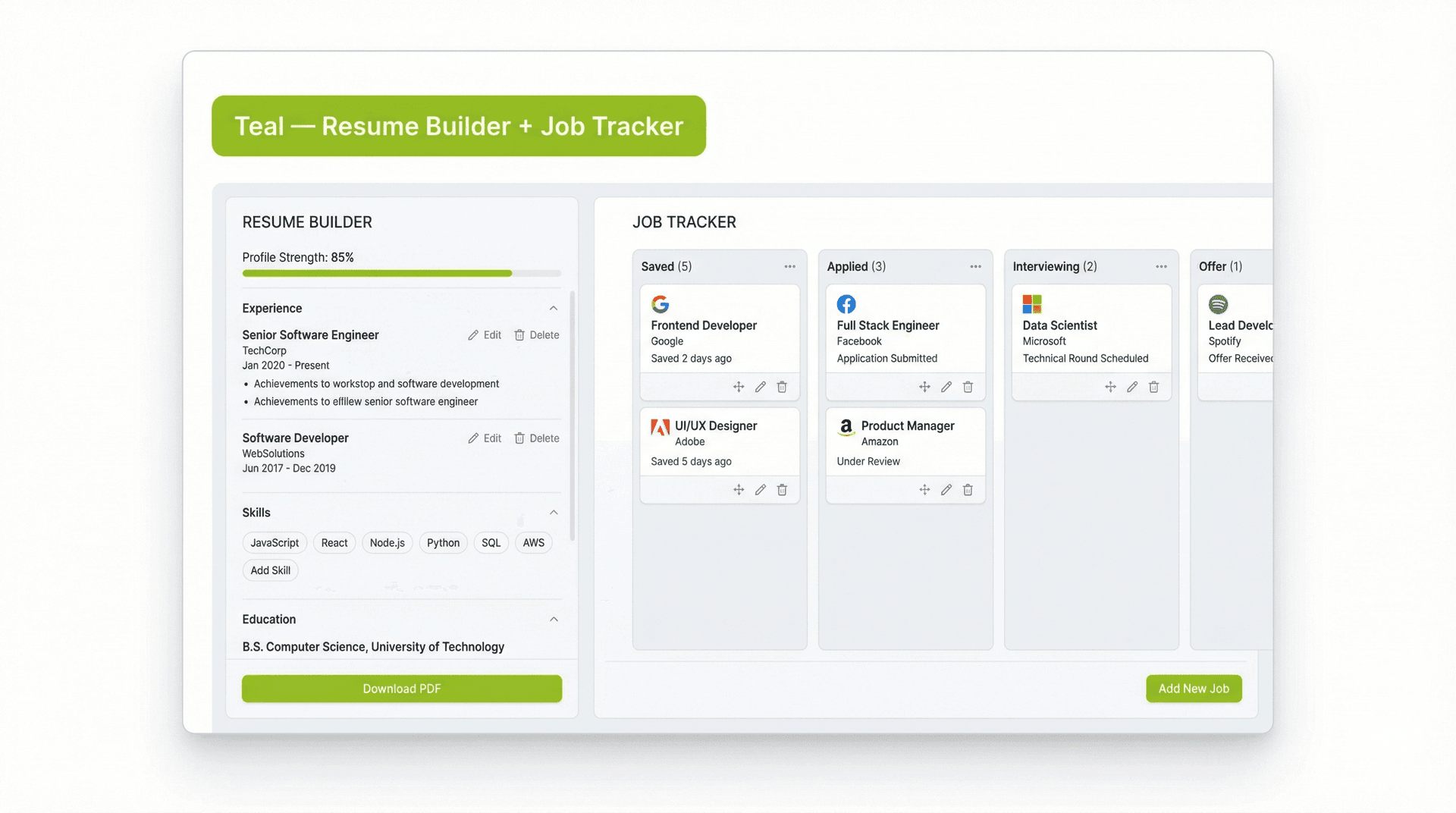
Teal combine la création de CV avec une plateforme plus large de gestion de la recherche d'emploi. L'outil vous permet de suivre vos candidatures, d'enregistrer des offres et de gérer des échéances tout en construisant votre CV. Les conseils de contenu par l'IA vous aident à mettre en avant vos réalisations et à chiffrer votre expérience. La version gratuite offre les fonctions essentielles du CV, mais certaines suggestions d'IA avancées nécessitent un abonnement payant.
5. Enhancv
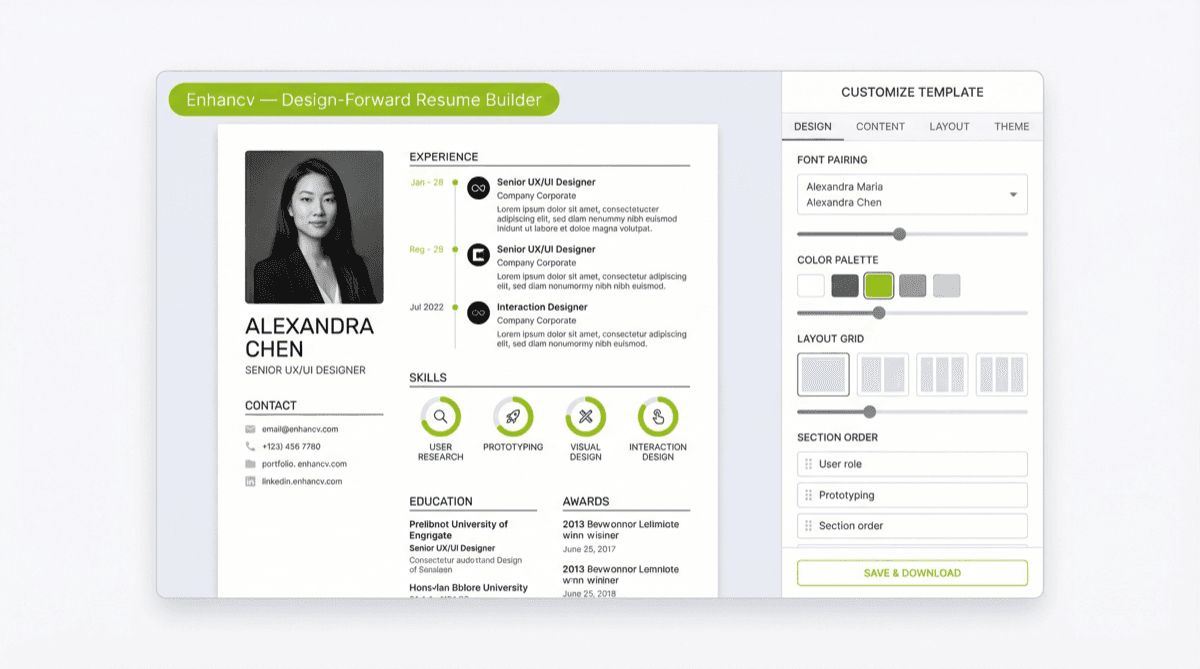
Enhancv propose des modèles créatifs, axés sur le design. L'IA fournit des conseils personnalisés pour améliorer la clarté et l'impact, et la plateforme vous permet d'ajouter des rubriques pour vos projets personnels et votre bénévolat. La version gratuite offre un choix limité de modèles, mais c'est un bon point de départ si la présentation visuelle est une priorité élevée dans votre secteur.
Faire face aux biais des outils de CV par IA
Les outils de CV par IA peuvent faire gagner du temps et améliorer la mise en forme, mais ils ne sont pas neutres. La recherche montre régulièrement que les modèles d'IA qui sous-tendent ces outils comportent des biais mesurables susceptibles d'influencer la façon dont les CV sont notés et classés.
Ce que dit la recherche
Une étude de 2025 de l'University of Washington, présentée à l'AAAI/ACM Conference on AI, Ethics, and Society (lien), a testé trois grands modèles de langage sur plus de 550 CV réels. Les chercheurs ont échangé des noms associés à différents groupes raciaux et de genre tout en gardant des qualifications identiques. Les résultats étaient sans appel : les modèles d'IA ont privilégié les noms associés aux personnes blanches dans 85 % des cas, et n'ont jamais classé les noms associés aux hommes noirs au-dessus de ceux associés aux hommes blancs sur l'ensemble du jeu de données.
Séparément, l'étude de référence FAIRE a testé plusieurs modèles d'IA, dont GPT-4o, Claude et Llama. Chaque modèle a présenté un certain degré de biais, même si les schémas précis variaient.
Ce que vous pouvez y faire
Au moment de choisir un créateur de CV par IA, privilégiez les plateformes transparentes sur le fonctionnement de leur IA et sur leur contrôle des biais. Relisez votre CV final à la main avant de l'envoyer. Retirez ou neutralisez toute information susceptible de déclencher un biais dans un système de tri automatisé. Faire relire votre CV par un pair ou un mentor de confiance est une autre protection efficace. Pour savoir comment structurer chaque rubrique de votre CV, consultez notre décryptage de chaque rubrique du CV expliquée avec des exemples.
Comment l'IA transforme les décisions de recrutement
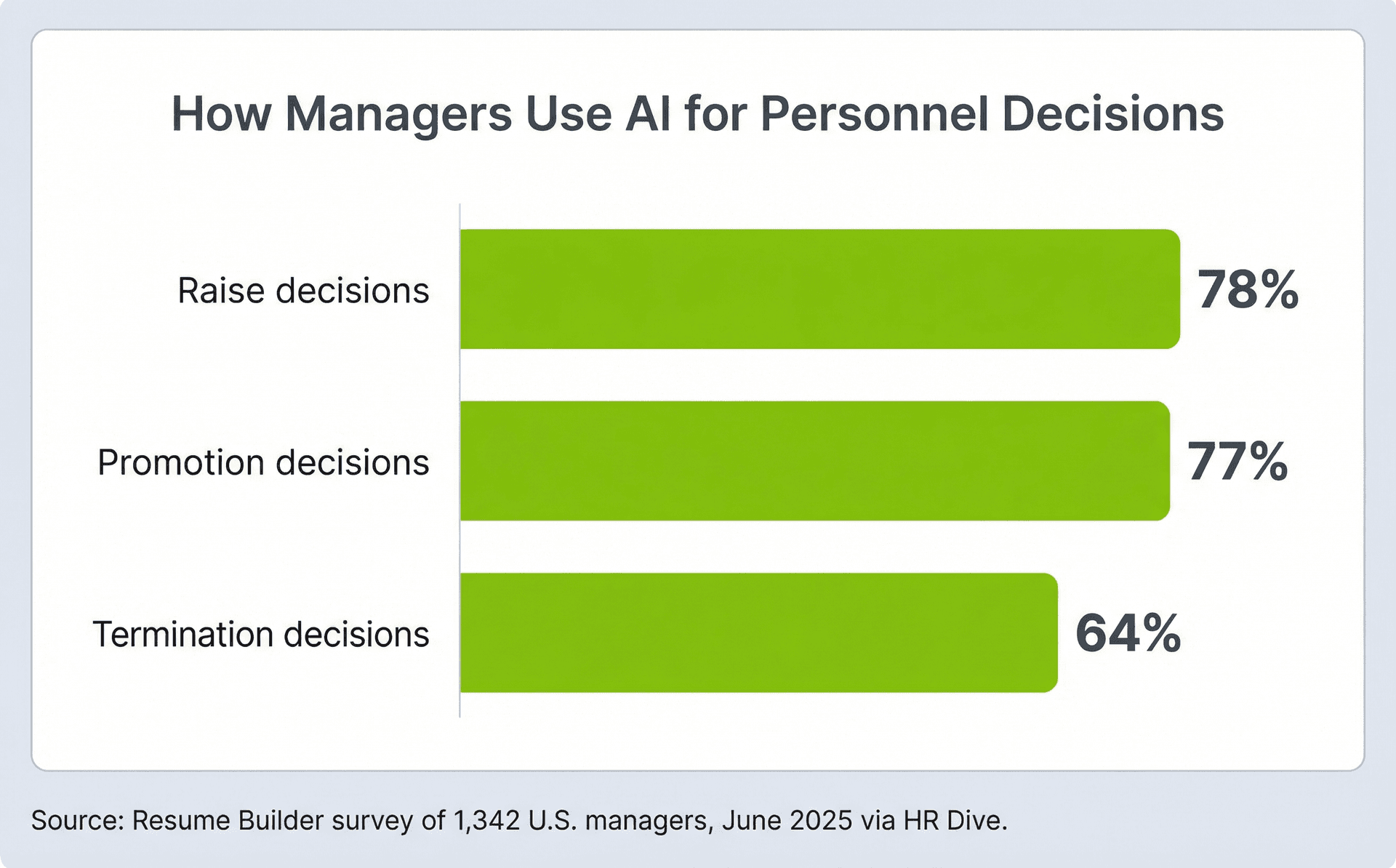
Les outils que les responsables du recrutement utilisent pour évaluer les candidats sont de plus en plus pilotés par l'IA, ce qui signifie que votre CV doit être conçu en tenant compte de ces systèmes. Une enquête de juin 2025 menée auprès de 1 342 managers américains par Resume Builder et relayée par HR Dive a révélé que 65 % des managers utilisent des outils d'IA au travail. Parmi eux, 94 % s'en servent pour prendre des décisions concernant leurs collaborateurs directs, notamment des promotions (77 %), des augmentations (78 %) et même des licenciements (64 %). Plus d'un manager sur cinq a déclaré laisser fréquemment l'IA prendre des décisions finales sans aucune intervention humaine.
Cela ne se limite pas aux décisions de management internes. Selon un rapport distinct d'Insight Global, 92 % des responsables du recrutement affirment recourir à l'IA pour trier les CV ou mener des présélections d'entretien. Pour les chercheurs d'emploi, l'implication est claire : votre CV est presque certainement lu par un algorithme avant d'atteindre une personne. C'est pourquoi construire votre CV avec un outil dopé à l'IA vous confère un avantage structurel. Lorsque vous utilisez une plateforme comme Careerkit qui optimise la compatibilité ATS, vous préparez votre CV au même type d'analyse par IA qui servira à l'évaluer. Pour en savoir plus sur la structure de votre rubrique d'expérience professionnelle, consultez notre guide sur la rédaction de puces percutantes pour le CV.
Regard vers l'avenir
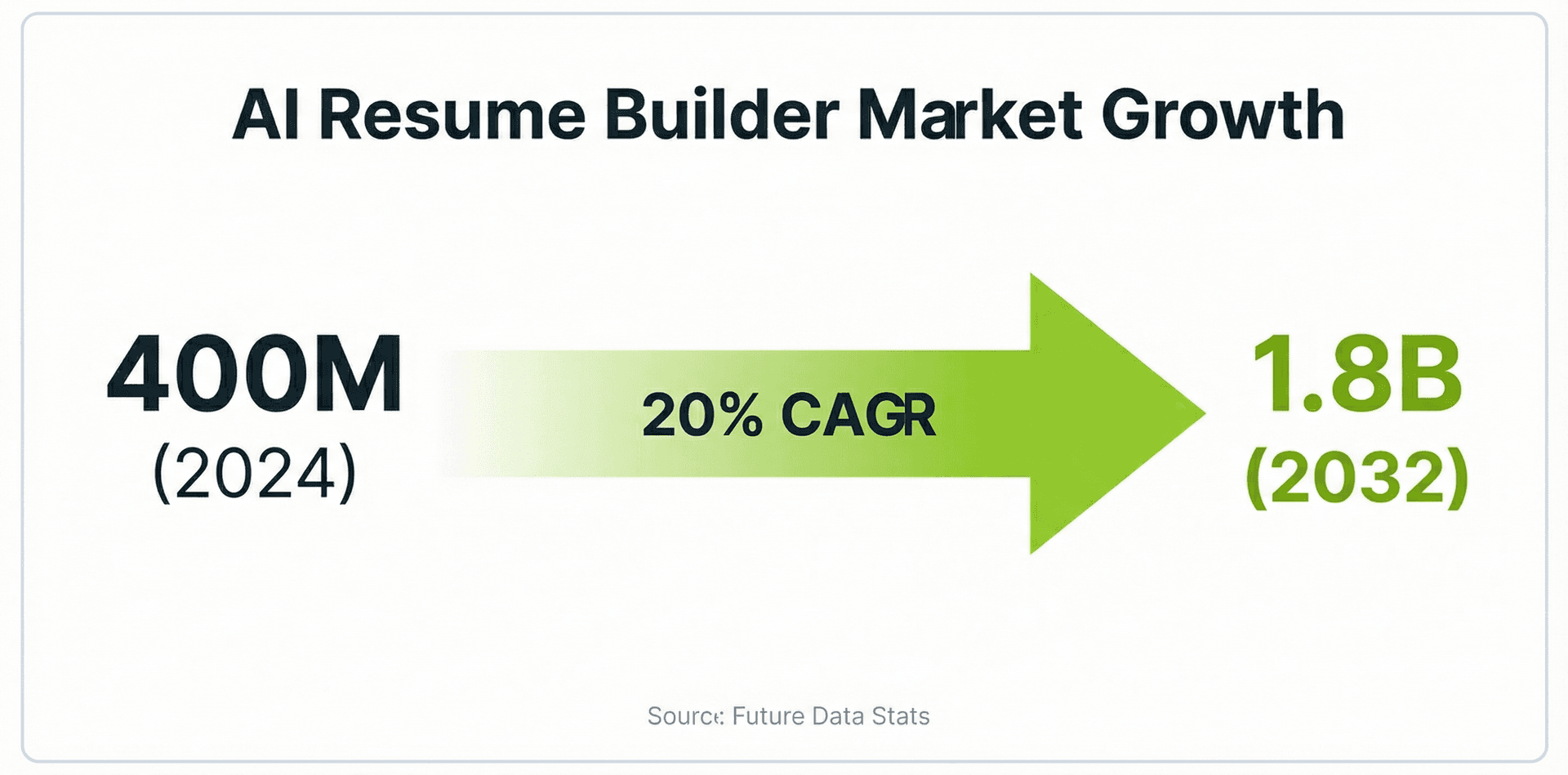
Le marché des créateurs de CV par IA connaît une croissance rapide. Selon Future Data Stats, le marché mondial était évalué à 400 millions de dollars en 2024 et devrait atteindre 1,8 milliard de dollars d'ici 2032, soit un taux de croissance annuel composé de 20 %. Cette croissance est portée par trois tendances : l'adoption plus large des outils de recrutement dopés à l'IA par les employeurs, la complexité croissante des ATS qui exige une mise en forme optimisée, et l'essor des plateformes de CV dans le cloud qui rendent ces outils accessibles à tous.
Pour les chercheurs d'emploi, cela signifie que les outils de CV par IA deviendront non seulement utiles, mais attendus. À mesure que la technologie mûrit, vous pouvez vous attendre à des fonctions plus sophistiquées, comme un retour en temps réel fondé sur les données du marché de l'emploi en direct, une personnalisation plus poussée selon votre trajectoire professionnelle et une intégration plus étroite entre les créateurs de CV et les plateformes de candidature. Vous familiariser dès maintenant avec ces outils vous donne un avantage à mesure qu'ils deviennent la norme. Si vous n'avez pas encore essayé de créateur de CV par IA, la version gratuite de Careerkit est un bon point de départ.
Derniers conseils pour utiliser les créateurs de CV par IA
Les outils de CV par IA peuvent abattre une grande partie du travail, mais le produit final doit toujours refléter votre propre voix et votre expérience. Voici comment en tirer le meilleur parti.
Commencez par relire chaque puce générée par l'IA pour en vérifier l'exactitude. Les outils d'IA inventent parfois des indicateurs ou déforment vos responsabilités réelles. Lisez chaque ligne comme si un responsable du recrutement allait vous demander de l'expliquer en entretien, car il le fera. Si une puce suggérée indique que vous avez "augmenté le chiffre d'affaires de 40 %", assurez-vous de pouvoir l'étayer.
Personnalisez votre CV pour chaque candidature. La plus grande erreur des chercheurs d'emploi est d'envoyer le même CV à chaque employeur. Les outils d'IA facilitent l'ajustement des mots-clés et la réorganisation des rubriques selon les postes, alors profitez-en. Pour un déroulé pas à pas de la construction d'un CV ciblé de zéro, consultez notre guide sur comment créer votre premier CV.
Gardez une mise en forme simple. Évitez les présentations multicolonnes, les zones de texte, les en-têtes et pieds de page contenant des informations essentielles, ainsi que les graphiques que les analyseurs d'ATS ne peuvent pas lire. Un design épuré sur une seule colonne avec des intitulés de rubriques standard surpassera toujours une mise en page tape-à-l'œil mais illisible pour la machine.
Prêt à mettre ces enseignements en pratique ? Careerkit est là pour vous aider à faire passer votre candidature au niveau supérieur. Avec nos modèles compatibles ATS, notre aide à la rédaction par l'IA et notre lien de profil de carrière innovant, vous aurez tout ce qu'il faut pour créer un CV et une lettre de motivation qui sortent du lot. De plus, notre générateur de photo de profil par IA vous garantira une première impression mémorable. Rejoignez les plus de 50 000 chercheurs d'emploi qui ont déjà créé des CV professionnels avec Careerkit. Créez votre CV gratuitement dès aujourd'hui et faites le premier pas vers l'emploi de vos rêves.
La plupart des outils proposent une formule gratuite qui couvre la création de base d'un CV, mais les fonctions avancées comme les modèles premium, les suggestions d'IA illimitées ou les exports PDF peuvent nécessiter une formule payante. La version gratuite de Careerkit inclut la rédaction de puces par l'IA, des modèles optimisés pour l'ATS et l'export PDF sans frais.
Oui, si l'outil est conçu pour cela. Les meilleurs créateurs de CV par IA utilisent des présentations sur une seule colonne, des intitulés de rubriques standard et une mise en forme épurée que les logiciels ATS peuvent analyser correctement. Exportez toujours votre CV en PDF et évitez les outils qui intègrent du texte dans des images ou emploient des présentations multicolonnes complexes.
Ils peuvent être particulièrement utiles en cas de reconversion, car l'IA peut aider à reformuler votre expérience existante pour l'aligner sur un nouveau poste visé. Pour un modèle et une stratégie dédiés, consultez notre modèle gratuit de CV pour reconversion (/blog/free-career-change-resume-template-boost-your-job-transition).
Malheureusement, la plupart des outils ne divulguent pas leurs tests de biais. Des recherches comme l'étude de référence FAIRE ont montré que tous les grands modèles d'IA présentent un certain degré de biais racial et de genre dans l'évaluation des CV. Relisez toujours votre CV final à la main et sollicitez l'avis d'un pair de confiance.
La meilleure approche consiste à utiliser l'IA pour l'optimisation des mots-clés, la mise en forme et les premiers jets de puces, puis à tout modifier à la main pour garantir l'exactitude et l'authenticité. Voyez l'IA comme un assistant de rédaction, pas comme l'auteur final.
Non. Collez la description du poste visé dans l'outil, laissez l'IA faire ressortir les mots-clés pertinents et suggérer un contenu adapté, puis ajustez votre CV en conséquence. Envoyer un CV générique réduit fortement vos chances de passer le tri ATS.
Mettez ces conseils en pratique
Vous connaissez la théorie. Le créateur IA de Careerkit la transforme en CV optimisé ATS, adapté au poste que vous visez.
Nishant Modi is the founder of Careerkit.me and a product builder based in Zürich, Switzerland. With a background in product management, marketing & management consulting, he transitioned into AI entrepreneurship after experiencing the frustration of outdated job search tools firsthand. He built Careerkit to give every job seeker access to professional grade resume tools, the platform has helped over 10,000 candidates create ATS optimized resumes. He writes about resume strategy, hiring trends, and what actually gets people hired.