Exemples de CV 2026 : modèles gratuits pour chaque métier | Careerkit
Accueil/Blog/Guide/Exemples de CV 2026 : modèles gratuits pour chaque métier
Guide
Exemples de CV 2026 : modèles gratuits pour chaque métier
Exemples de CV gratuits 2026 pour chaque métier et niveau. Chacun montre les compétences, formulations et certifications que recherchent les recruteurs.
Selon une étude d'oculométrie de Ladders, les recruteurs consacrent en moyenne à peine 7,4 secondes à parcourir votre CV avant de décider de passer à autre chose ou d'approfondir. Dans ce laps de temps, la mise en forme, la structure et les bons mots-clés comptent plus que les années d'expérience.
Ce guide décompose de vrais exemples de CV qui font embaucher en 2026 et vous montre exactement comment construire le vôtre.
Ces exemples de CV s'inspirent de vrais CV qui ont décroché des entretiens dans différents secteurs, construits selon les mêmes principes que recherchent les recruteurs. Mais copier un modèle ne suffira pas - votre CV doit mettre en avant des compétences et une expérience pertinentes qui correspondent aux besoins de chaque entreprise. Vous pouvez aussi parcourir notre bibliothèque d'exemples de CV pour des modèles complets par métier, y compris nos exemples de CV pour ingénieur logiciel et nos exemples de CV pour infirmier diplômé.
Ce guide vous montre comment choisir le bon format de CV et construire les sections clés. Vous apprendrez les bonnes pratiques de mise en forme et éviterez les erreurs qui pourraient vous coûter un entretien. Nous vous aiderons à maîtriser l'image de marque personnelle et la mise en valeur de vous-même à travers votre CV.
Vous voulez créer un CV qui vous décroche des entretiens ? Commençons !
Des CV qui vous font vraiment embaucher en 2026
Choisissez le bon format de CV
Le format de votre CV détermine la façon dont vos informations sont organisées et ce qui est mis en avant en premier. Le bon choix dépend de votre stade de carrière, de votre parcours professionnel et du poste visé. Voici les quatre principaux formats et quand utiliser chacun.
Chronologique : idéal pour les postes axés sur l'expérience
Le format de CV chronologique reste l'option la plus traditionnelle que les employeurs acceptent en 2026. Vous listez votre historique professionnel en ordre inversé, en commençant par votre poste actuel.
Ce format fonctionne le mieux si vous avez :
Un parcours de carrière stable dans un seul secteur
Aucune interruption majeure dans votre historique professionnel
Une progression de carrière claire au fil du temps
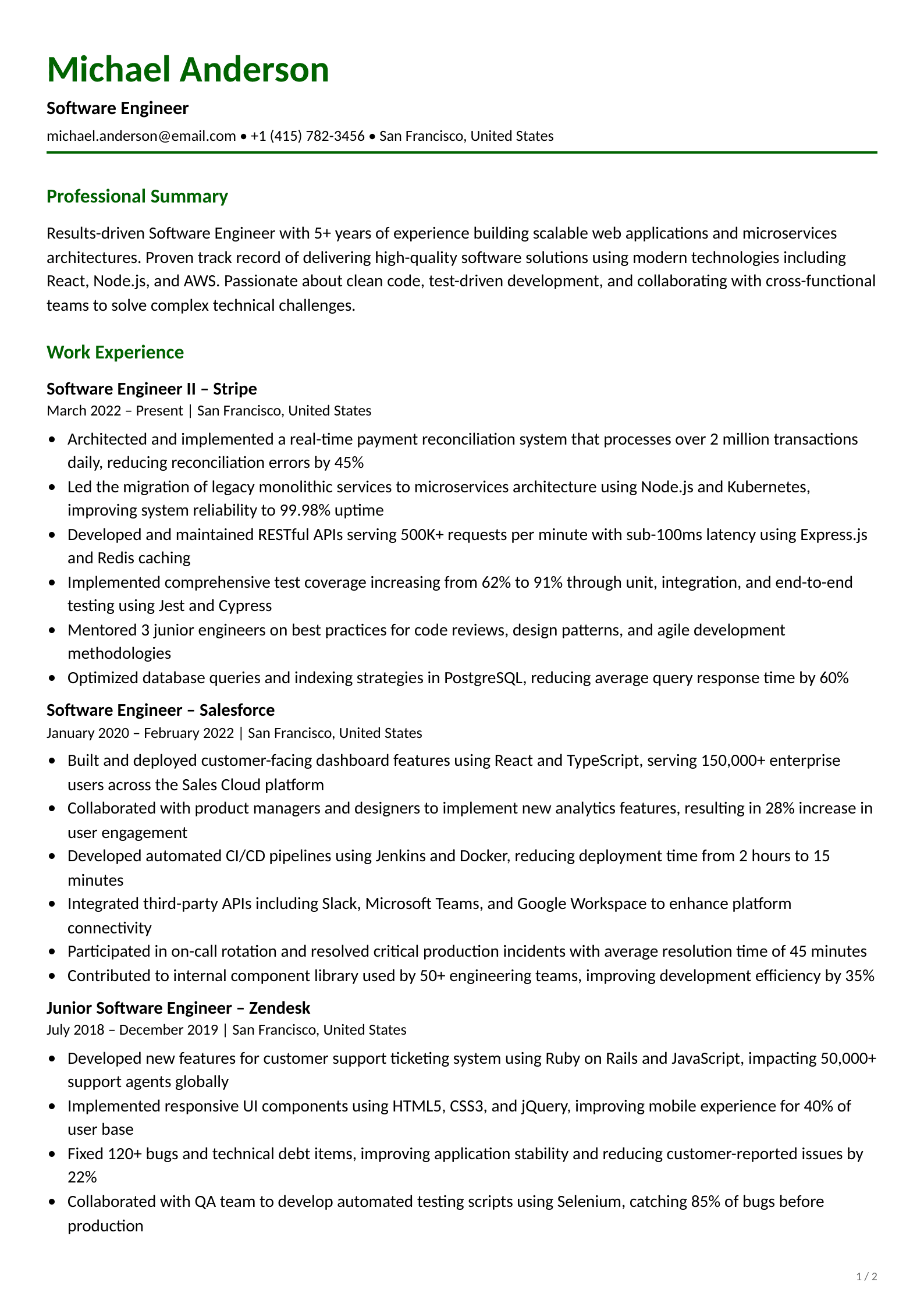
Les recruteurs peuvent parcourir rapidement votre expérience professionnelle avec cette présentation. En 2026, les meilleurs CV chronologiques vont au-delà de la liste des tâches, ils présentent des puces axées sur les réalisations, avec des résultats mesurables et des mots-clés alignés sur la description du poste.
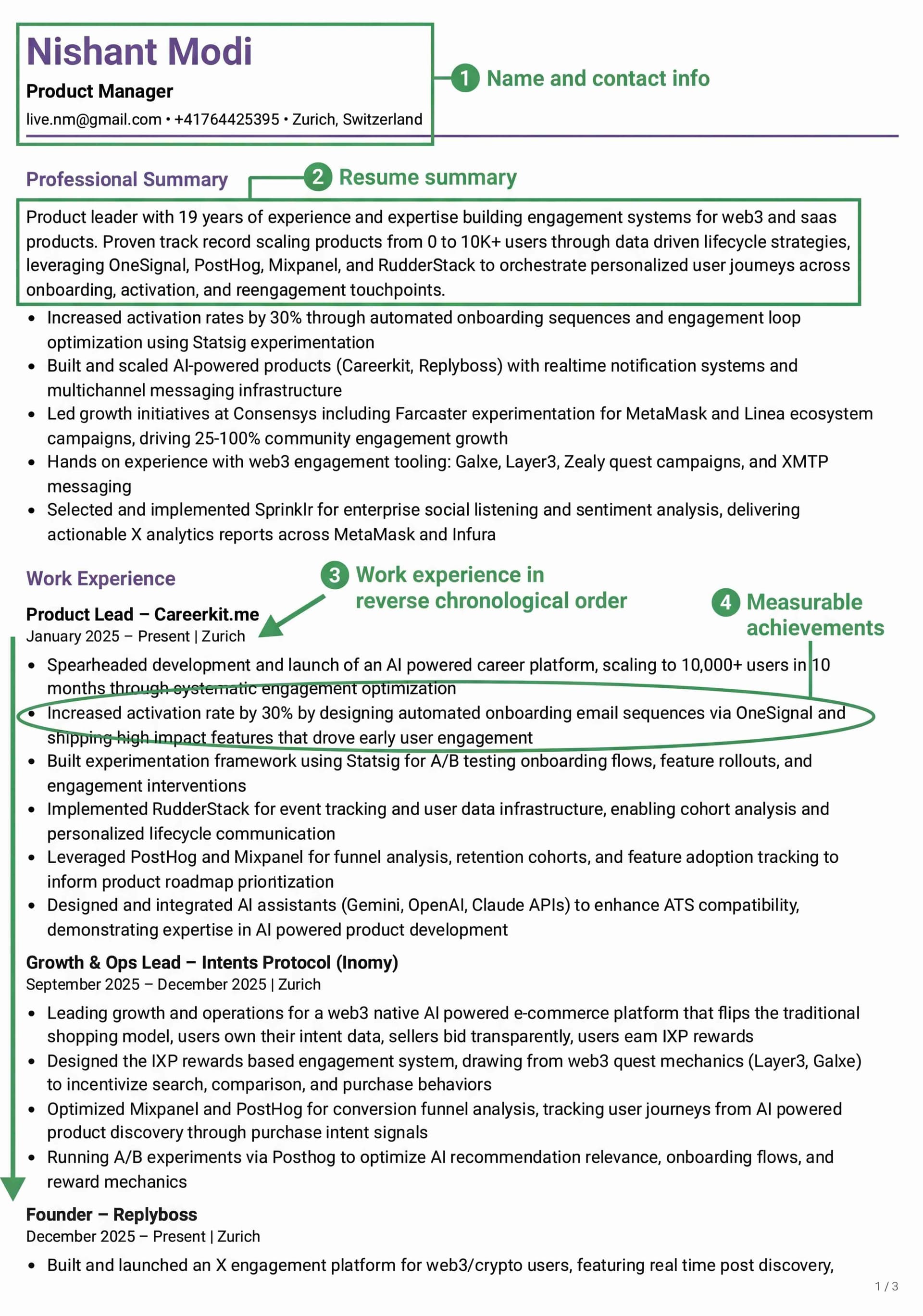
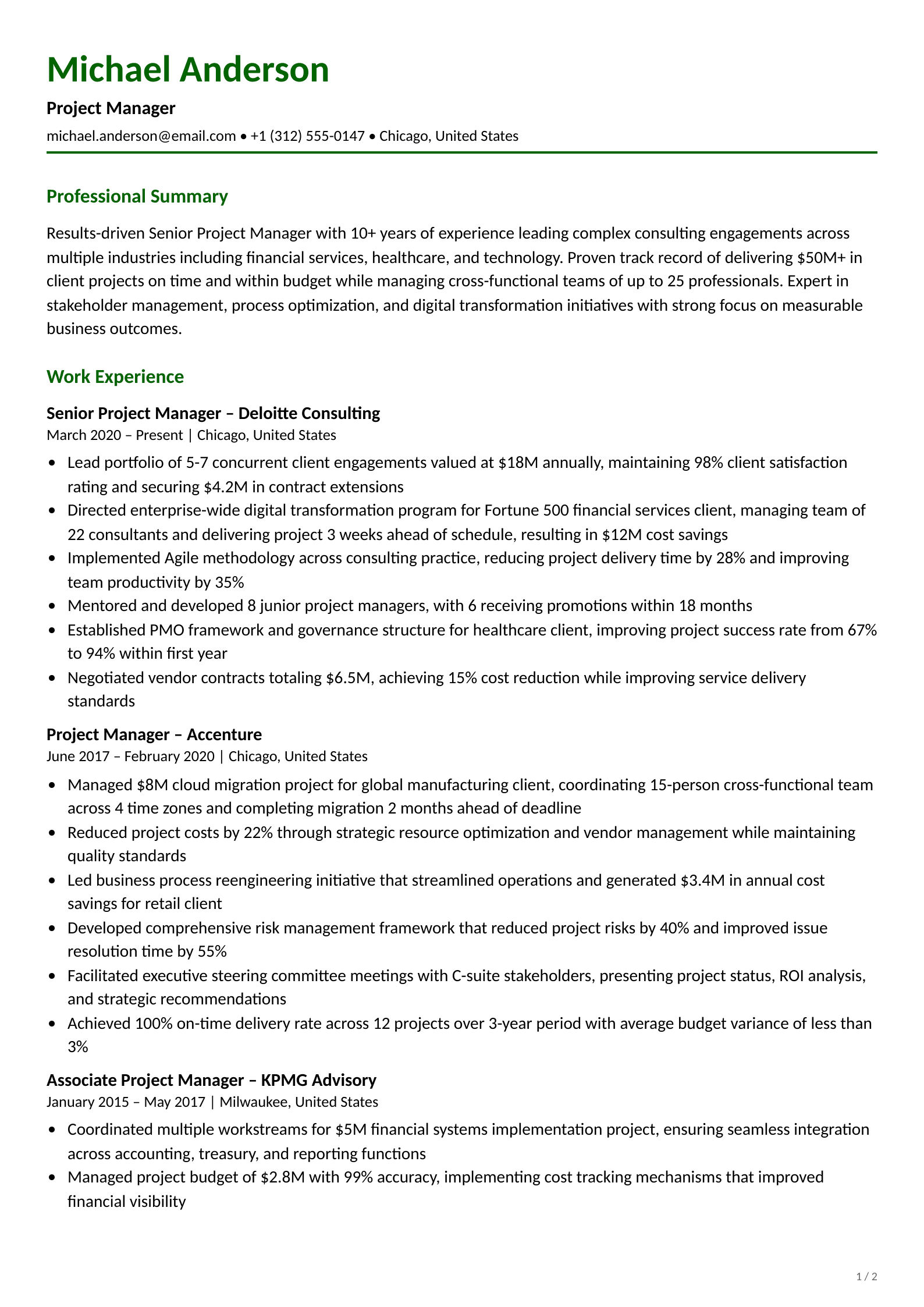
Ce CV chronologique suit la structure chronologique inversée que les recruteurs préfèrent. Remarquez comme chaque poste commence par des réalisations mesurables, et non par des tâches. Créez le vôtre gratuitement →
Fonctionnel : idéal pour les reconversions ou les interruptions
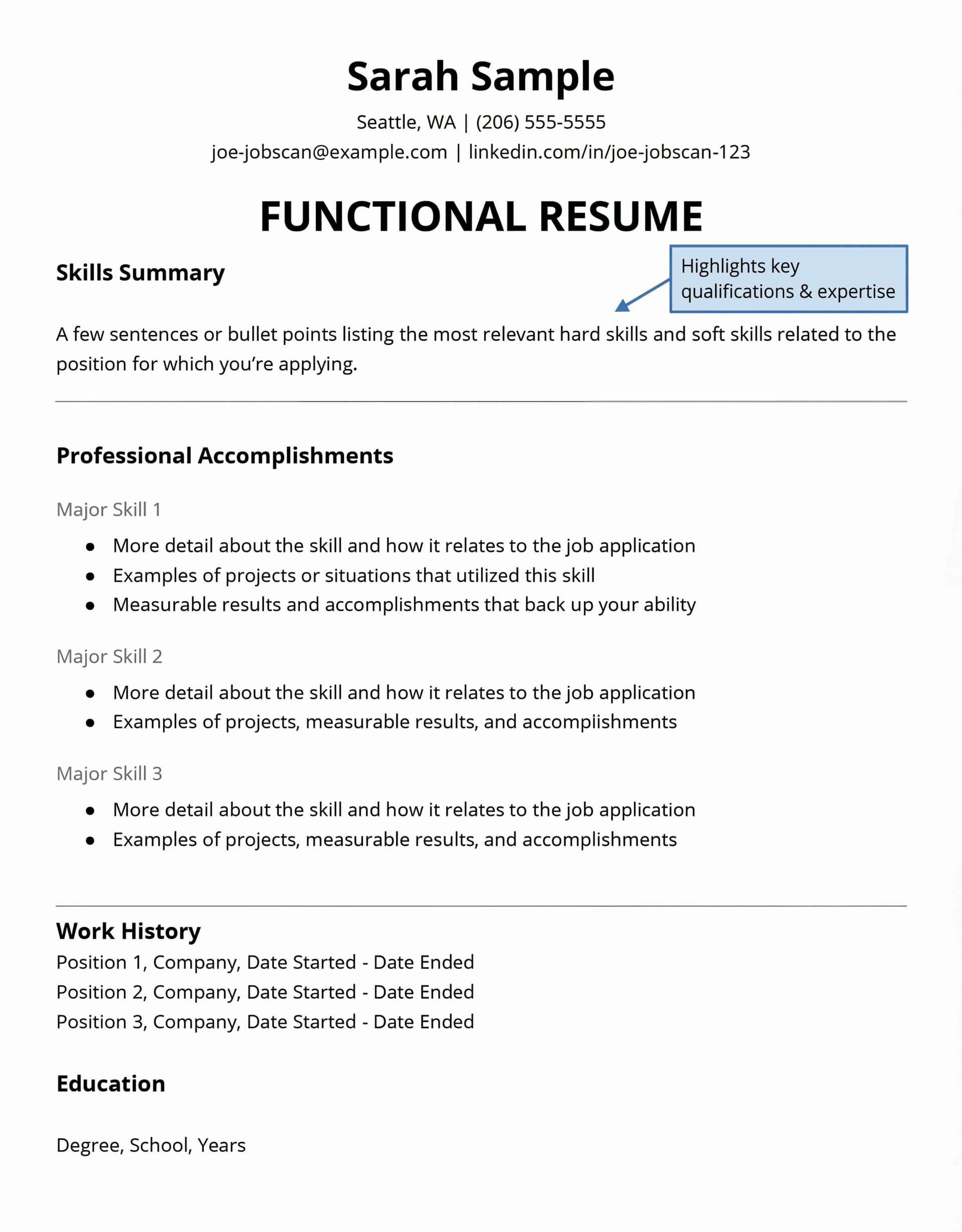
Le format de CV fonctionnel (ou par compétences) place vos compétences et vos qualifications en premier. Plutôt que de lister les emplois par date, vous regroupez les informations par catégories de compétences et par réalisations.
Vous devriez bien réfléchir avant de choisir ce format. Selon Indeed, la plupart des recruteurs voient les CV fonctionnels avec scepticisme. Ils pensent souvent que vous cherchez à masquer des interruptions, des changements d'emploi fréquents ou une expérience limitée. Ce format pose aussi des problèmes avec les systèmes de suivi des candidatures (ATS). Ces systèmes le lisent mal, ce qui peut vous éliminer avant qu'une vraie personne ne voie votre candidature.
Le format fonctionnel n'a de sens que lorsque vous ne pouvez pas mettre en valeur vos compétences via un format chronologique classique. Cela concerne les primo-demandeurs d'emploi ou les personnes qui opèrent une reconversion majeure.
Combiné : quand vous devez montrer à la fois compétences et expérience
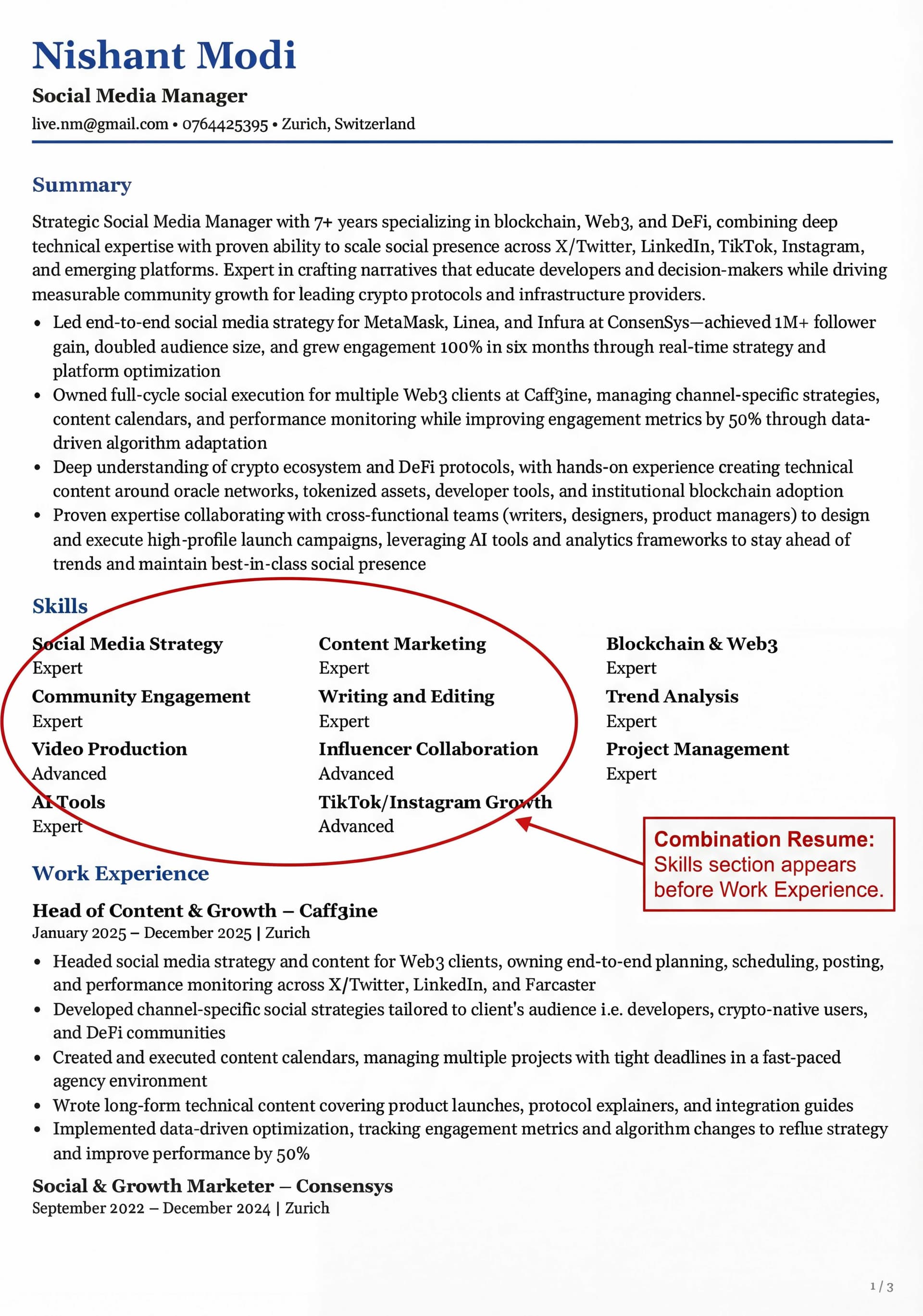
Le format combiné (ou hybride) est devenu populaire en 2026. Les professionnels en milieu de carrière et les personnes en reconversion aux compétences transférables l'utilisent le plus souvent. Il réunit les meilleures parties des CV chronologiques et fonctionnels en :
commençant par une solide rubrique compétences en haut
ajoutant ensuite un historique professionnel classique
mettant en valeur les compétences transférables et la flexibilité
créant un équilibre entre aptitudes et expérience avérée
Les personnes qui changent de carrière trouvent ce format utile. Il place les compétences pertinentes en premier tout en conservant l'historique professionnel que les employeurs veulent voir. Le format fonctionne bien à la fois pour les systèmes d'IA qui recherchent des compétences précises et pour les humains attentifs à la progression de carrière.
Compatibilité ATS : comment vous assurer que votre CV est lu
Plus de 98 % des entreprises du Fortune 500 utilisent des systèmes de suivi des candidatures pour trier les CV. Même parmi les plus petites entreprises, l'adoption des ATS progresse vite. Votre CV doit passer cette présélection automatisée avant qu'un humain ne le lise. Votre CV doit fonctionner avec les systèmes ATS. De nombreux candidats qualifiés sont rejetés parce qu'ils utilisent des formats que ces systèmes ne peuvent pas traiter.
La compatibilité ATS exige que vous :
Choisissiez un format chronologique ou combiné (les deux fonctionnent bien)
Évitiez les formats fonctionnels (les systèmes ATS les lisent mal)
Gardiez une mise en forme simple, sans tableaux ni graphiques
Utilisiez des intitulés de section standard
Enregistriez les fichiers en .docx ou en PDF basé sur du texte
Votre CV doit passer la présélection automatisée et convaincre les recruteurs humains. Le bon format vous aide à créer un CV qui vous décroche des entretiens.
Construisez les sections essentielles du CV
Un CV solide a besoin de sections essentielles bien organisées qui mettent en valeur vos qualifications. Chaque partie joue un rôle précis pour raconter votre histoire professionnelle aux employeurs potentiels.
Coordonnées : ce qu'il faut inclure et ce qu'il faut omettre
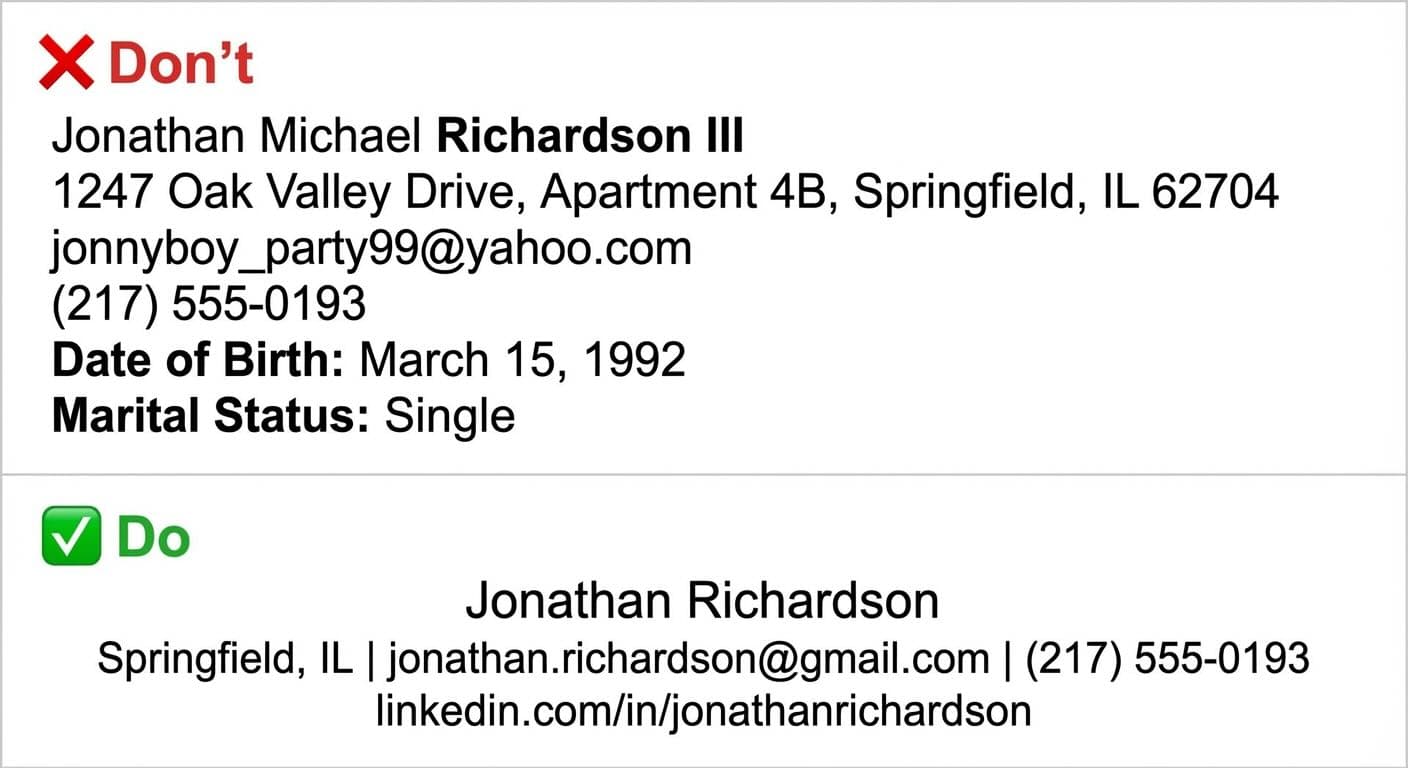
Commencez votre section coordonnées par votre nom complet, votre numéro de téléphone et une adresse e-mail professionnelle.
Votre ville aide les employeurs à évaluer si vous convenez, notamment au regard des règles fiscales et des exigences de licence. Omettez votre adresse complète par sécurité. Vous pouvez ajouter votre profil LinkedIn ou un site web professionnel s'ils comptent dans votre domaine. Ces informations aident les employeurs à vous évaluer correctement.
Accroche de CV : comment rédiger une ouverture forte
L'accroche de votre CV fonctionne comme un mini-argumentaire éclair, une présentation professionnelle de deux à trois phrases qui met en avant vos meilleures qualifications. Une bonne accroche pose une déclaration d'ouverture forte, qui souligne vos principales compétences et réalisations tout en reprenant les mots-clés des offres d'emploi. Rédigez votre accroche en dernier pour mieux refléter vos compétences et réalisations pertinentes. Évitez les références à la première personne et les mots de remplissage. Concentrez-vous sur les idées les plus utiles aux recruteurs. Votre accroche doit répondre à : "Comment décririez-vous vos qualifications professionnelles en quelques phrases ?"
Voici trois exemples d'accroches de CV pour différents stades de carrière :
Exemple 1 — Professionnel expérimenté :
Responsable marketing orientée résultats, avec plus de 7 ans d'expérience à piloter des campagnes multicanales pour des entreprises SaaS. A augmenté les leads qualifiés de 45 % d'une année sur l'autre tout en réduisant le coût par acquisition de 30 %. Maîtrise du SEO, des médias payants et des outils d'automatisation marketing, dont HubSpot et Google Analytics.
Exemple 2 — Personne en reconversion :
Ancien enseignant du secondaire en transition vers la formation en entreprise et l'ingénierie pédagogique. 5 ans d'expérience à concevoir des programmes pour plus de 200 élèves, à gérer le fonctionnement de la classe et à obtenir des progrès scolaires mesurables. Certifié en Articulate 360 et en méthodes d'apprentissage des adultes.
Exemple 3 — Débutant / jeune diplômé :
Jeune diplômée en informatique de l'UC Davis, avec une expérience pratique de développement d'applications web full-stack au cours de deux stages. Maîtrise de React, Node.js et PostgreSQL. A dirigé une équipe de 4 personnes pour un projet de fin d'études qui a développé un outil d'accessibilité adopté par le service d'aide aux étudiants en situation de handicap de l'université.
Remarquez comme chaque accroche commence par la qualification la plus forte, comprend au moins un résultat mesurable et se termine par des compétences pertinentes. Évitez les formules génériques comme "travailleur et esprit d'équipe", soyez précis sur ce que vous apportez. Rédigez votre accroche avec notre assistant IA →
Expérience professionnelle : utiliser des puces et des chiffres
Placez votre expérience en ordre chronologique inversé, en commençant par votre poste actuel. Chaque poste a besoin de votre intitulé, du nom de l'employeur, des dates et des principales responsabilités. Ne vous contentez pas de lister des tâches, concentrez-vous sur des réalisations propres que vous pouvez mesurer. Selon une analyse de plus de 125 000 CV, seuls 26 % comportaient cinq résultats mesurables ou plus et 36 % n'avaient aucun chiffre. C'est votre plus grande occasion de vous démarquer. Cherchez des indicateurs liés au temps (efficacité améliorée de 25 %), des contributions d'ampleur (plus de 20 personnes encadrées), des gains de productivité (coûts réduits de 20 %), une croissance comparative (précision augmentée de 35 %) ou des retours de parties prenantes (supports repensés générant une hausse de 30 %).
❌ Puce faible (axée sur la tâche) :
Responsable de la gestion des comptes de réseaux sociaux et de la création de contenu pour l'équipe marketing.
✅ Puce forte (axée sur la réalisation) :
A géré la stratégie de réseaux sociaux sur 4 plateformes, faisant croître la base d'abonnés de 45 % et faisant passer le taux d'engagement de 1,2 % à 3,8 % en 6 mois.
Commencez chaque puce par un verbe d'action fort, incluez au moins un chiffre et concentrez-vous sur ce qui a changé grâce à votre présence. Laissez notre IA rédiger vos puces →
Pret a decrocher votre emploi de reve ?
Rejoignez plus de 50 000 chercheurs d'emploi qui ont deja transforme leur carriere avec notre createur de CV propulse par l'IA.
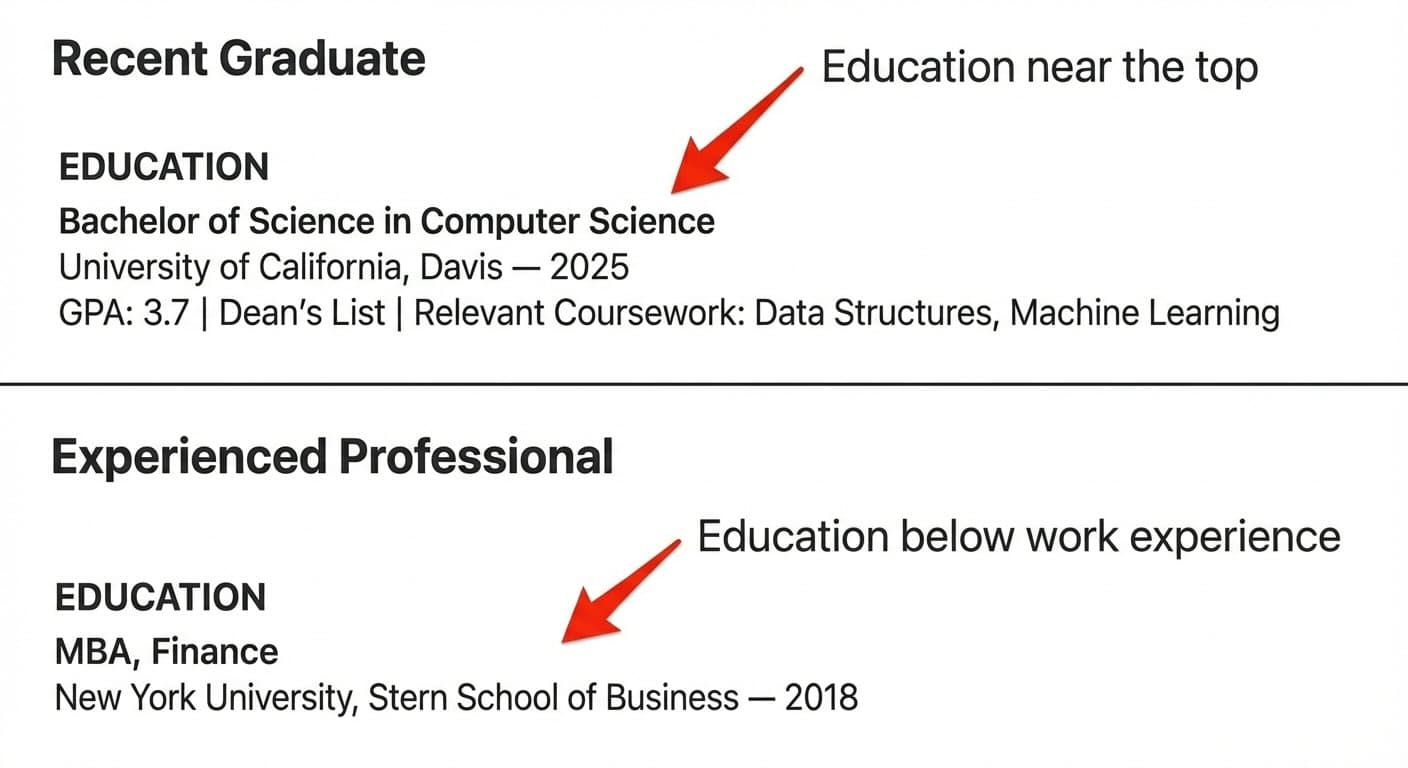
Votre stade de carrière détermine où placer la formation. Les jeunes diplômés devraient la placer près du haut, tandis que les professionnels expérimentés devraient la placer sous l'expérience professionnelle. Indiquez au minimum votre diplôme, le nom de l'établissement et le lieu. Vous pouvez ajouter la date d'obtention (ou la date prévue pour les diplômes en cours), la mention ou la moyenne (si elle est élevée), les cours pertinents, les distinctions et les réalisations. Plusieurs diplômes doivent apparaître en ordre chronologique inversé, en commençant par le niveau le plus élevé.
En règle générale : si vous avez obtenu votre diplôme au cours des 2 à 3 dernières années, commencez par la formation. Une fois que vous avez une solide expérience professionnelle, placez-la sous votre section expérience et gardez-la brève.
Rubrique compétences : compétences techniques vs comportementales
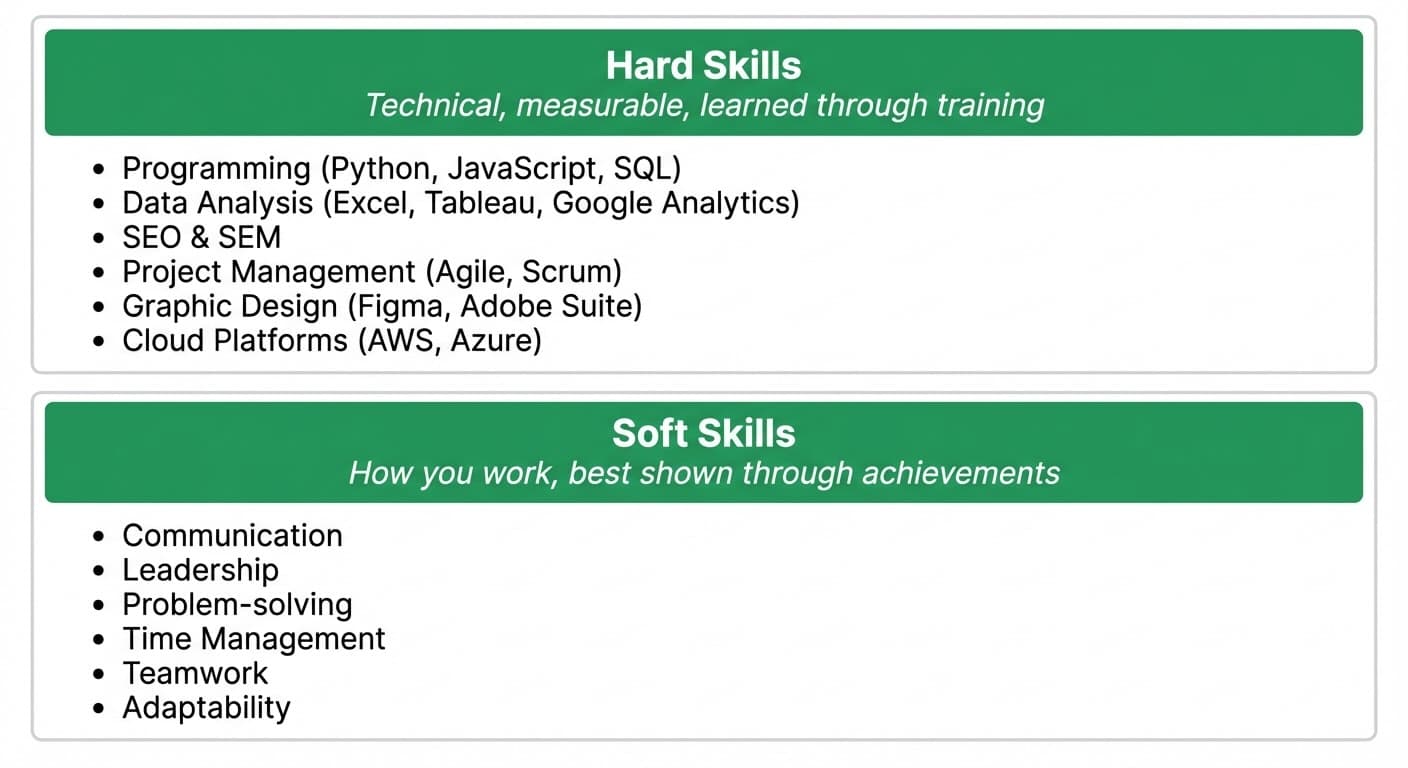
Ajoutez à la fois des compétences techniques et comportementales à votre CV, et sachez en quoi elles diffèrent. Les compétences techniques sont des aptitudes mesurables que vous acquérez par la formation (langages de programmation, gestion de bases de données, SEO). Les compétences comportementales façonnent votre manière de travailler (communication, travail en équipe, résolution de problèmes). Les spécialistes disent que les compétences techniques ont leur place dans votre rubrique compétences, tandis que les compétences comportementales fonctionnent mieux sous forme d'exemples et de réalisations dans votre section expérience.
Listez les compétences techniques dans votre rubrique compétences. Démontrez les compétences comportementales à travers les puces de votre expérience professionnelle ; ne vous contentez pas d'affirmer être un "excellent communicant", montrez-le avec un résultat comme "présentation de rapports trimestriels à des dirigeants de 3 départements".
Certifications : quand et comment les indiquer
Créez une section "Certifications" distincte lorsqu'elles comptent pour le poste visé. Chaque certification doit indiquer le titre complet, l'organisme émetteur, la date d'obtention et la date d'expiration si nécessaire. Signalez les certifications en cours comme "en cours" avec la date d'achèvement prévue. Les certifications aident lorsque les employeurs les exigent, lorsque vous devez montrer une expérience du secteur, mettre en avant des compétences supplémentaires ou compenser une expérience pratique limitée. Le marché de l'emploi met désormais davantage l'accent sur le recrutement fondé sur les compétences, si bien que les certifications aident les candidats à se démarquer de concurrents similaires.
Voici comment présenter correctement les certifications :
Exemple 1 — Certification active avec expiration :
PMP — Project Management Professional Project Management Institute | Obtenu : juin 2023 | Expire : juin 2026
Exemple 2 — Certification sans expiration :
Google Analytics 4 Certification Google | Obtenu : mars 2025
Exemple 3 — En cours :
AWS Solutions Architect Associate (en cours) Amazon Web Services | Prévu : août 2026
Listez d'abord vos certifications les plus pertinentes. Si une offre d'emploi mentionne expressément une certification, assurez-vous qu'elle soit visible en haut de cette section.
Suivez les bonnes pratiques de mise en forme du CV
La mise en forme de votre CV compte tout autant que ce que vous y mettez. Même les candidats les plus qualifiés peuvent être écartés parce que leur CV a l'air brouillon. Voyons les bonnes pratiques de mise en forme qui feront briller votre CV en 2026.
Recommandations de taille et de style de police
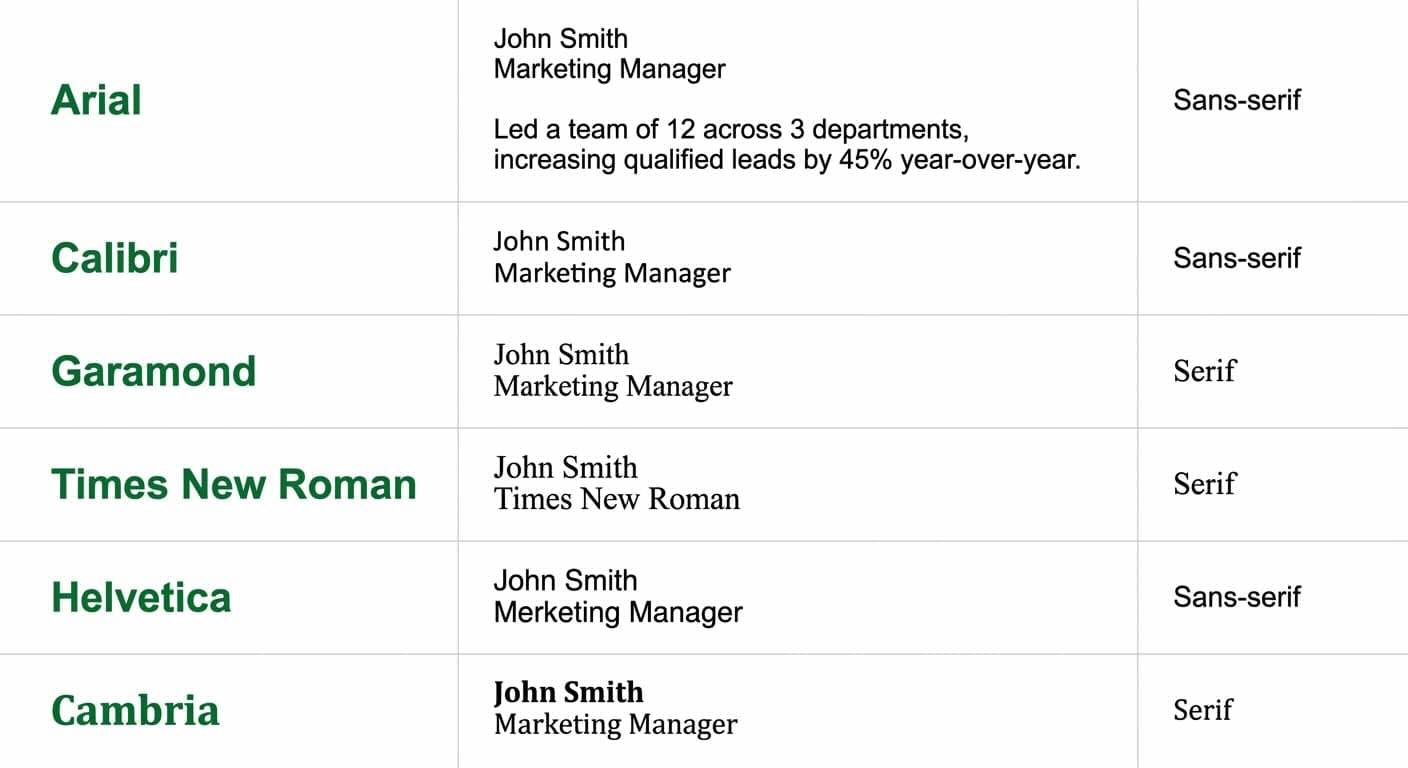
Une police professionnelle et facile à lire doit être votre premier choix. Utilisez notre outil gratuit d'aperçu des polices de CV pour voir comment différentes polices s'affichent sur un vrai CV avant de vous décider. La plupart des CV fonctionnent le mieux avec des polices standard comme Arial, Calibri, Helvetica (options sans empattement) ou Times New Roman, Garamond et Cambria (options à empattement). Les polices sans empattement s'affichent mieux à l'écran, tandis que les polices à empattement rendent les versions imprimées plus lisibles.
Les tailles de police devraient suivre ces recommandations :
Votre nom : 18 à 22 pt pour le faire ressortir
Intitulés de section : 14 à 16 pt pour créer une hiérarchie claire
Corps du texte : 10 à 12 pt pour garantir la lisibilité
Un texte inférieur à 10 pt devient difficile à lire. Vous devriez vous en tenir à une ou deux polices sur l'ensemble du document pour lui garder un aspect professionnel.
Règles de marges, d'espacement et d'alignement
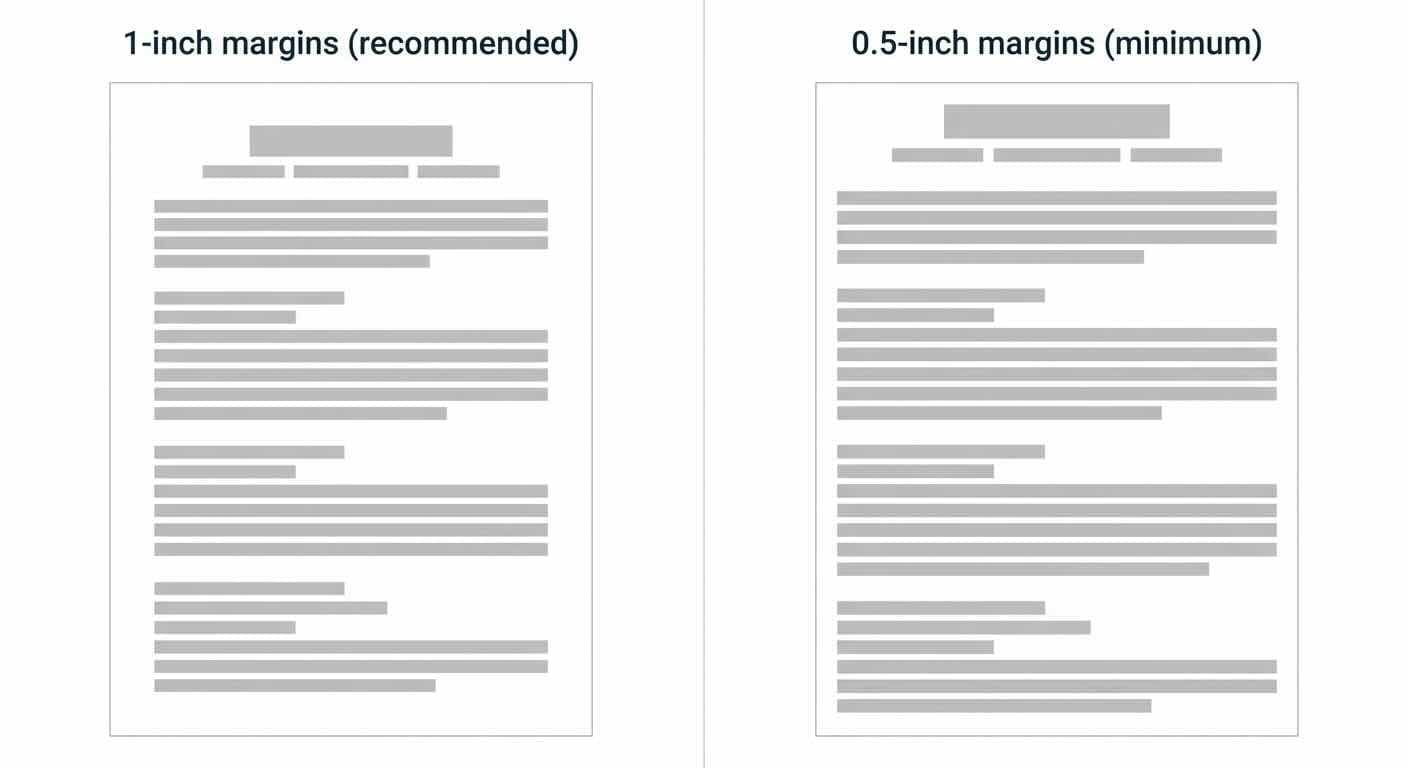
La plupart des traitements de texte utilisent par défaut des marges de 2,5 cm sur tous les côtés, ce qui fonctionne le mieux pour les systèmes ATS. Vous pouvez réduire les marges à environ 1,3 cm si nécessaire, mais aller plus loin risque de couper du contenu à l'impression.
L'alignement à gauche fonctionne le mieux pour le texte principal, même si vous pouvez centrer votre nom et vos coordonnées si vous le préférez. Votre document a besoin d'un espacement cohérent, avec suffisamment de blanc pour paraître net et professionnel.
Utiliser les puces efficacement
Les puces rendent vos réalisations faciles à parcourir. Commencez chaque point par des verbes d'action forts et soyez précis sur vos réalisations. Vous devriez mesurer vos réalisations quand c'est possible et montrer l'ampleur de votre travail.
Gardez vos puces courtes en vous concentrant sur l'essentiel. Listez d'abord vos réalisations les plus impressionnantes.
Éviter les pronoms à la première personne
Rédigez votre CV à la première personne, mais sans le "je". Plutôt que "j'ai organisé les déplacements", écrivez "Organisé les déplacements". Cette approche fait gagner de la place, garde l'attention des lecteurs sur vos réalisations et suit les pratiques usuelles du CV.
Garder votre CV sur une à deux pages
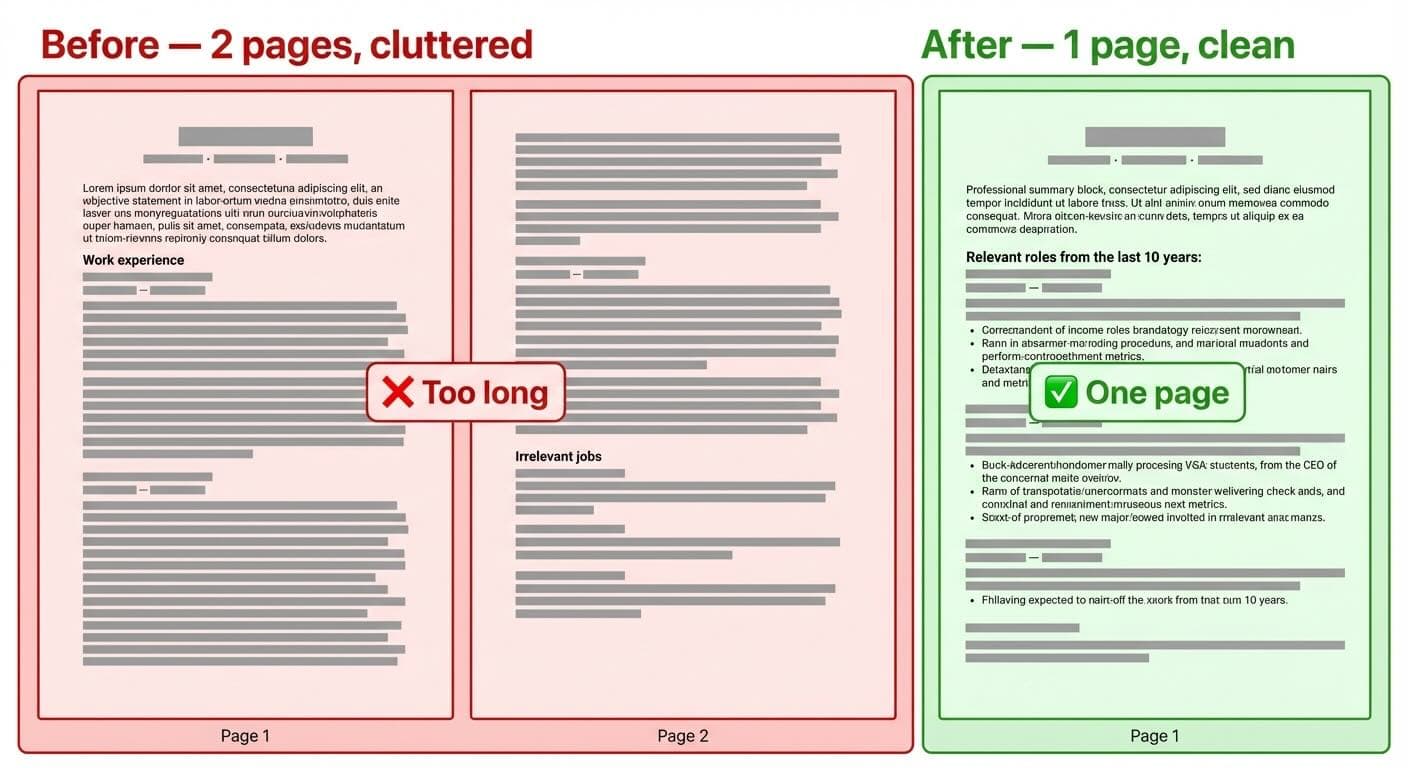
Dans l'espace DACH, le CV tabulaire d'une à deux pages est la norme, y compris pour les jeunes diplômés disposant d'une formation et de stages. La règle stricte d'une page vaut surtout sur le marché américain et anglo-saxon ; en Suisse, en Allemagne et en Autriche, une à deux pages sont tout à fait usuelles pour les professionnels ayant moins de 10 ans d'expérience, et les profils expérimentés vont souvent jusqu'à deux ou trois pages.
Vous n'avez pas besoin de tout y entasser, vous devez retirer ce qui ne sert pas le poste auquel vous postulez. Supprimez les emplois anciens, allégez les tâches génériques et remplacez les paragraphes par des puces axées sur des chiffres.
Voici comment procéder :
Utiliser des puces au lieu de paragraphes
Réduire la taille de police (tout en la gardant lisible)
Ajuster le retrait des paragraphes et des puces
Réduire l'espacement entre les sections (mais le garder lisible)
Écrire de façon concise plutôt que d'entasser du contenu
Enregistrez votre CV final en PDF, sauf indication contraire. Cela garantit que votre mise en forme reste intacte quel que soit l'appareil qui l'ouvre.
Évitez les erreurs de CV courantes
Vous pouvez passer à côté de belles opportunités malgré d'excellentes qualifications à cause d'erreurs de mise en forme du CV. Ces petites erreurs peuvent fortement réduire vos chances d'obtenir un entretien.
Mise en forme incohérente
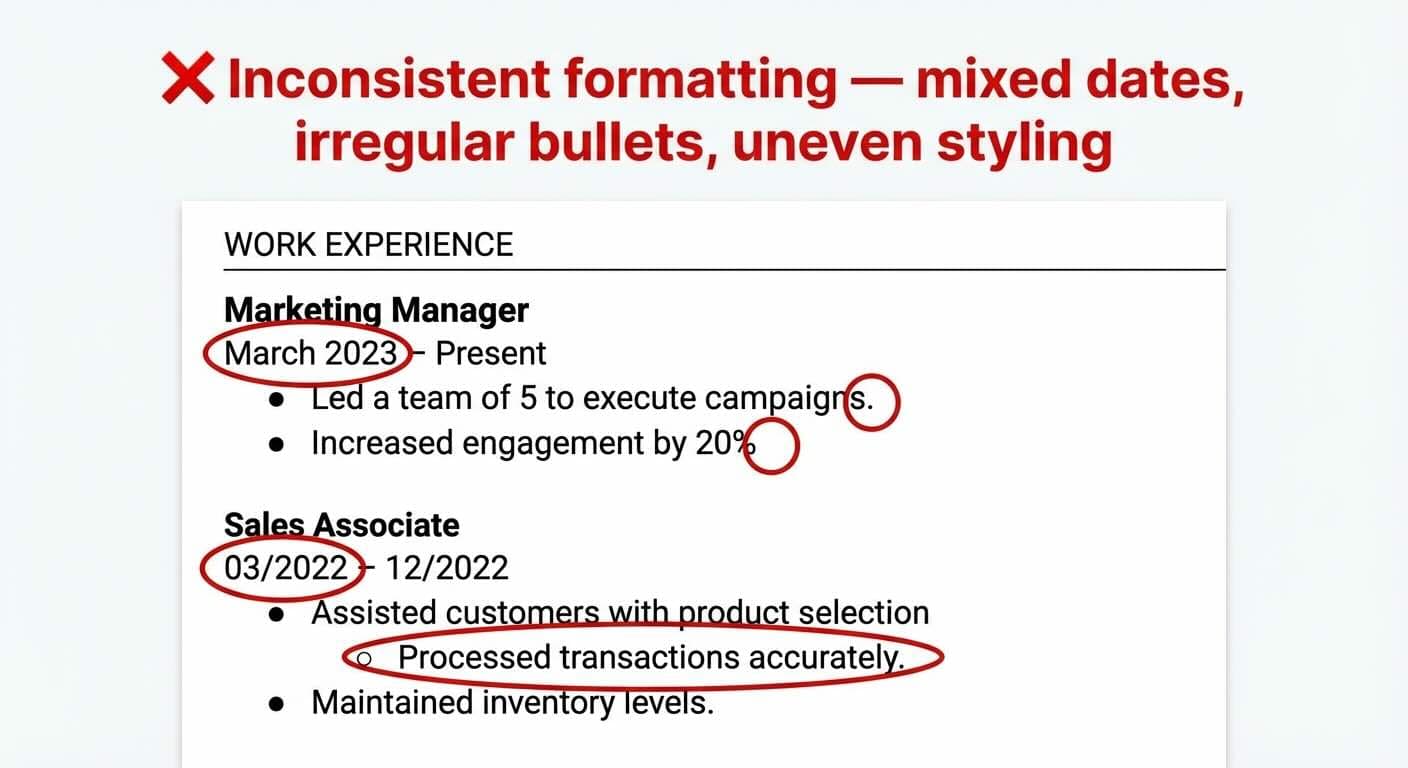
Votre souci du détail est examiné de près lorsque les employeurs repèrent une mise en forme incohérente. Les erreurs fréquentes incluent le mélange des formats de date (mars 2023, 03/2023), un usage irrégulier des puces et des motifs de gras ou de retrait incohérents. Choisissez un seul style de mise en forme pour chaque élément et utilisez-le dans tout le document. Si vous mettez des points après les puces dans une section, mettez-en dans toutes les sections. Vos marges devraient être égales et le style du texte doit rester uniforme.
Mise en page surchargée
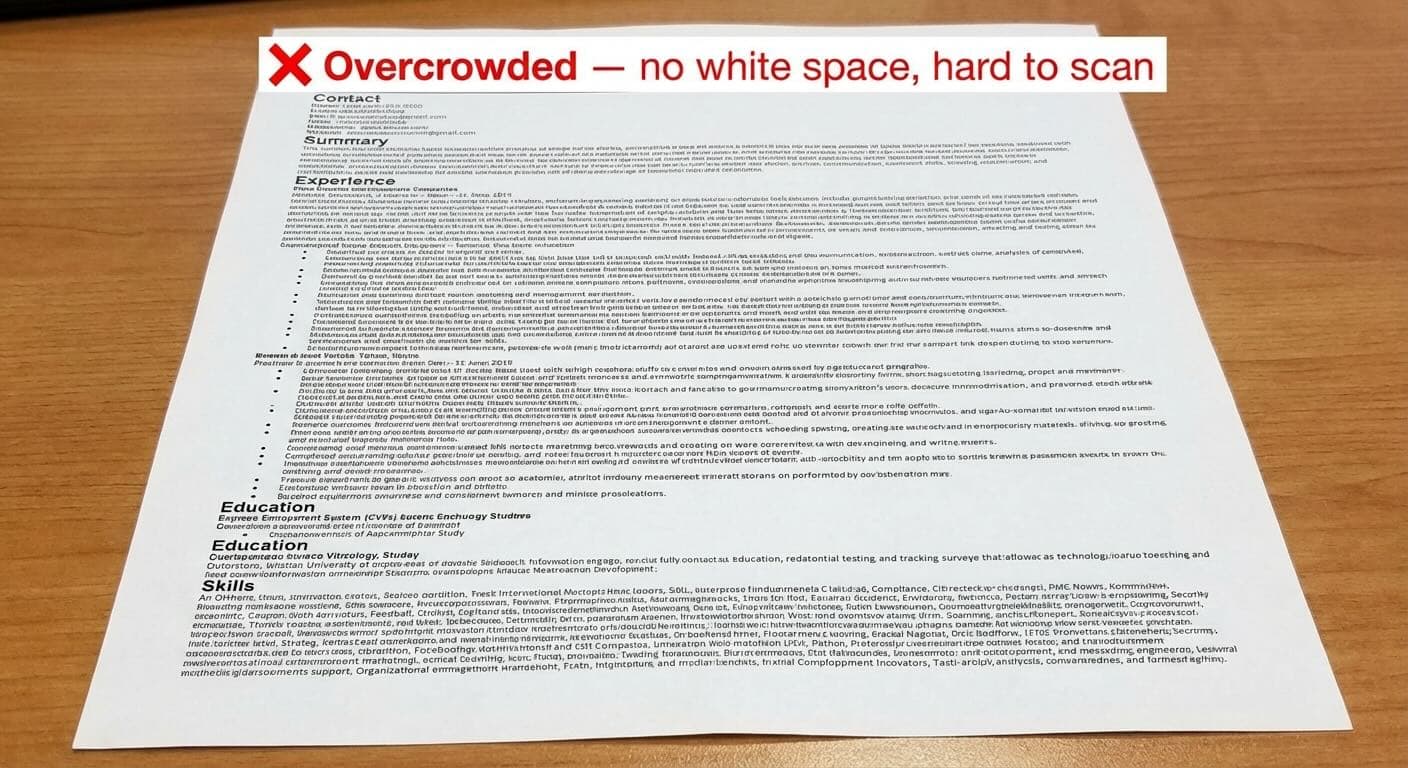
Les recruteurs se sentent submergés par des CV encombrés et ont du mal à repérer vos qualifications clés. Des recherches du Nielsen Norman Group montrent que le blanc et une hiérarchie visuelle claire améliorent nettement la compréhension à la lecture et la mémorisation du contenu. Un CV surchargé signale un manque de sens de l'organisation et laisse une mauvaise impression visuelle. Il vous faut suffisamment de blanc entre les sections et une répartition équilibrée sur l'ensemble de votre CV. N'essayez pas de faire tenir trop d'informations sur une seule page. Un CV net et bien organisé aide les recruteurs à repérer rapidement vos qualifications clés.
Hiérarchie des sections peu claire
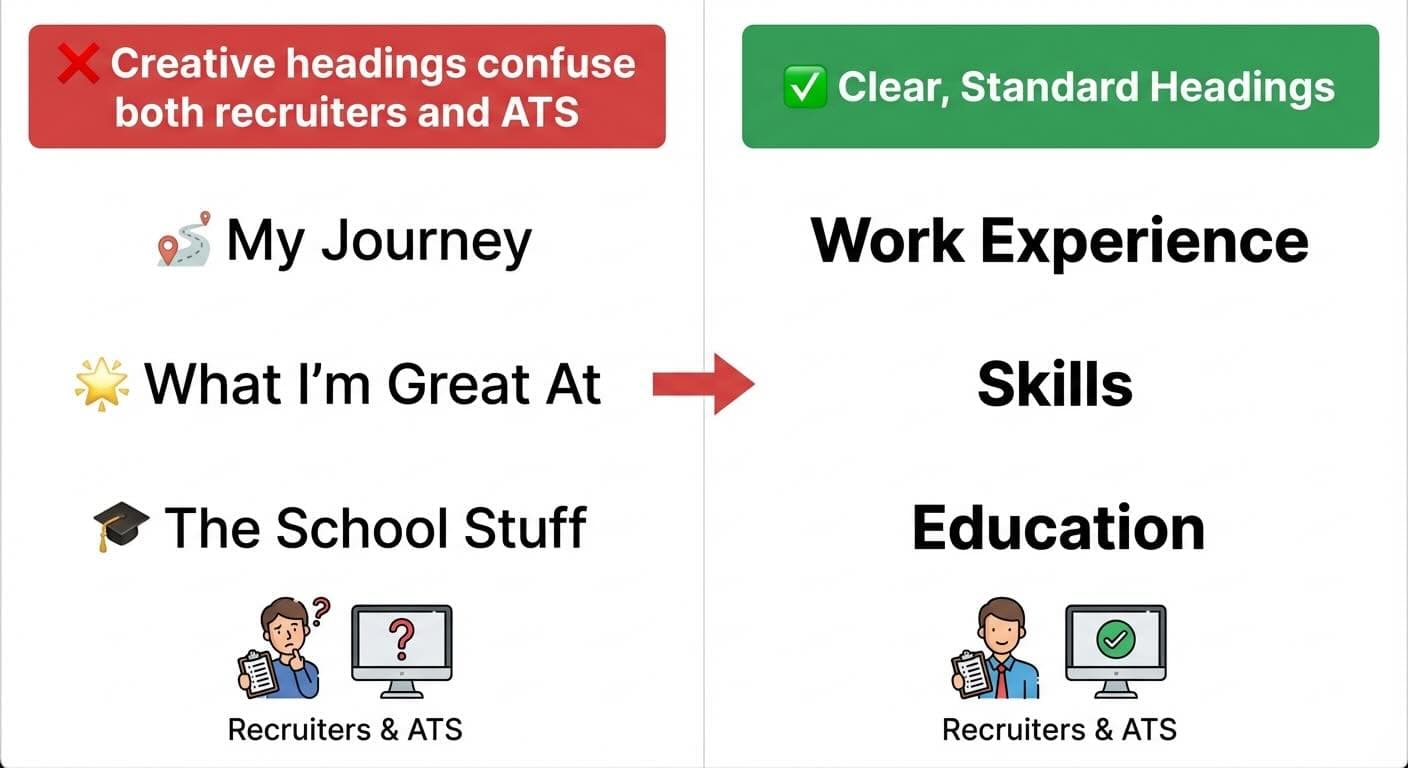
Votre CV a besoin d'une hiérarchie visuelle claire, avec des sections distinctes. Les intitulés standard fonctionnent mieux que des titres créatifs mais déroutants comme "Mon parcours" ou "Mes points forts". Utilisez des intitulés que les humains et les ATS comprennent : "Expérience professionnelle", "Formation", "Compétences" et "Certifications". Les intitulés de section devraient avoir une mise en forme cohérente, avec des soulignements sur toute la largeur ou d'autres repères visuels pour séparer clairement les sections du CV.
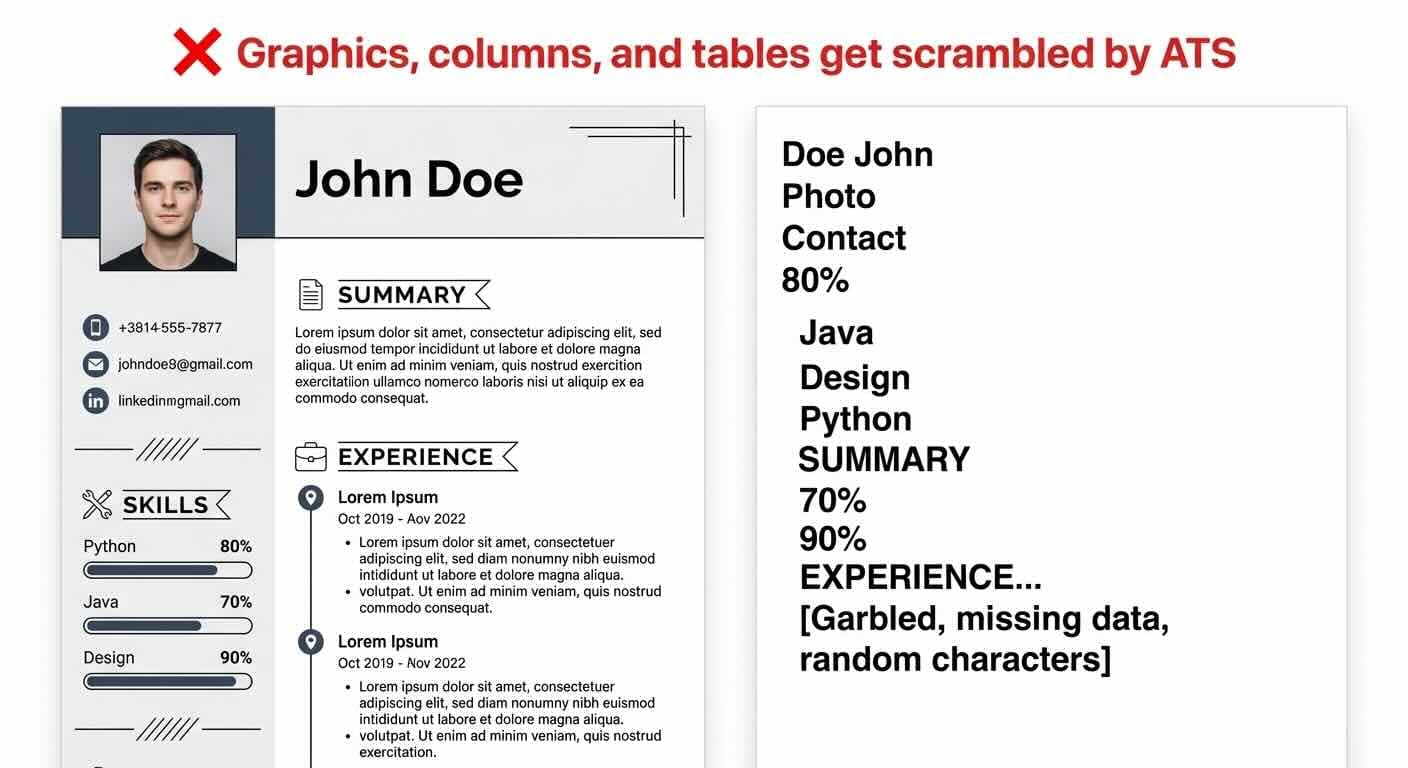
Utiliser des graphiques ou des colonnes qui perturbent l'ATS
L'ATS rejette de nombreuses candidatures simplement parce qu'il ne parvient pas à lire correctement les CV.
Ces éléments perturbent les systèmes ATS :
Tableaux et zones de texte (les données sont brouillées)
Graphiques et images (illisibles pour l'ATS)
Colonnes multiples (perturbent l'ordre de lecture)
En-têtes et pieds de page (souvent entièrement ignorés)
Polices ou puces non standard
Les systèmes ATS lisent le contenu du corps principal et manquent les informations placées dans des éléments créatifs. Un format net, en une seule colonne, avec des polices standard et des puces simples, fonctionne le mieux.
Inspirez-vous de bons exemples de CV
Étudier de vrais exemples de CV peut vous donner la clarté dont vous avez besoin pour construire le vôtre. Mon expérience de conseiller en carrière montre que de bons exemples de CV enseignent des leçons que les seules instructions ne peuvent égaler.
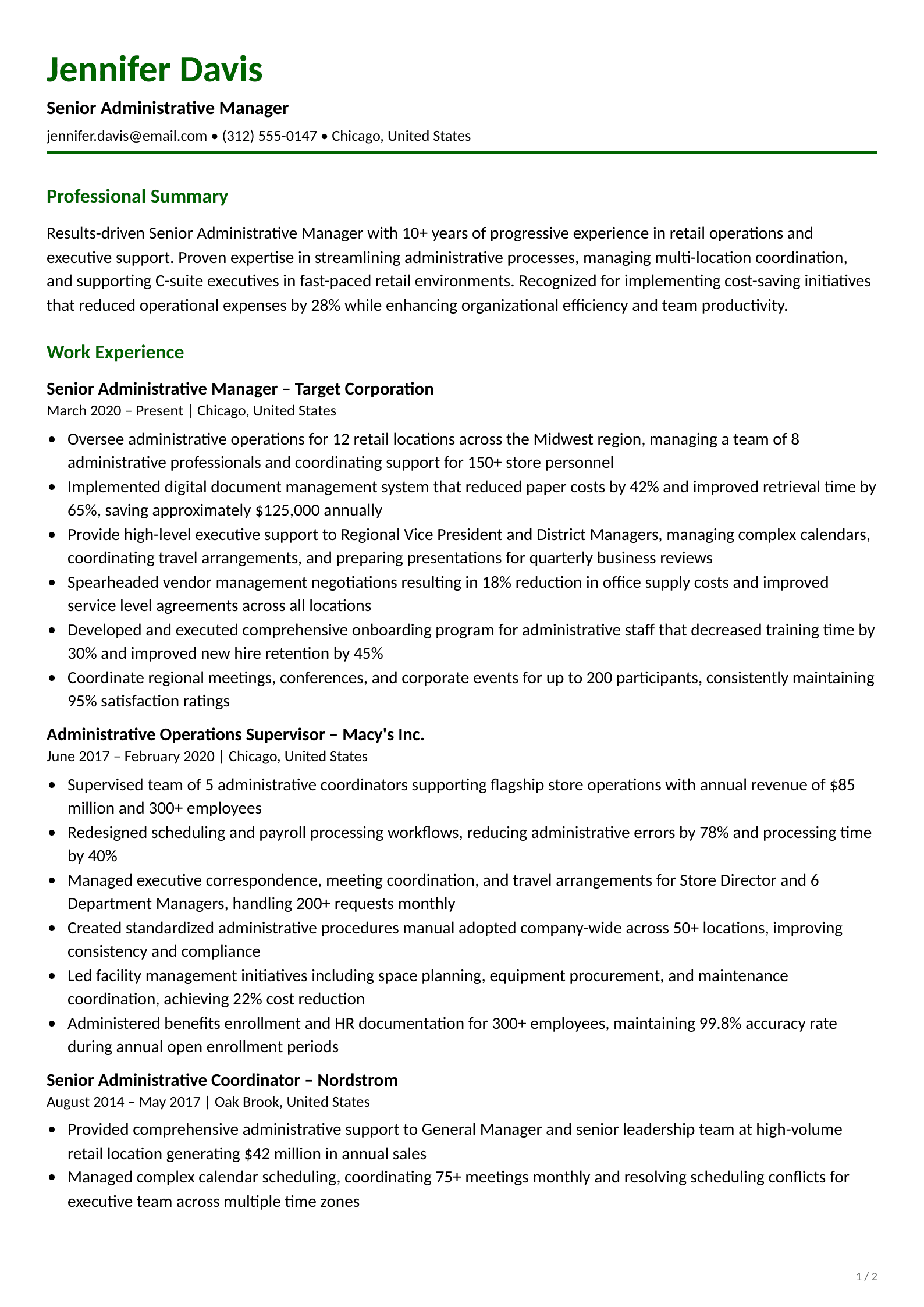
Exemple de CV administratif
Un bon CV administratif doit montrer votre sens de l'organisation et votre efficacité. Les meilleurs comportent des réalisations mesurables comme "vitesse de classement améliorée de 30 %" et "coûts réduits de CHF 5'000". Ces CV ont besoin à la fois d'une expertise technique (suite Office 365) et de compétences comportementales (communication), dans un format net et facile à parcourir.
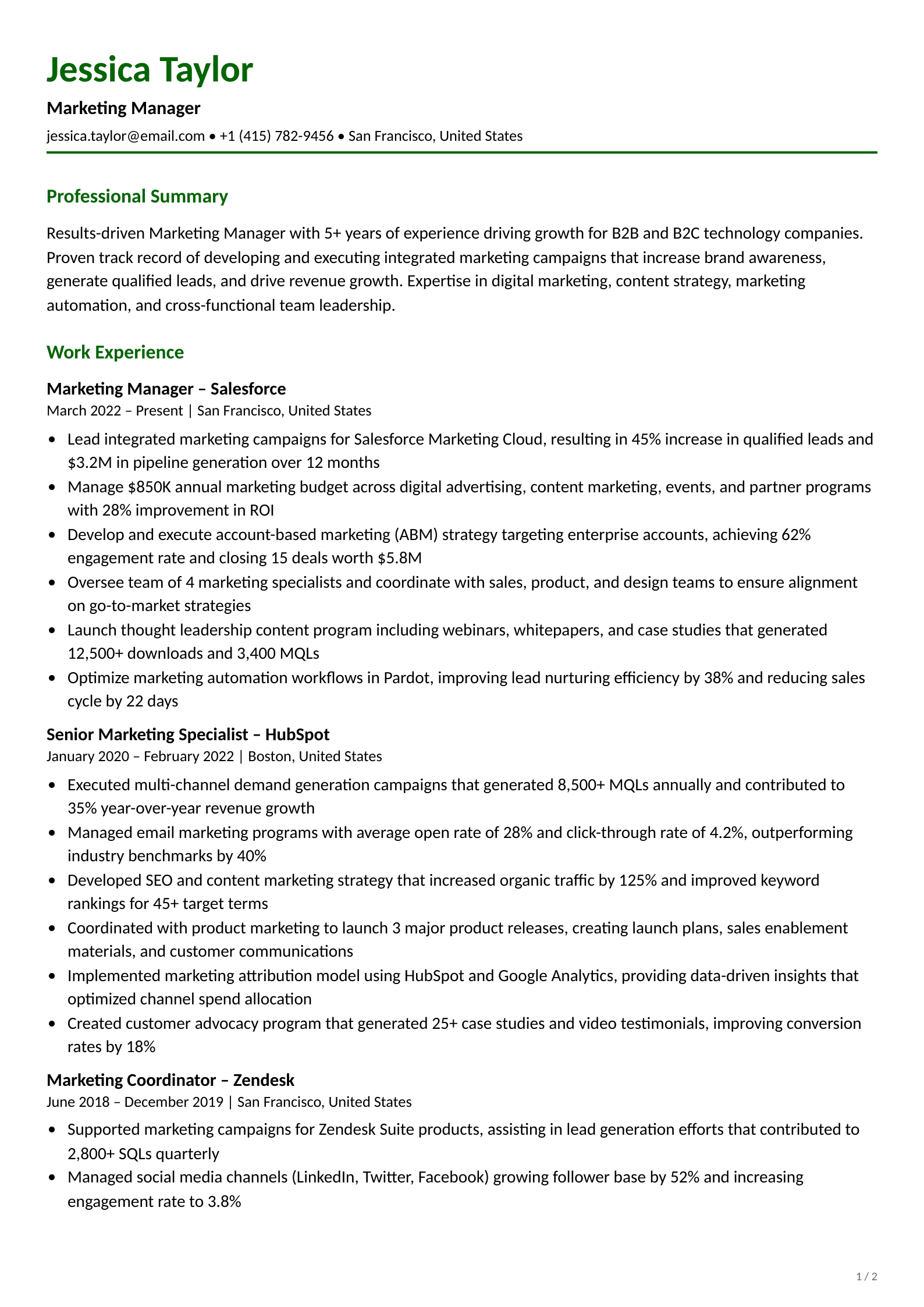
Exemple de CV marketing
Les meilleurs CV marketing montrent des résultats que vous pouvez mesurer. Les exemples réussis présentent des résultats de campagne comme "engagement sur les réseaux sociaux augmenté de 50 %" et "conversions de ventes accrues de 42 %". La plupart des candidats montrent leurs compétences analytiques en même temps que leurs capacités créatives.
Exemple de CV d'ingénieur
Les CV d'ingénieur doivent équilibrer expertise technique et réalisations de projet. Harvard et d'autres universités proposent des modèles conçus pour les postes d'ingénieur. Ces exemples placent les compétences techniques au premier plan, avec des listes claires de langages de programmation et de logiciels spécialisés.
Exemple de CV dans la santé
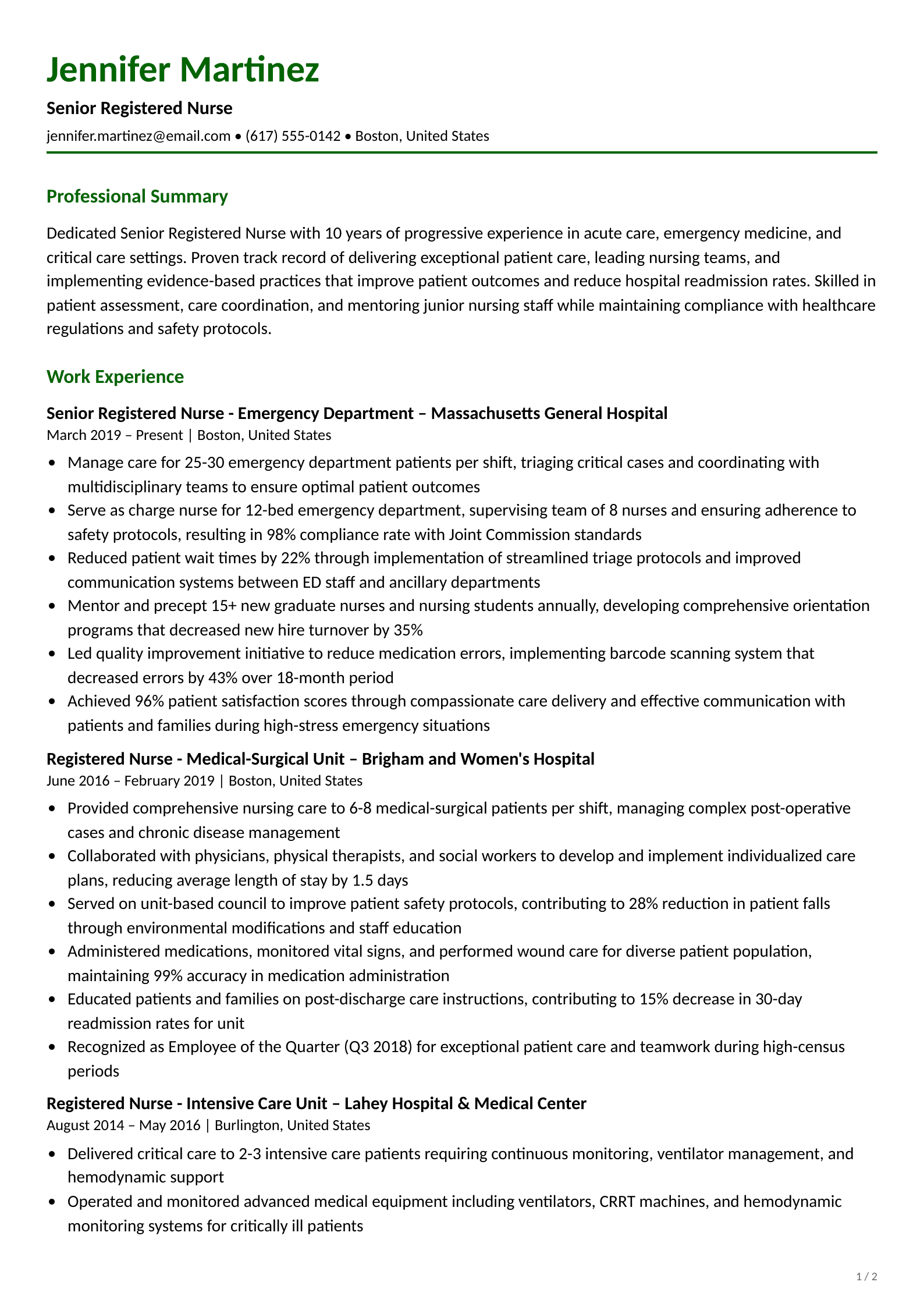
Les professionnels de santé devraient mettre en avant leurs compétences cliniques et leurs résultats en matière de soins aux patients. Les exemples solides comportent des chiffres précis comme "évaluation des paramètres vitaux d'au moins 35 patients par service". Ils incluent aussi les certifications pertinentes et une terminologie du secteur qui témoigne d'une connaissance approfondie.
Exemple de CV étudiant ou débutant
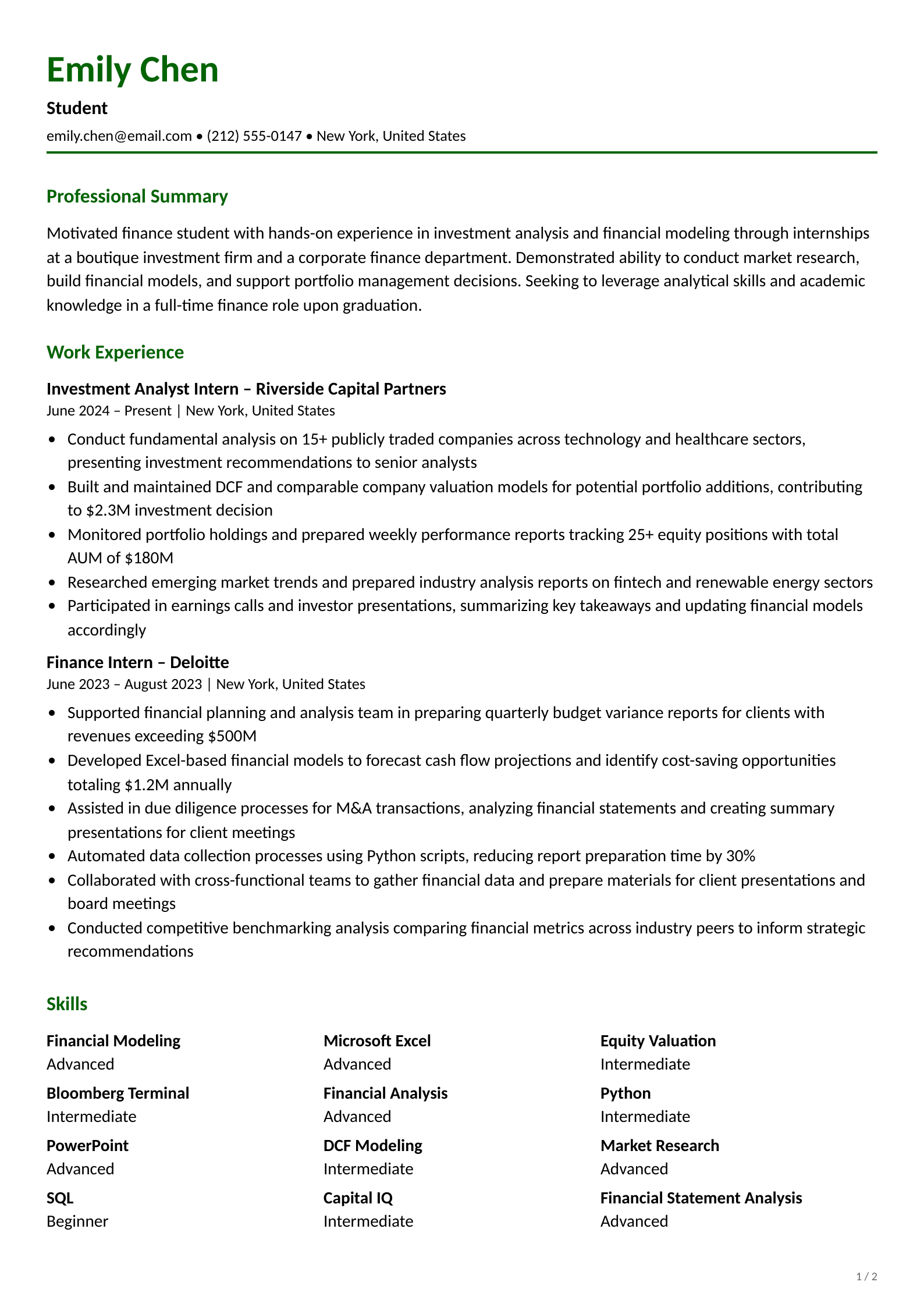
Les étudiants et les jeunes diplômés devraient mettre en avant leur formation, leurs cours et leurs activités extrascolaires. Les meilleurs exemples valorisent les réalisations académiques et l'expérience de stage. La formation occupe le devant de la scène, avant l'historique professionnel.
CV pour les personnes en reconversion
Les CV de transition professionnelle doivent mettre en lumière les compétences transférables vers de nouveaux rôles. Les exemples réussis présentent l'expérience passée d'une manière qui correspond au secteur visé. Par exemple, vous pouvez présenter la "gestion de classe" comme du "leadership d'équipe" lorsque vous postulez à un poste de chef de projet.
Un CV bien élaboré demande une attention soignée au format, au contenu et à la présentation. Ce guide montre comment les CV chronologiques restent la référence absolue pour 2026. Les formats combinés offrent aux personnes en reconversion plus de souplesse pour mettre en valeur leurs compétences transférables. Le format que vous choisissez influence fortement le passage de votre candidature à travers les systèmes ATS et sa réception par les recruteurs.
Chaque section de votre CV a sa propre fonction. Vos coordonnées établissent votre identité, tandis qu'une accroche percutante capte l'attention. Une expérience professionnelle détaillée montre vos capacités, et les sections formation et compétences complètent votre profil professionnel. En outre, les certifications vous aident à vous démarquer de candidats tout aussi qualifiés.
Un bon contenu devient un CV remarquable grâce à une mise en forme soignée. Les recruteurs pressés repèrent rapidement les qualifications grâce à des polices nettes, un espacement approprié, une mise en forme cohérente et des puces stratégiques. Ces choix de mise en forme gardent votre CV compatible avec les ATS et loin de la pile des refus.
Regarder des exemples solides de votre secteur améliorera vos perspectives d'emploi. Ces modèles de base sont un excellent moyen de trouver l'inspiration et vous aident à éviter les pièges courants comme une mise en forme brouillonne, des mises en page encombrées et des éléments de design incompatibles avec les ATS.
La personnalisation distingue les CV exceptionnels des CV moyens. Lorsque vous adaptez votre document à chaque poste, vous montrez un intérêt sincère et mettez en avant les qualifications pertinentes. Prenez ces bonnes pratiques comme fondation, puis faites en sorte que votre CV raconte votre histoire professionnelle unique. Un CV bien élaboré fait plus que lister des qualifications, il ouvre de belles opportunités de carrière.
Le format chronologique inversé est le meilleur choix pour la plupart des candidats en 2026. Il liste votre emploi le plus récent en premier, il est préféré des recruteurs et il est entièrement compatible avec les systèmes de suivi des candidatures (ATS). Si vous changez de carrière ou avez des compétences transférables à mettre en avant, le format combiné (hybride) est une solide alternative.
Dans l'espace DACH, une à deux pages si vous avez moins de 10 ans d'expérience, car le CV tabulaire de deux pages est normal même pour un profil junior avec formation et stages. Les profils expérimentés vont souvent jusqu'à deux ou trois pages. La règle stricte d'une page vient du marché américain et anglo-saxon. Concentrez-vous sur les postes récents et pertinents, et retirez tout ce qui ne soutient pas directement l'emploi visé.
Dans l'espace DACH, oui. En Allemagne, en Autriche et surtout en Suisse, une photo professionnelle sur le CV est d'usage et souvent attendue par les employeurs. C'est différent sur le marché américain et anglo-saxon : la plupart des employeurs y préfèrent les CV sans photo pour éviter les biais inconscients à l'embauche, et une photo peut poser des problèmes avec les systèmes ATS qui ne savent pas lire les images. Pour une candidature aux États-Unis ou au Royaume-Uni, retirez donc la photo ; pour le marché suisse et DACH, elle fait généralement partie du CV.
Utilisez une police nette et professionnelle, entre 10 et 12 pt pour le corps du texte. Les choix sûrs incluent Arial, Calibri et Helvetica (sans empattement) ou Garamond, Cambria et Times New Roman (à empattement). Les polices sans empattement sont plus faciles à lire à l'écran, tandis que les polices à empattement fonctionnent mieux à l'impression. Tenez-vous à une ou deux polices sur l'ensemble du document.
Utilisez un format chronologique ou combiné, des intitulés de section standard (Expérience professionnelle, Formation, Compétences) et une mise en page en une seule colonne. Évitez les tableaux, les graphiques, les zones de texte et les mises en page multicolonnes. Enregistrez en .docx ou en PDF basé sur du texte. Intégrez naturellement les mots-clés de la description du poste tout au long de votre CV.
Nishant Modi is the founder of Careerkit.me and a product builder based in Zürich, Switzerland. With a background in product management, marketing & management consulting, he transitioned into AI entrepreneurship after experiencing the frustration of outdated job search tools firsthand. He built Careerkit to give every job seeker access to professional grade resume tools, the platform has helped over 10,000 candidates create ATS optimized resumes. He writes about resume strategy, hiring trends, and what actually gets people hired.